Manage Nexus Repo CI token
Subscription Admins (SAs) and Project Admins (PAs) can view, copy, and rotate the CI token used to authenticate access to Nexus repositories from CI/CD pipelines or external tools.
Prerequisites
Ensure the following:
- You are a Subscription Admin (SA) for the subscription, or a Project Admin (PA) for a SHIP-HATS project within the subscription.
- Nexus Repo is provisioned in your SHIP-HATS subscription.
Steps
In Console, go to Products > SHIP-HATS, and select the required subscription to open the Workspace.
For detailed steps, see Access Workspace.
Click Tools > Nexus Repo.
Select the required SHIP-HATS project.
Existing repositories are listed. For detailed steps, see View Nexus repositories.
Select the ellipsis (…) next to the required Nexus Repo name, then select Manage.
In the Token tab, you can:
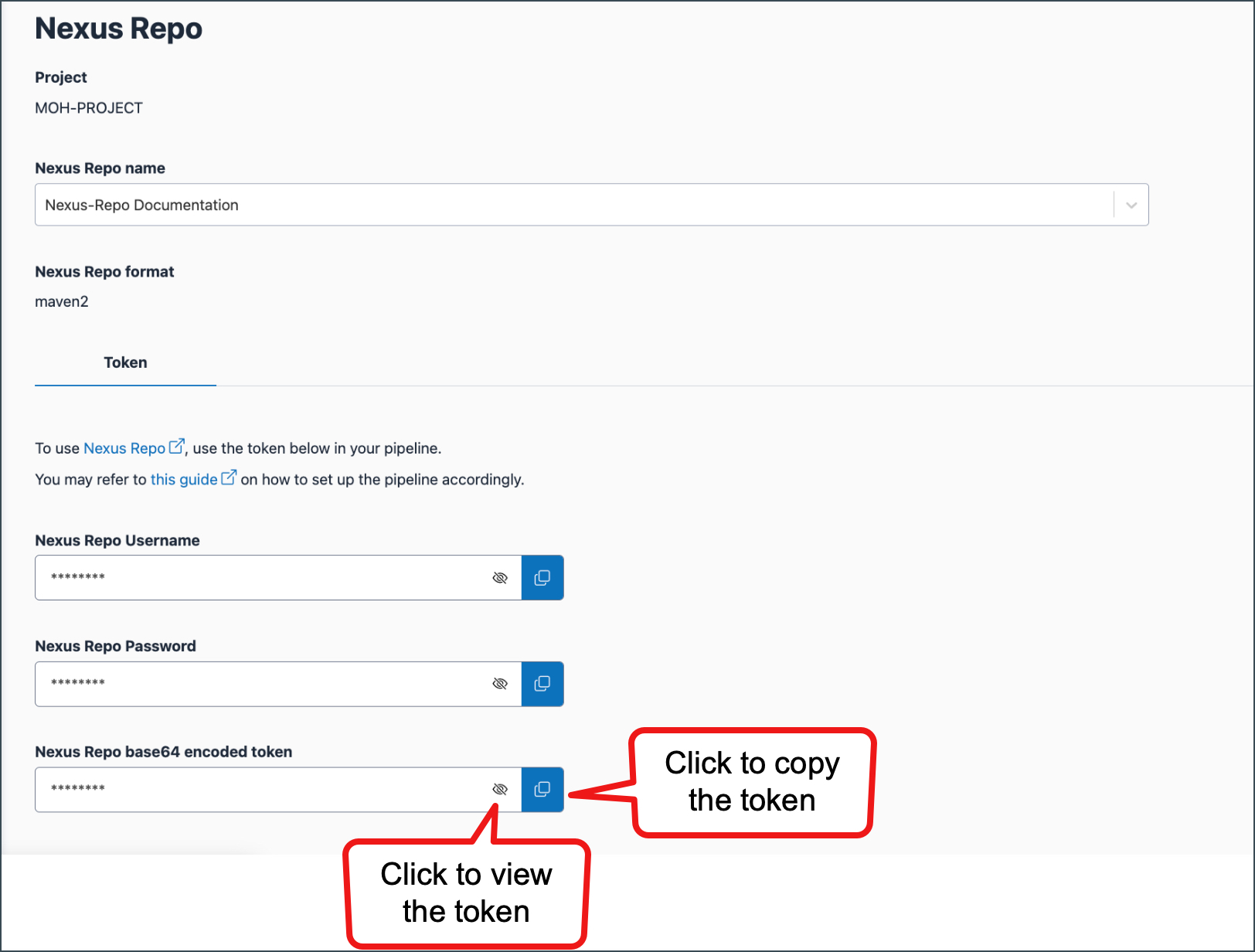
- View the CI token — Select the eye icon next to the token.
- Copy (retrieve) the CI token — Select the copy icon next to the token.
- Rotate the CI token — Select the rotate icon next to the token. The token expiry date is displayed after rotation.
Things to note
- CI tokens are used for automated authentication when publishing or retrieving artefacts from Nexus repositories.
- After rotating a token, update the new token in your CI/CD pipelines or repository authentication configuration.
