Delete Jira projects
Subscription Admins (SAs) and Project Admins (PAs) can delete Jira projects.
Important
- Deleting a Jira project permanently removes it from the selected SHIP-HATS project.
- This action cannot be undone. Ensure the project is no longer required before proceeding.
- Before deleting, export the project data if you need to retain the information.
Prerequisites
Ensure the following:
- You are a Subscription Admin (SA) for the subscription, or a Project Admin (PA) for a SHIP-HATS project within the subscription.
Steps
In Console, go to Products > SHIP-HATS, and select the required subscription to open the Workspace.
For detailed steps, see Access Workspace.
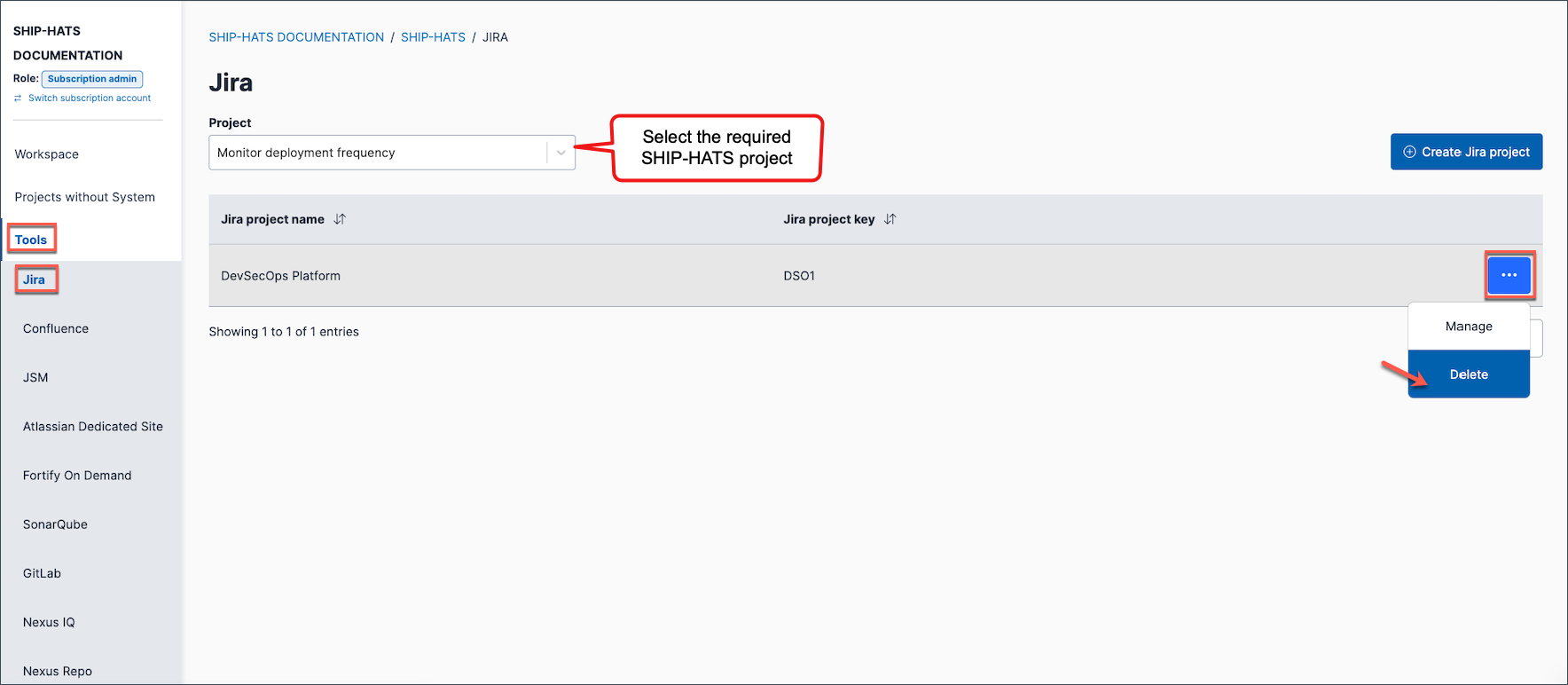
Click Tools > Jira.
Select the required SHIP-HATS project.
Click the ellipsis (…) next to the required Jira project name, then select Delete.
Type the project name to confirm the deletion.
Click Confirm.
