Understand CFT concepts
To get started with CFT, it’s helpful to understand the core components that make up your CFT setup.
Project
A Project is the foundation of your file transfer setup in CFT. It links all the components in your transfer.
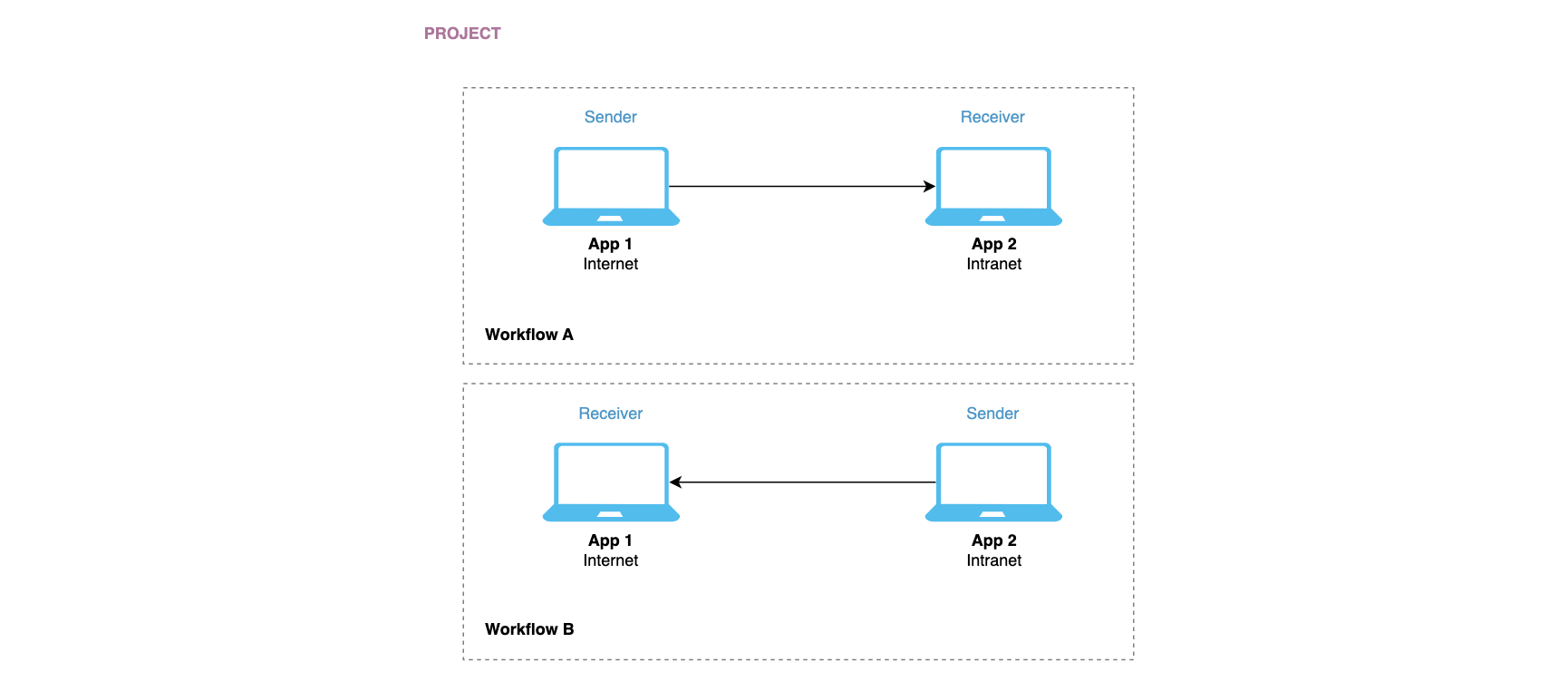
Tenant Managers and Tenant Users can create and manage projects in the CFT Admin Portal. To learn more, refer to Manage projects.
Application
An Application represents a sender or receiver system that participates in a file transfer.
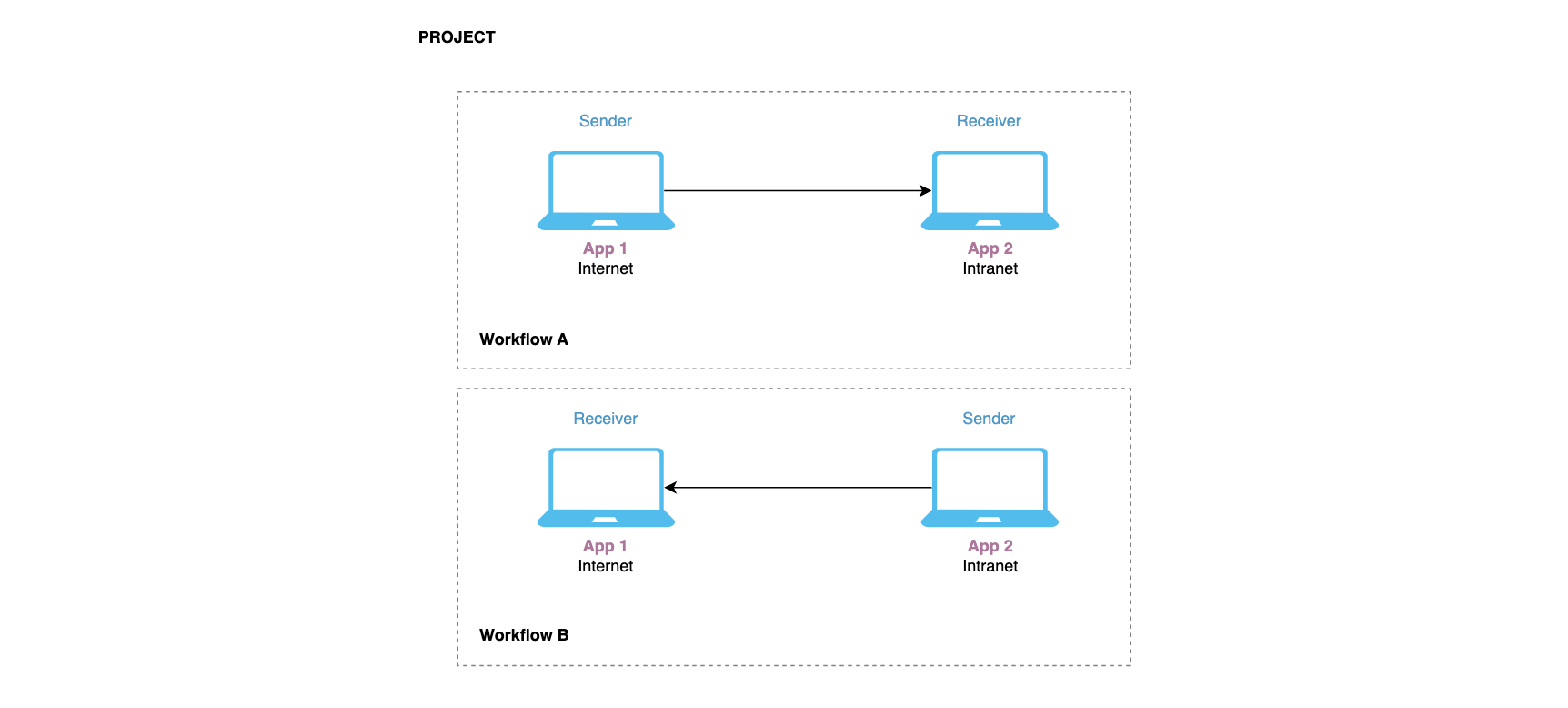
You need to generate application credentials for both the sender and receiver applications to authenticate the file transfer. To learn more, refer to Manage applications.
To assign an application as a sender or receiver application, create or edit a workflow in the admin portal. To learn more, refer to Manage workflows.
Workflow
A workflow organises the applications and policies in a file transfer setup. Each workflow represents a single unidirectional file transfer between a sender application and a receiver application.
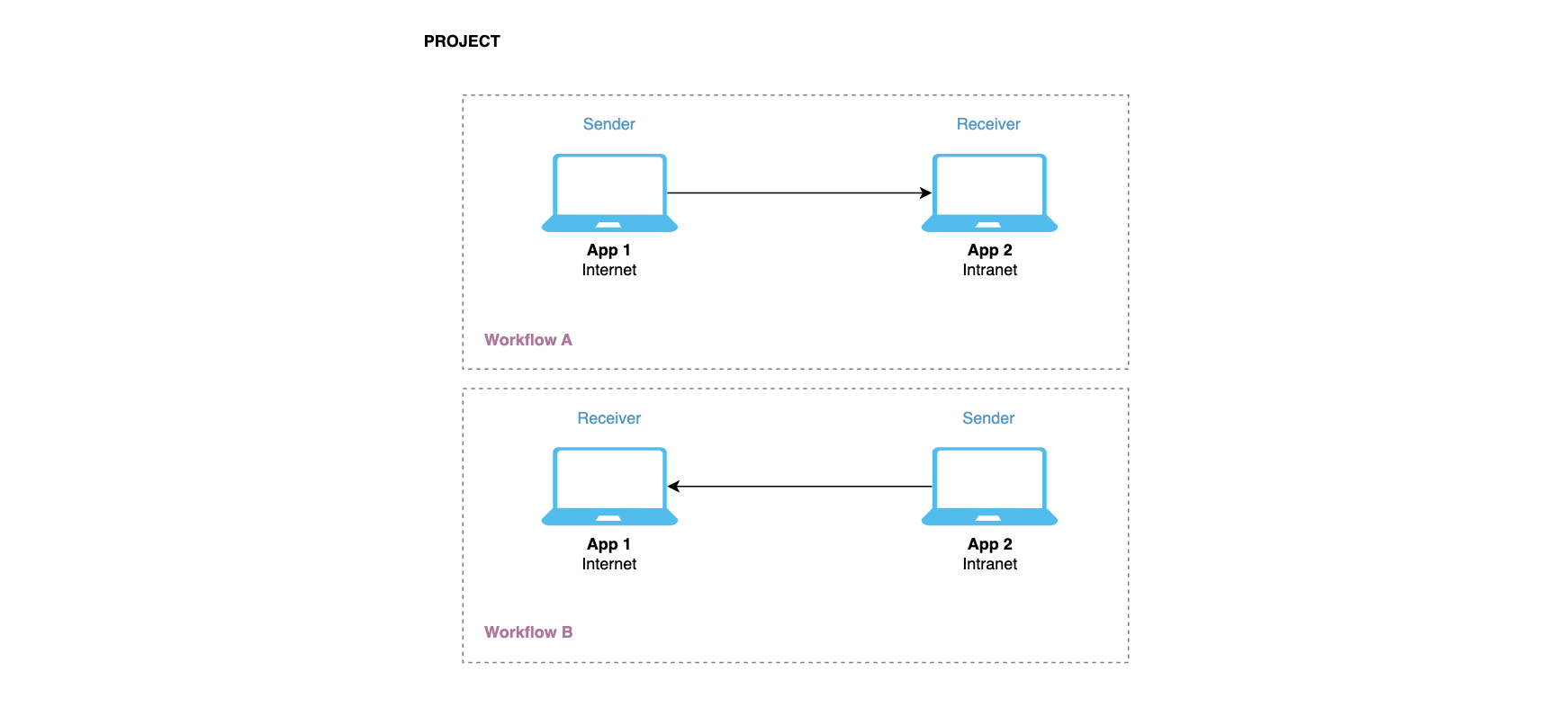
Example
To (A) send files from the internet zone to the intranet zone and (B) send the files back to the internet zone, you would need to create two workflows.
| Workflow A |
|---|
| Sender application - Internet zone |
| Receiver application - Intranet zone |
| Workflow B |
|---|
| Sender application - Intranet zone |
| Receiver application - Internet zone |
CFT Admin Portal
The CFT admin portal is a web-based console that tenants can use to manage and configure their CFT projects and components.
To know more about the CFT Admin Portal and portal user roles, refer to the CFT Admin Portal Guide.
