Access CFT admin portal
Prerequisites
To access the admin portal, you need:
An active TechPass account, either as a public officer or a vendor.
To be a user in a tenant project in the CFT admin portal. If your team has not yet onboarded to CFT, refer to CFT Onboarding.
Log in to CFT admin portal
On your browser, go to the CFT admin portal using this URL: https://go.gov.sg/cft.
Click Login with TechPass.
- If you are a public officer using an internet device and your SG Govt M365 profile is not available in your Microsoft Authenticator app, you will need to set up security verification for your Whole-of-Government (WOG) account, then log in to the admin portal with TechPass.
- If you are a vendor, you need to log in to the admin portal using your TechPass ID (
your_name@techpass.gov.sg) and password.
Follow the on-screen instructions. After a successful login, the dashboard is displayed.
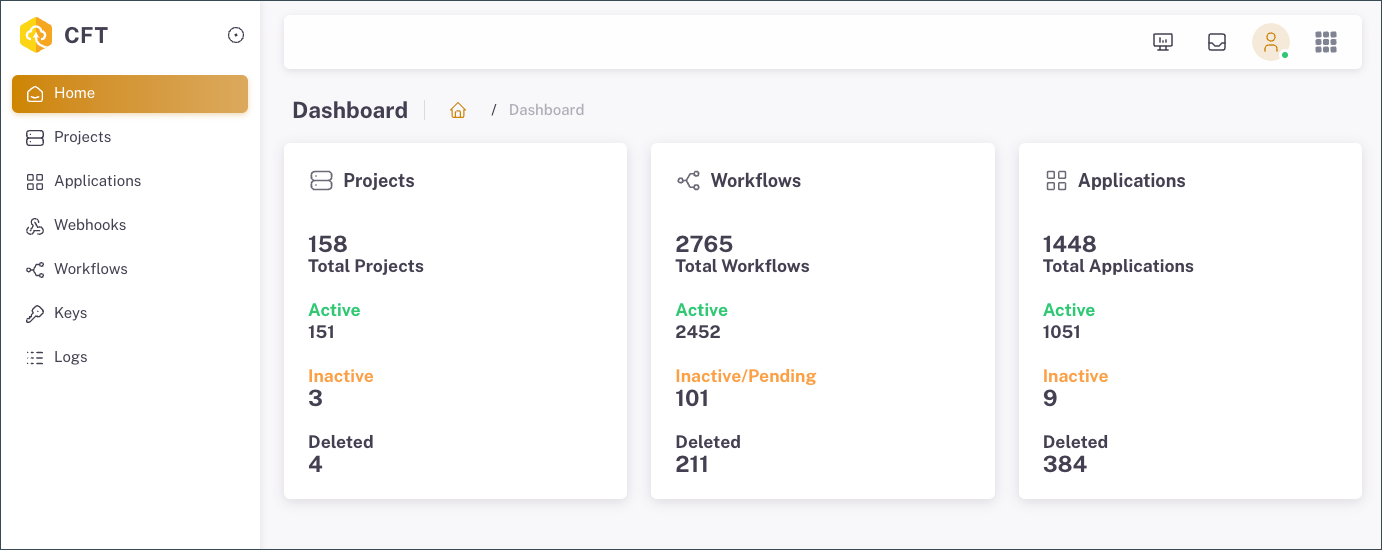
The Left Menu contains your projects, applications, webhook notifications, workflows, and logs.
The Top Menu contains your user profile, requests tab, and system options.
