CFT guidelines and best practices
File transfer rate guidelines
To maintain optimal performance on the shared CFT infrastructure used by WOG agencies, we recommend:
- A maximum transfer rate of 30 files per minute per workflow, with each file up to 10 MB.
- Reducing the transfer rate proportionally for larger files to ensure consistent performance.
If your requirements exceed these guidelines, please submit a service request to discuss options for your use case.
Note: Microsoft Office files, especially large files or files containing many embedded objects, may require additional processing time.
Handling duplicate files
By default, CFT automatically overwrites files with the same filename when uploading to the same workflow.
To prevent CFT from overwriting duplicate files, you can:
For an HTTPS Sender application, you can include the x-cft-do-not-overwrite header parameter in the request and set it to
true. For more information, refer to the the API Reference Documentation.For an SFTP sender application, you can enable the Enable SFTP Unique Files option in a workflow.
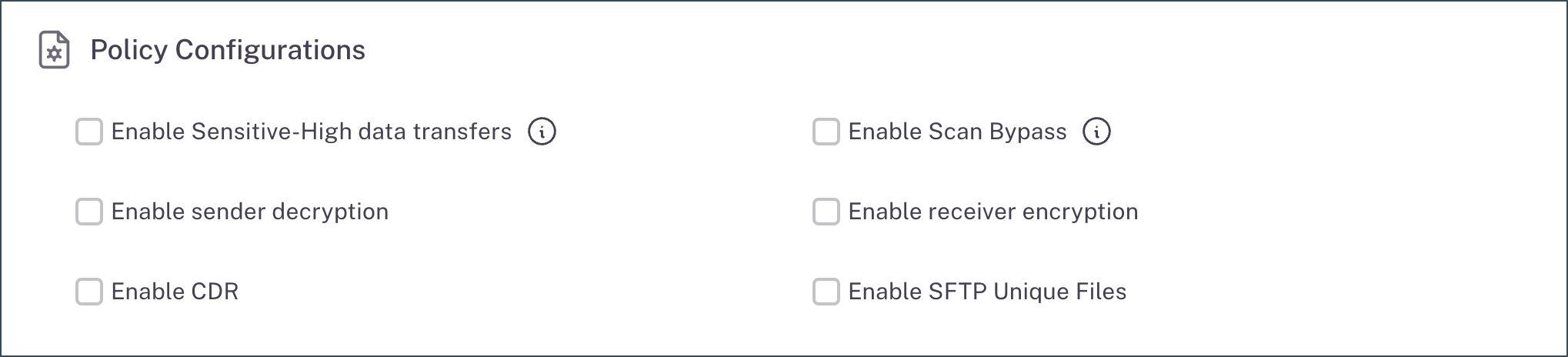
Each newly uploaded file is placed in a sub-folder named with the unique File ID, ensuring that every file is stored separately and identified distinctly. For more information, refer to Configure file transfer policies.
File name length
We recommend keeping file names under 50 characters. If you need a higher limit, contact us at go.gov.sg/cft-sm.
Handling filenames with special characters
HTTPS transfers only: Filenames that contain certain special characters may need to be percent-encoded to ensure uploads and downloads work correctly. Filename encoding is not required for SFTP transfers.
The sections below show, for HTTPS transfers, which characters:
- must be encoded
- can optionally be encoded
- are not supported
Note: Percent-encoding is case-insensitive (for example, %3a and %3A are both valid).
Must encode
These characters must be percent-encoded for the file to upload and download correctly. If they are not encoded, the transfer may fail.
| Character | Encoding |
|---|---|
\ |
%5C |
# |
%23 |
? |
%3F |
% |
%25 |
Not supported
The forward slash (/) is not supported in filenames and will cause the transfer to fail.
Optional
These characters can be used as-is, but percent-encoding them is also supported. Encoding optional characters may help avoid edge-case issues in some systems.
Important: To avoid ambiguity,
+is not accepted as an encoding forspace. Use%20instead.
| Character | Encoding |
|---|---|
space |
%20 |
Non-ASCII (for example, 我) |
%E6%88%91 |
! |
%21 |
$ |
%24 |
& |
%26 |
' |
%27 |
( |
%28 |
) |
%29 |
* |
%2A |
+ |
%2B |
, |
%2C |
: |
%3A |
; |
%3B |
= |
%3D |
@ |
%40 |
[ |
%5B |
