View scheduler jobs logs
Monitor your SFTP jobs between CFT and your application through the CFT admin portal.
To view the logs of your scheduled jobs, follow these steps:
On the sidebar, click Logs.
From the Project Selection drop down, select a project.
Select the Scheduler Jobs tab.
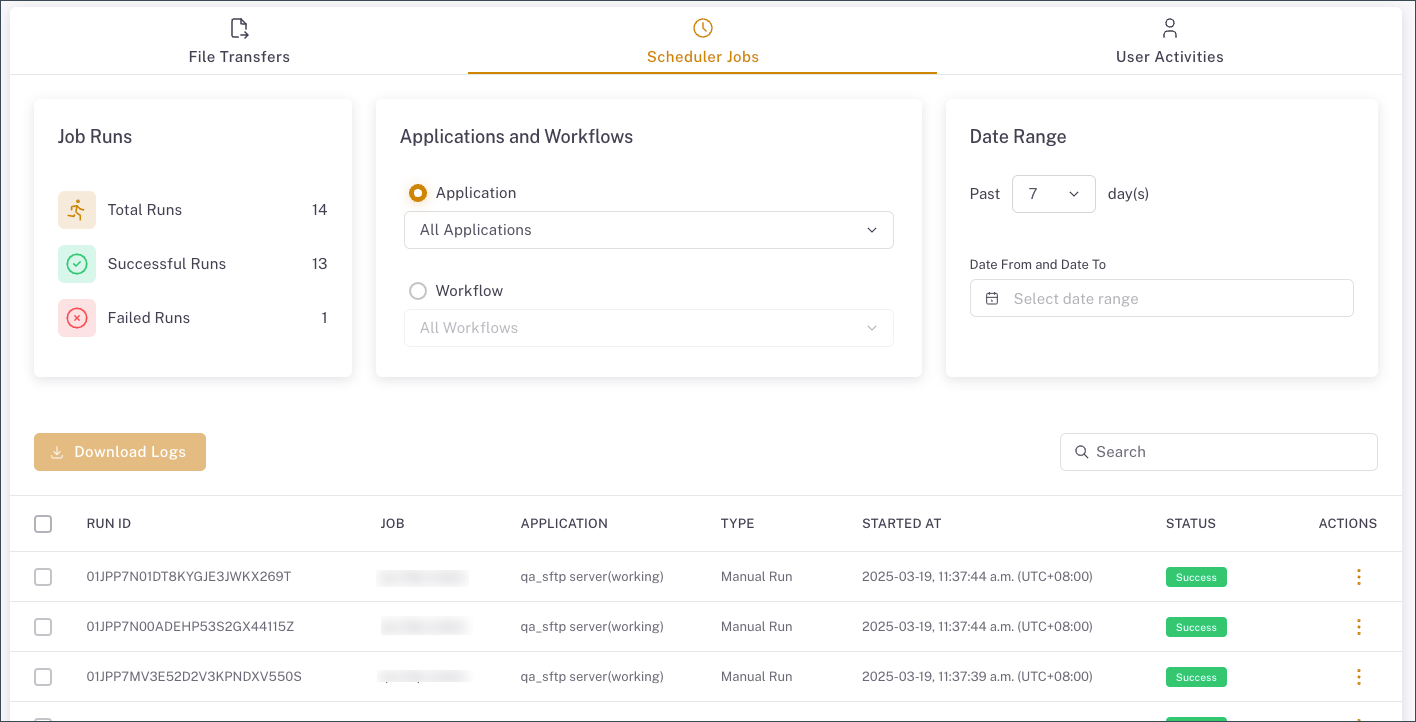
Refine your log view using these filters:
- Application - View jobs for a specific application.
- Workflow - Filter jobs by workflow.
- Date range - Select from preset past days or specify custom dates when the job was run.
- Search - Filter by Run ID or Job name using the search box.
- Application - View jobs for a specific application.
View job details
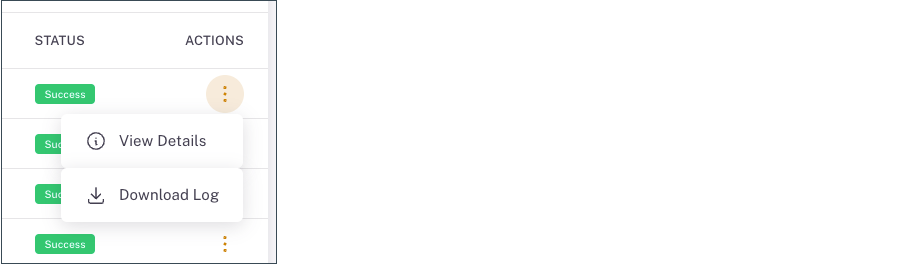
Click the Actions menu and click View Details or Download Log to view more information.
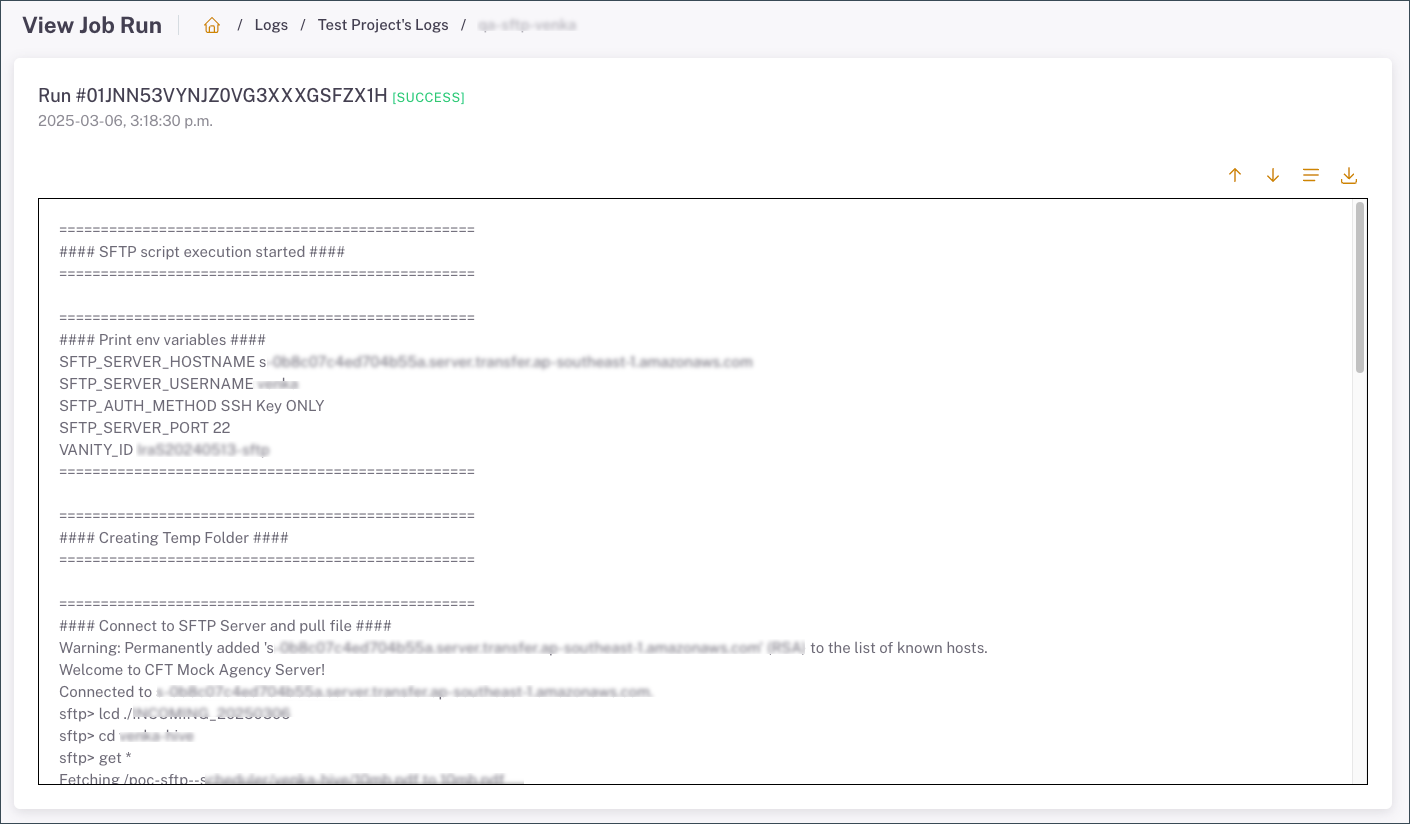
The job details are displayed.
Download multiple logs
To download multiple logs, use the checkboxes to select specific entries or choose all logs displayed on the current page, and then click Download Logs.
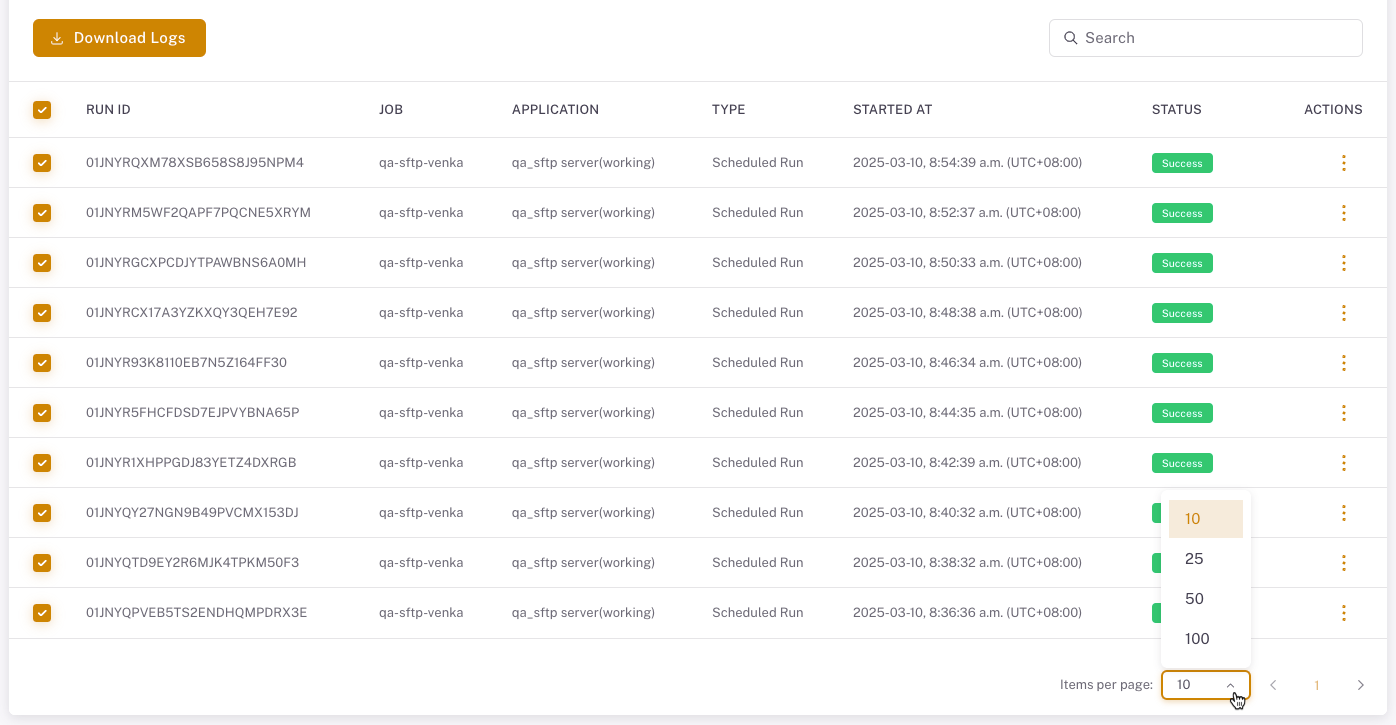
Adjust the Items per page setting to view and download more entries at once.
