Monitor Claude Code usage and charges
Where you monitor Claude Code usage depends on your organisation and role. Use the table below to find where and how to monitor your usage and costs.
| Role(s) | Go to |
|---|---|
| GovTech public officers & interns | Equip portal |
| GovTech AR | PlatformAI |
| WOG users (excluding GovTech) | Console |
| WOG Subscription Admins (excluding GovTech) | Console |
For higher fidelity analytics, see the AI Impact Dashboard.
GovTech public officers and interns
Monitor your Claude Code usage in the Equip portal.
Go to the Equip portal.
In Software section, select Claude Code.
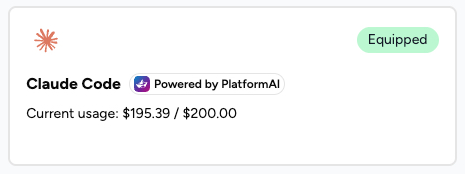
The Claude Code card displays your used and remaining budget in SGD.
GovTech ARs
Monitor your Claude Code usage in PlatformAI.
PlatformAI provides a Usage dashboard that lets project members track consumption and costs. Check it regularly to track usage and budget.
Prerequisites
To access the Usage dashboard,
- You must be a member of an approved premium project. Your Team Lead must add you to the project. For more information, see Step 4: Add ARs to the premium project.
- You must have signed in to the PlatformAI portal at least once using TechPass.
View usage details
Sign in to PlatformAI using your TechPass.
From the left-side menu, select Projects and click the premium project you are a member of.
Navigate to the Usage section to view details such as Total Requests, Total Spend, Cost Over Time and Requests Over Time.
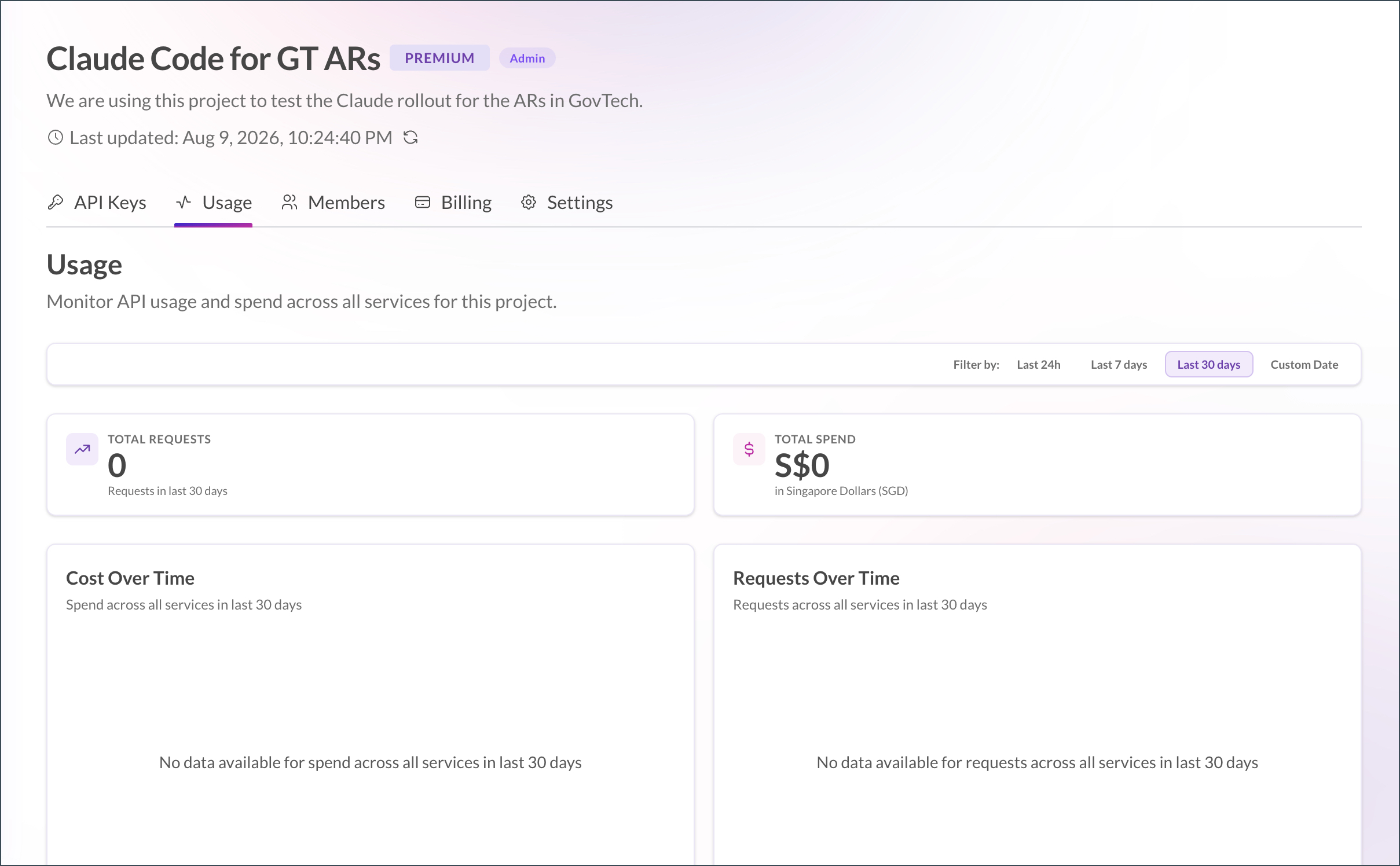
Tip: Check the usage dashboard regularly to stay within your allocated budget. If you are approaching your quota limit and you need more quota, contact your Team Lead.
WOG users (excluding GovTech)
Monitor your Claude Code usage in Console.
Log in to Console.
From your profile menu, select My tools.
Select Claude Code.
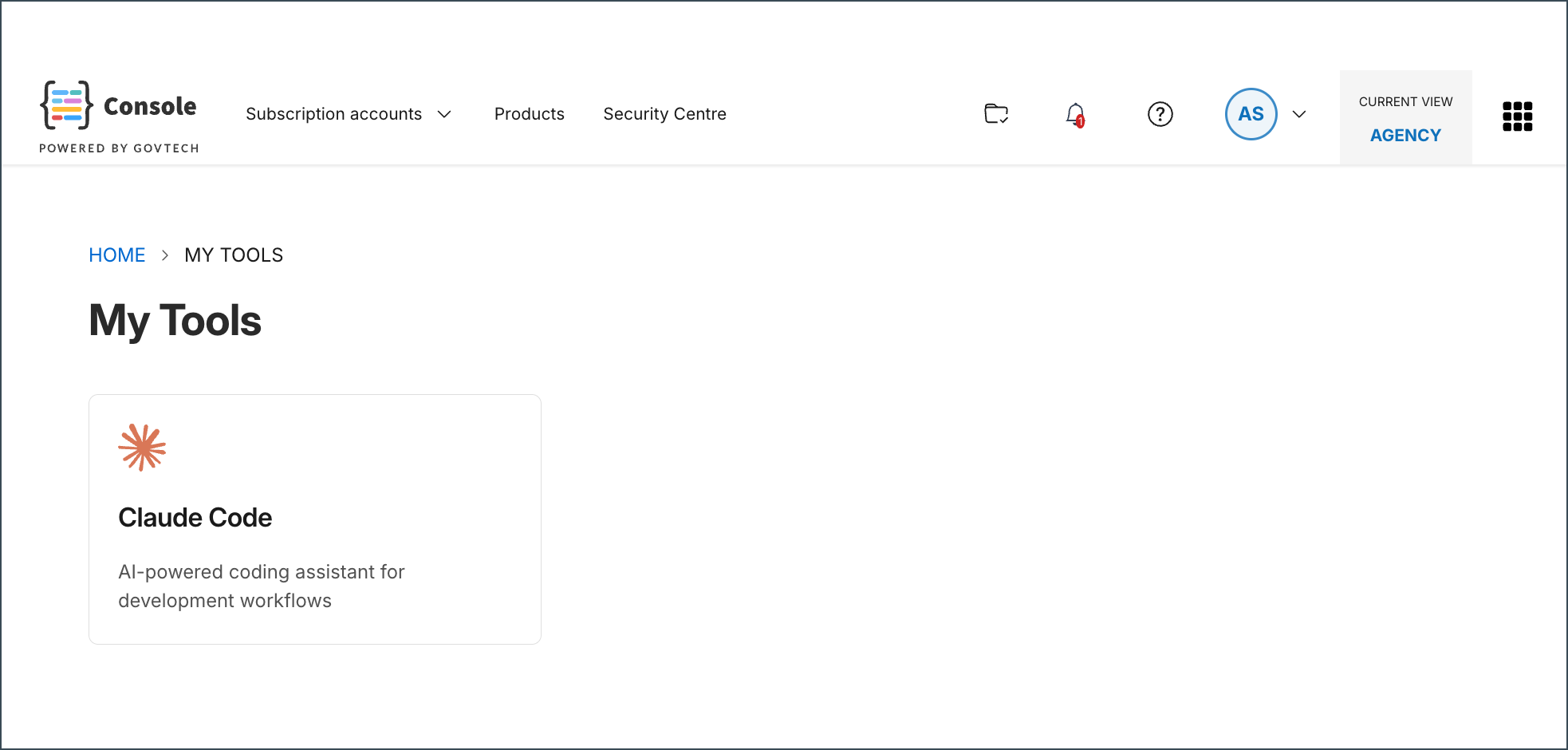
If Claude Code has been provisioned through multiple subscription accounts, select the subscription account that you want to view.
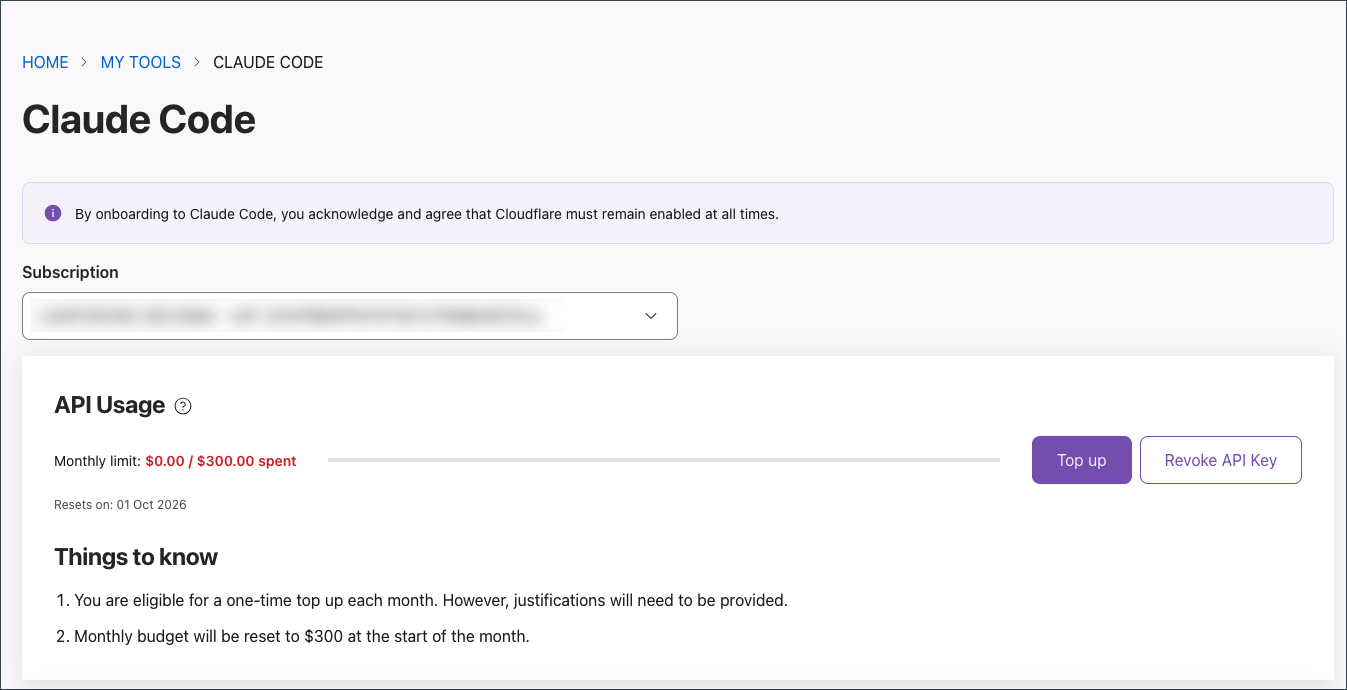
The Claude Code card displays your used and remaining budget in SGD for the selected subscription account.
To extend your budget, see Budget limits.
WOG Subscription Admins (excluding GovTech)
Subscription Admins can monitor Claude Code usage for users they have provisioned through their subscription account.
- Log in to Console.
- Select your subscription that includes Claude Code.
- Select the USER MANAGEMENT tab.
- From the products list, select and expand Claude Code.
- Select Manage.
- In the Users section, the Usage column displays each user’s Claude Code usage.
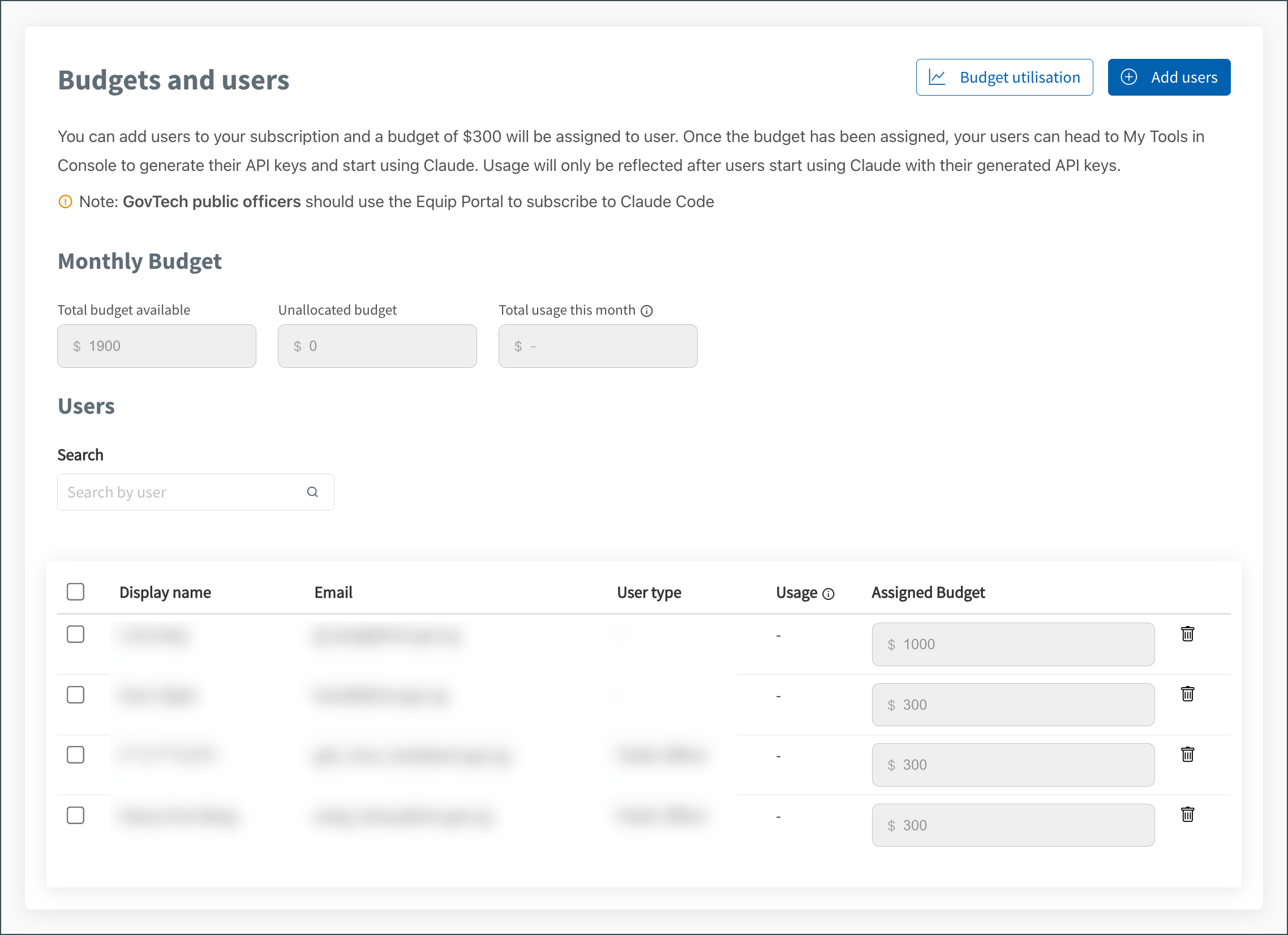
Usage will only be reflected after users start using Claude with their generated API keys.
