Manage portal access
Each Jira Service Management (JSM) project includes a service portal where customers can submit and track service requests.
Project administrators can control who can access the portal and submit requests using Channel access settings.
Prerequisites
Ensure the following:
- You are an Administrator for the JSM project. See JSM roles and permissions.
- The JSM project has already been created. See Create JSM projects.
Portal access settings
The following access settings are available:
Open
- Allows anyone with an Atlassian account to access the portal and submit requests.
Restricted
- Limits access only to invited customers.
- Customers must be added by agents or admins before they can submit requests.
Steps
Open the required JSM project as a project administrator.
Go to Project settings > Access > Customer permissions > Channel access.

Choose the required portal access setting:
- Open – Anyone with an Atlassian account can submit requests.
- Restricted – Only invited customers can submit requests.
Configure Customer sharing as required.
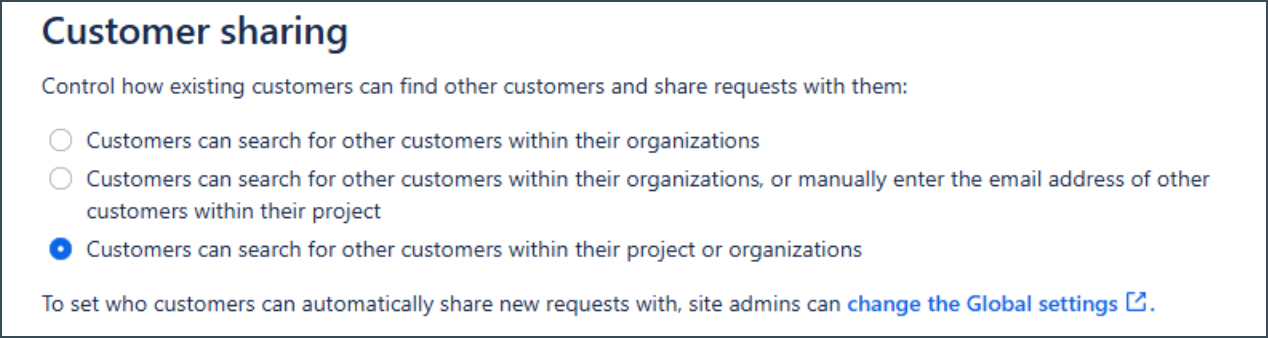
Click Save.
Invite customers (for restricted portals)
If Restricted access is selected, invite customers to the portal:
Go to Project settings > Access > People and access.
Click Add people.

Enter the email address of the customer you want to add.
Select the role Service Desk Customers.
Click Add.
The invited customers can submit requests through the portal using their Atlassian account.
Things to note
- Customers do not require a JSM licence to submit requests through the portal.
- Only users added as Agents or Administrators require a JSM licence.
