Step 4: Generate Data & Report
The performance metrics shown compare your synthetic dataset against the processed and subsampled version of your original dataset (“real data”), not your original uploaded file (“raw data”). This ensures a fair and practical comparison, since both datasets reflect the same preprocessing steps used in downstream tasks like modeling. The processed data may differ in distribution or structure from the raw data, so metrics may not reflect fidelity to the unprocessed dataset.
Sections
- Synthetic dataset generation: Generate additional datasets.
- Performance summary: Evaluate the quality of the synthetic data.
Synthetic dataset generation
Generation history
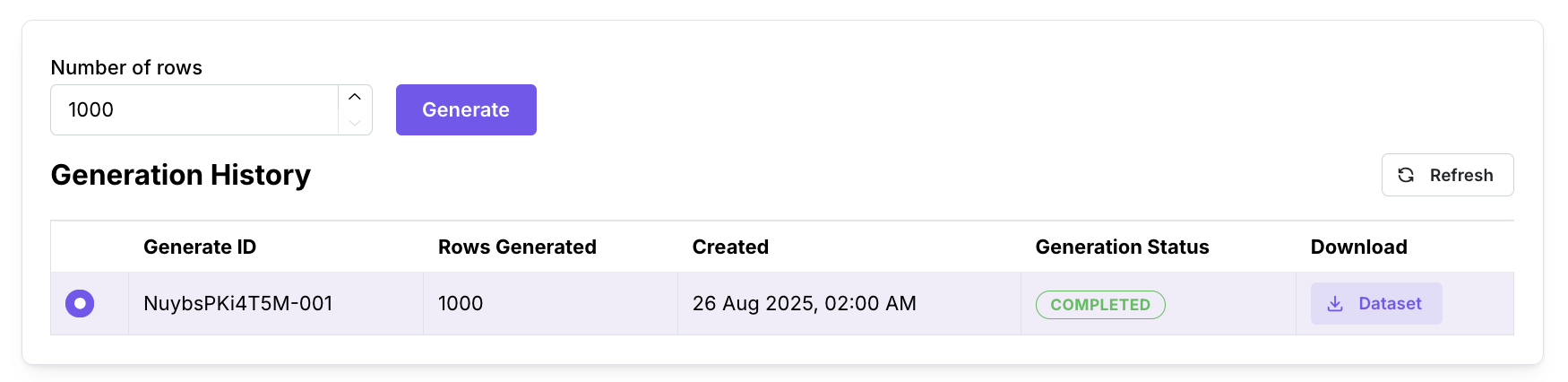
By default, Mirage already generates a synthetic dataset after training. To generate more synthetic datasets:
- Select the number of rows to generate in your new synthetic dataset.
- Click “Generate”.
The performance summary will be updated to display the statistics for the newest synthetic dataset. If you need to save your performance report for the previous synthetic dataset, download the performance report before generating a new dataset.
Preview synthetic data

This latest generated dataset can be previewed in the “Preview synthetic data” section. This provides a brief glance at the data, to visually check the synthetic data resembles the real data.
Performance summary
The performance summary is a comprehensive report that compares the synthetic dataset to your processed and subsampled dataset.
Sections
The performance metrics are displayed in four sections:
- Distributions: Overall and column-wise distributions, and how well they are preserved in the synthetic dataset.
- Relationships: Relationships between columns, and how well they are preserved in the synthetic dataset.
- Machine Learning Efficacy: Effectiveness of using synthetic data on machine learning tasks.
- Privacy: Evaluation of risk associated with synthetic data.
Data
The performance metrics shown compare your synthetic dataset against the processed and subsampled version of your original dataset (“real data”), not your original uploaded file (“raw data”).
This ensures a fair and practical comparison, since both datasets reflect the same preprocessing steps used in downstream tasks like modeling. The processed data may differ from the raw data, so metrics may not be reflective of the raw dataset.
