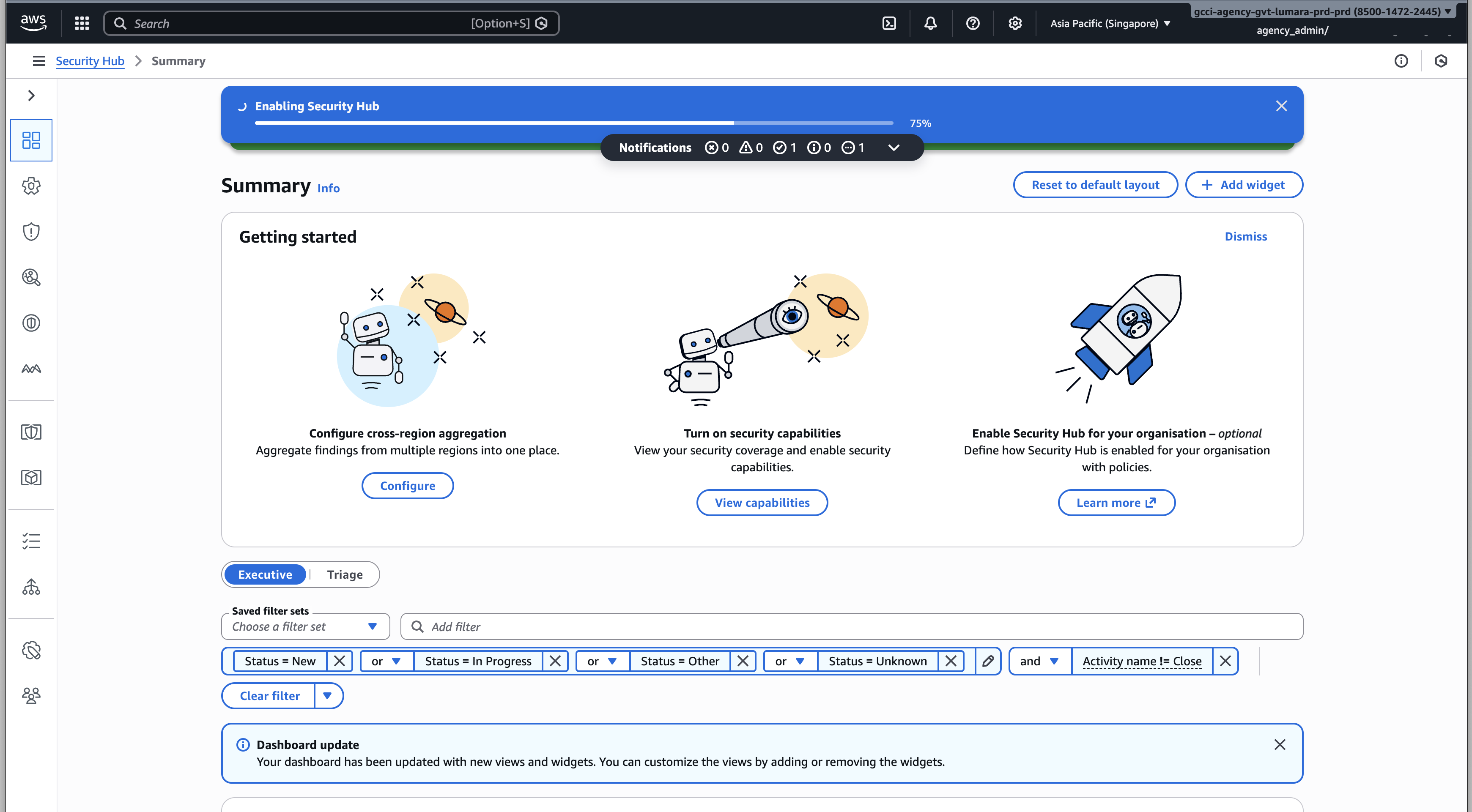
Enable AWS Security Hub for Vulnerability Data
Overview
The Vulnerabilities page provides visibility into vulnerability findings identified through AWS Security Hub.
This guide outlines the required setup to enable Security Hub so that findings from your AWS account can be ingested and displayed on the Vulnerabilities page.
Interested Parties
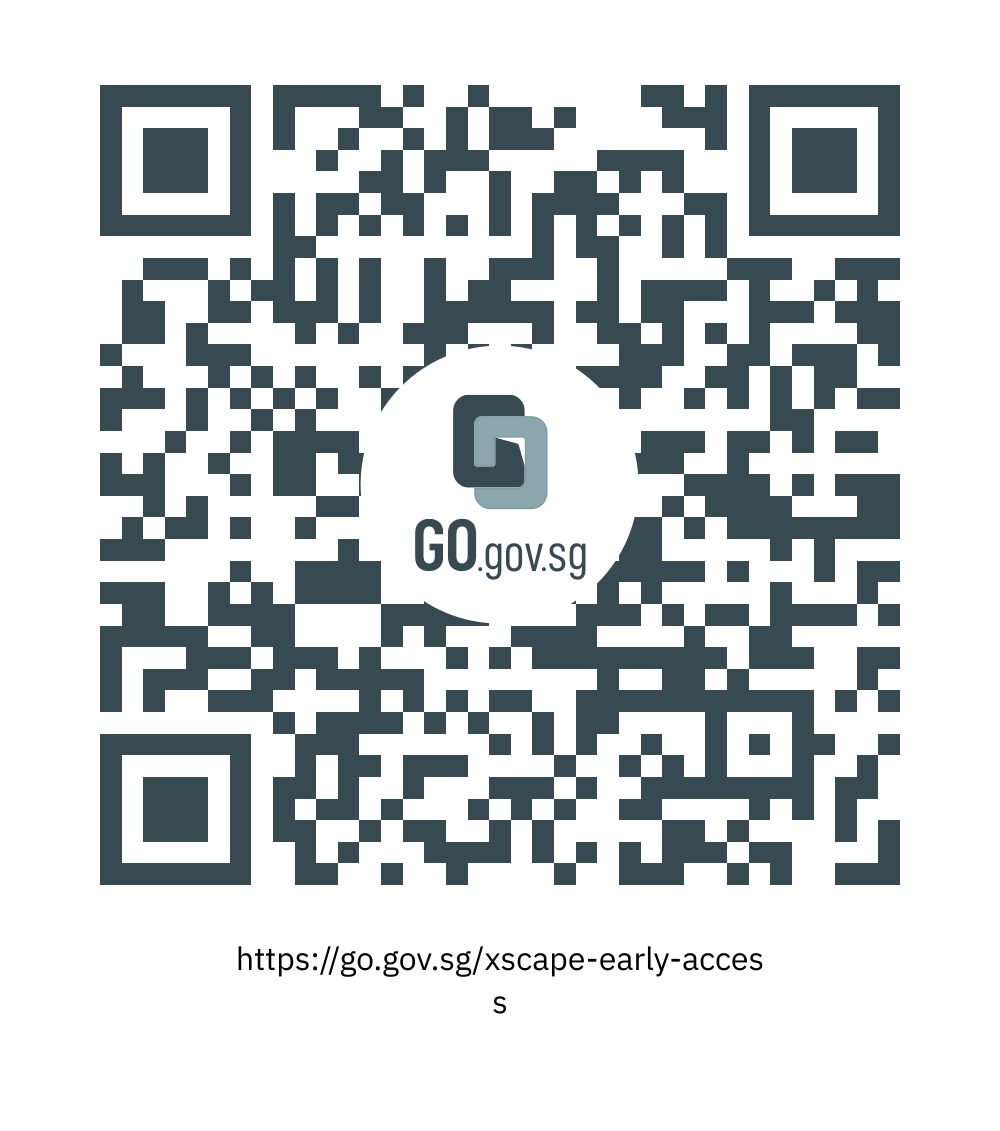
CISOs who wish to explore vulnerability visibility for their agency may scan the QR code below to register their interest.
Prerequisites
- Admin permissions for AWS account
Steps
Step 1: Open AWS Security Hub
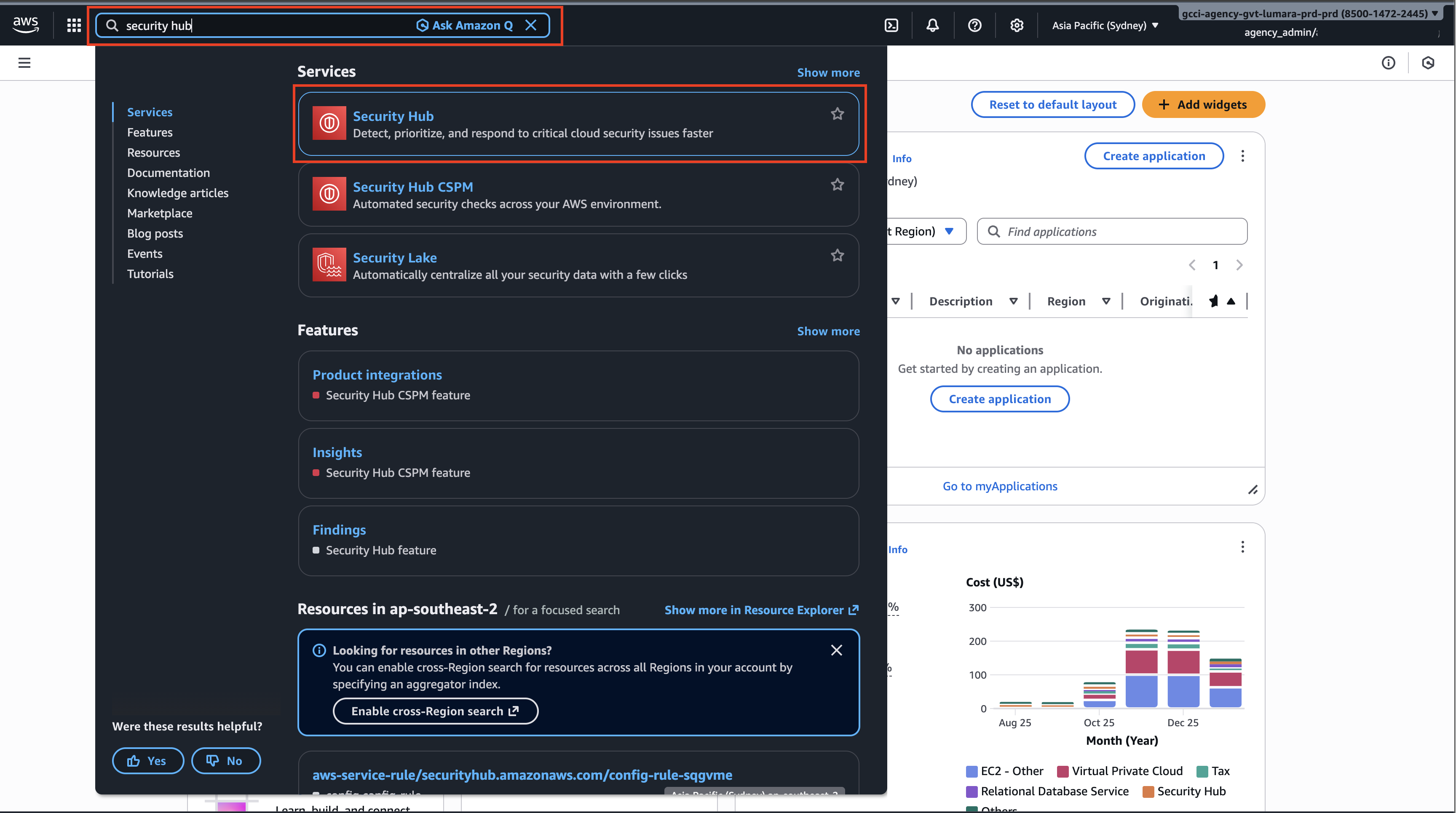
- Log in to the AWS Management Console
- Use the global search to search for Security Hub
- Click Security Hub from the search results
Step 2: Switch to the Singapore Region
- In the top-right region selector, change the region to Asia Pacific (Singapore)
- Confirm the region switch before proceeding
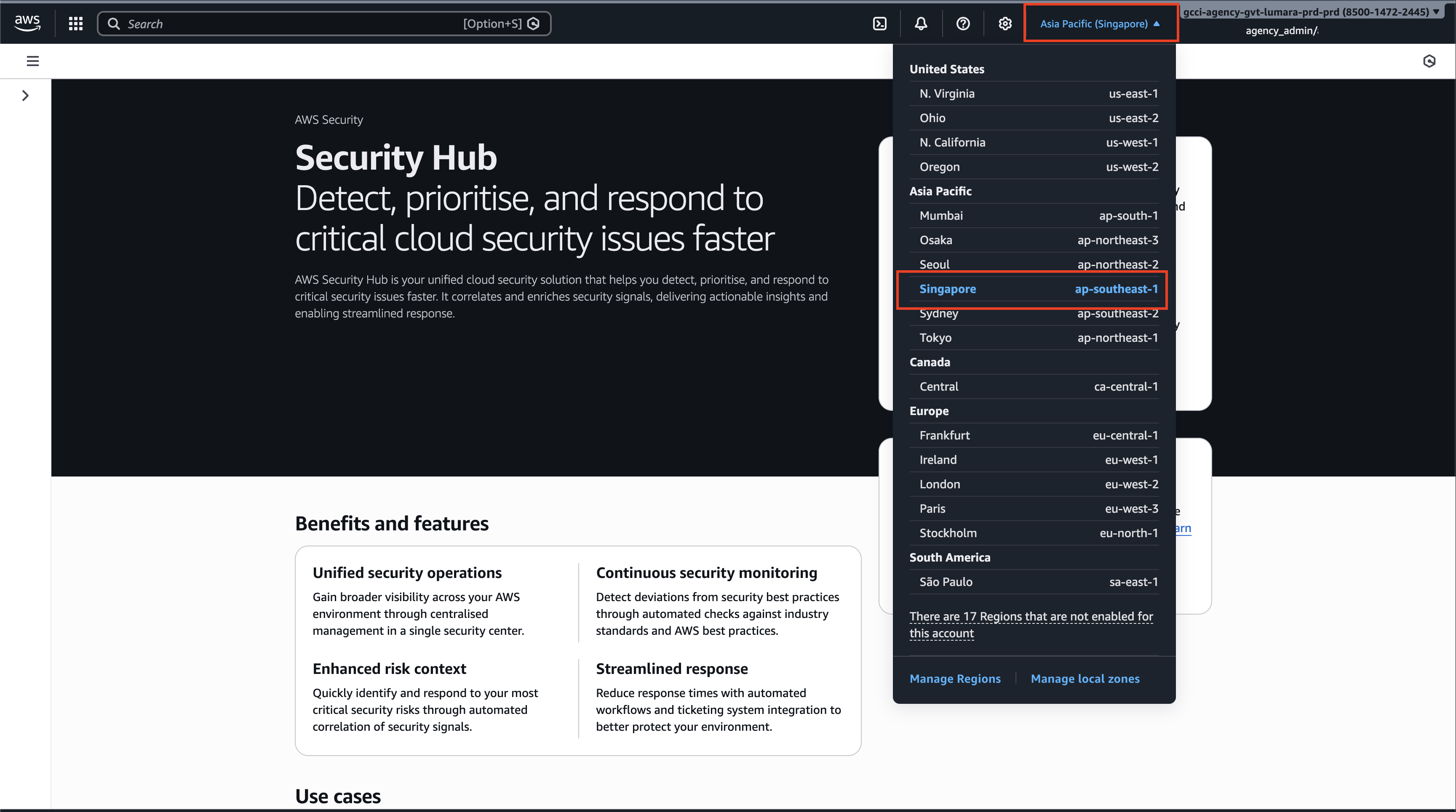
Security Hub must be enabled in the Singapore region for data to be ingested correctly.
Step 3: Get Started with Security Hub
On the Security Hub landing page, click Get started
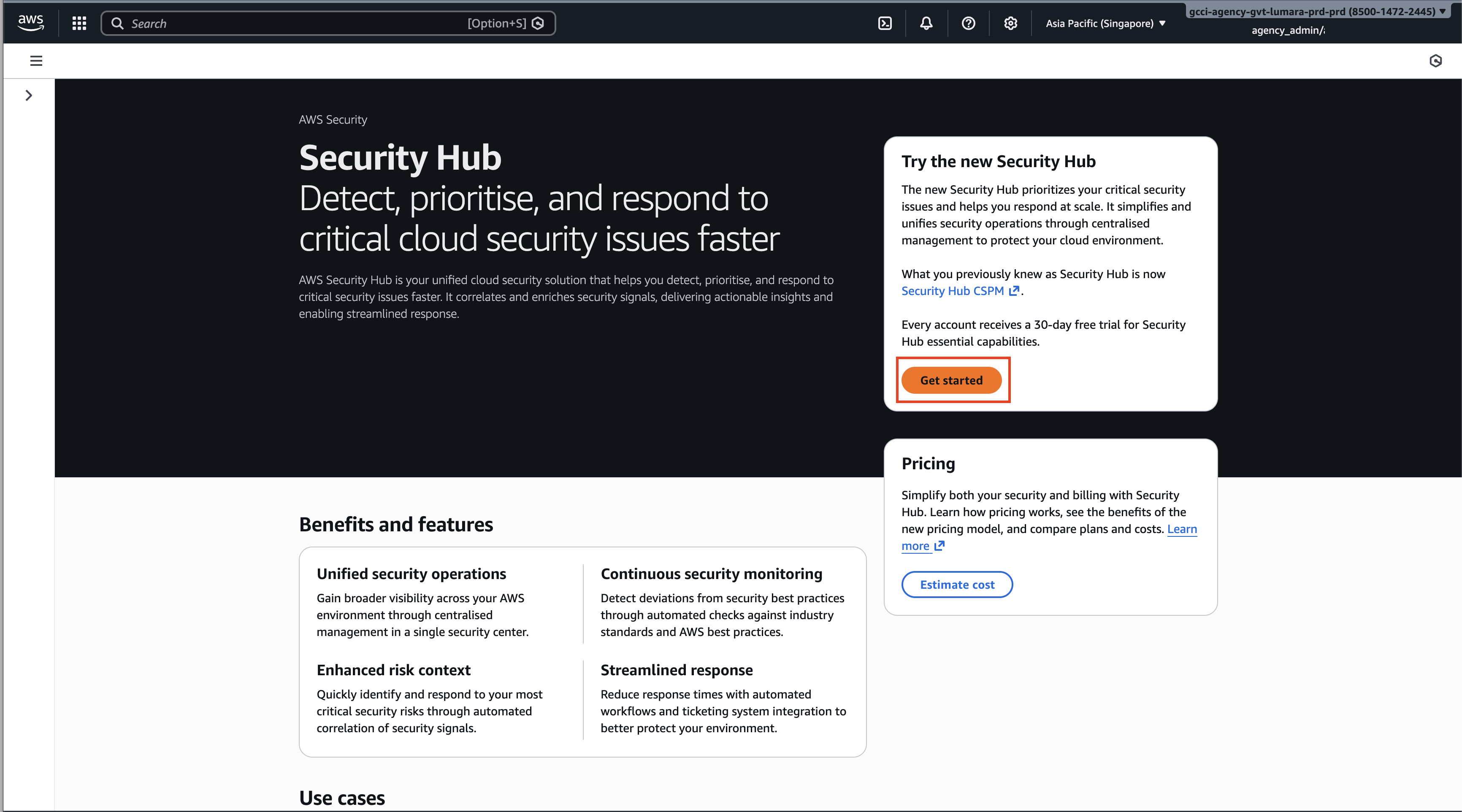
Step 4: Complete Security Hub Setup
- Select Customise capabilities
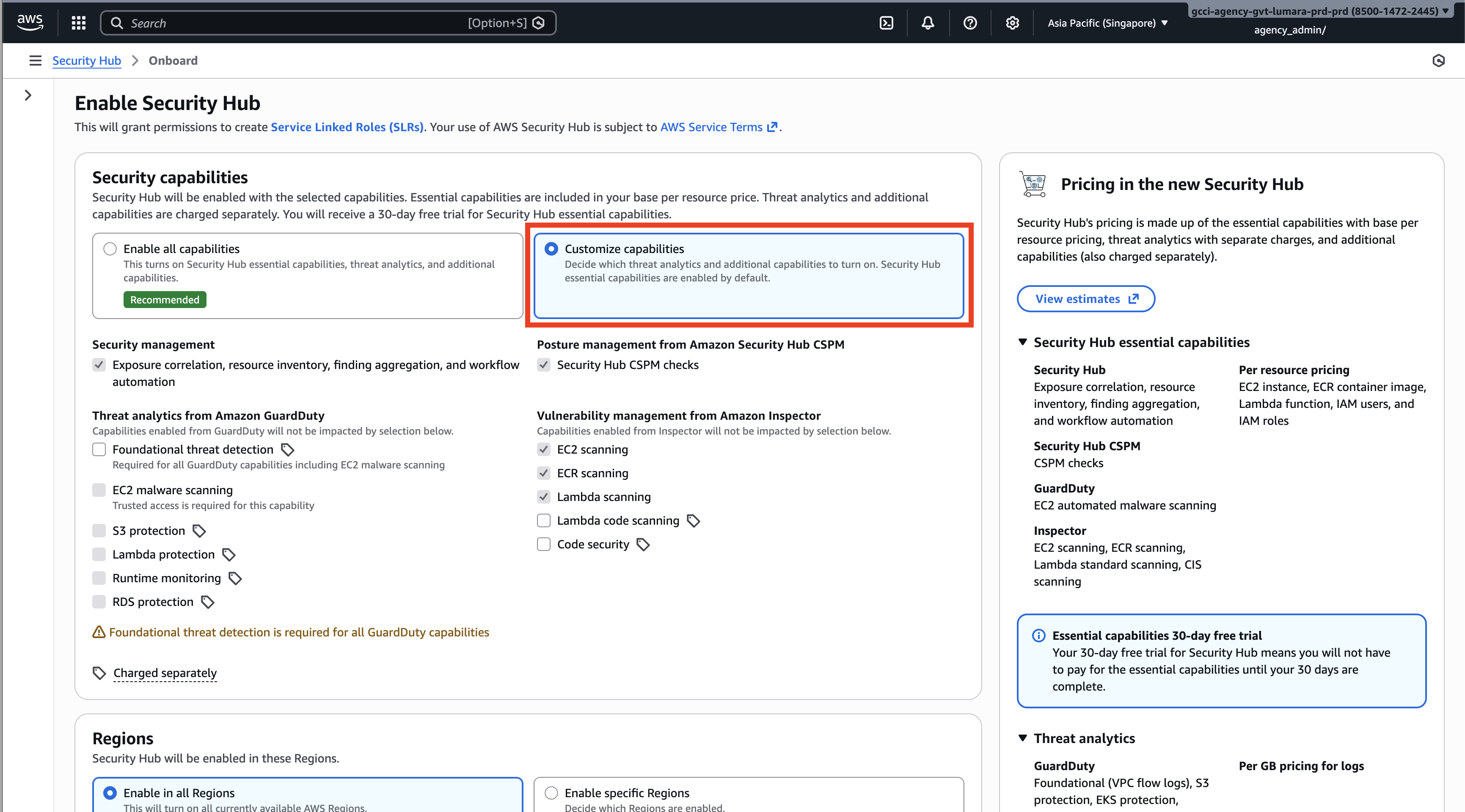
- Under region selection, choose Enable in specific regions
- Select Asia Pacific (Singapore)
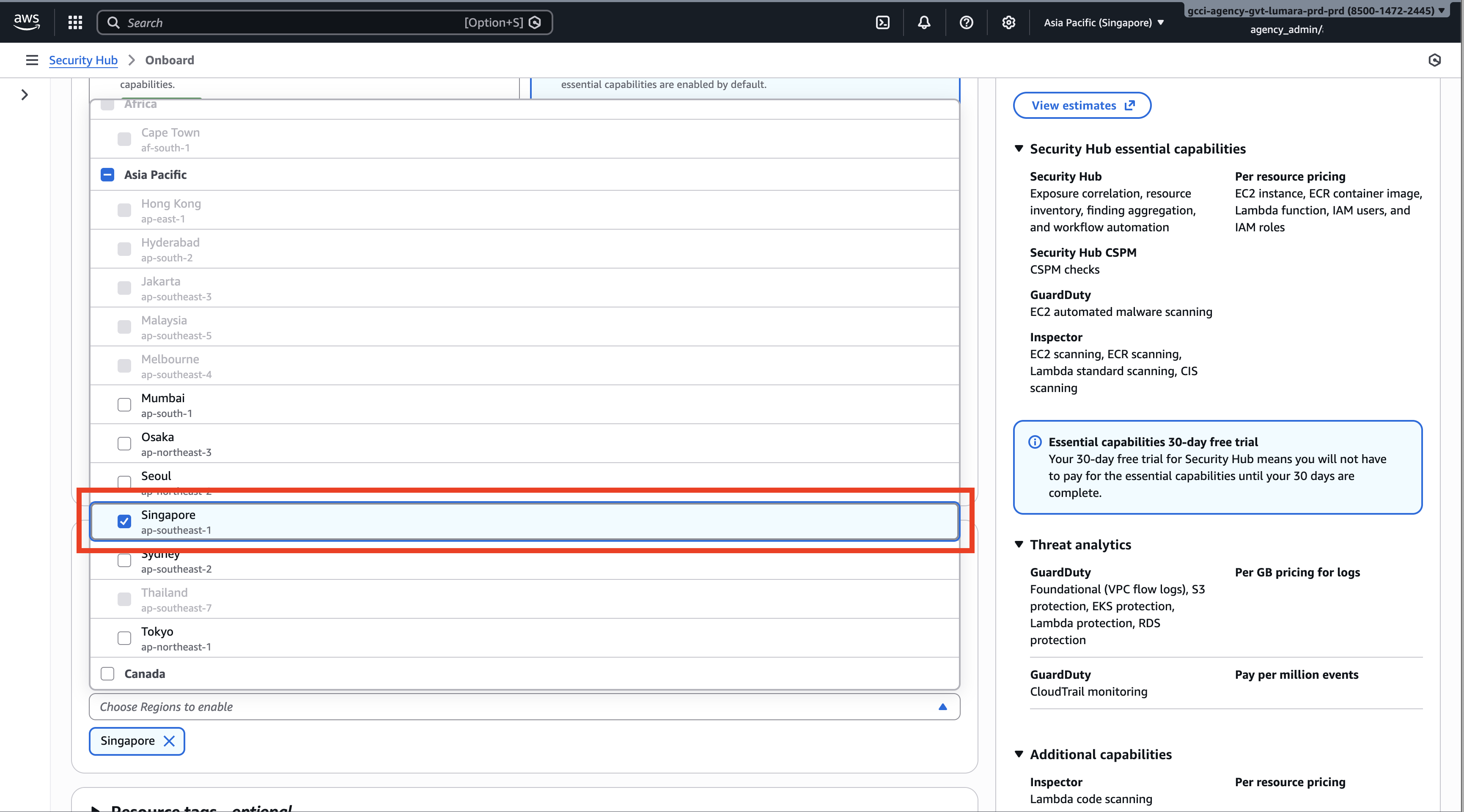 4. Review the selected configuration
5. Click Enable Security Hub
4. Review the selected configuration
5. Click Enable Security Hub
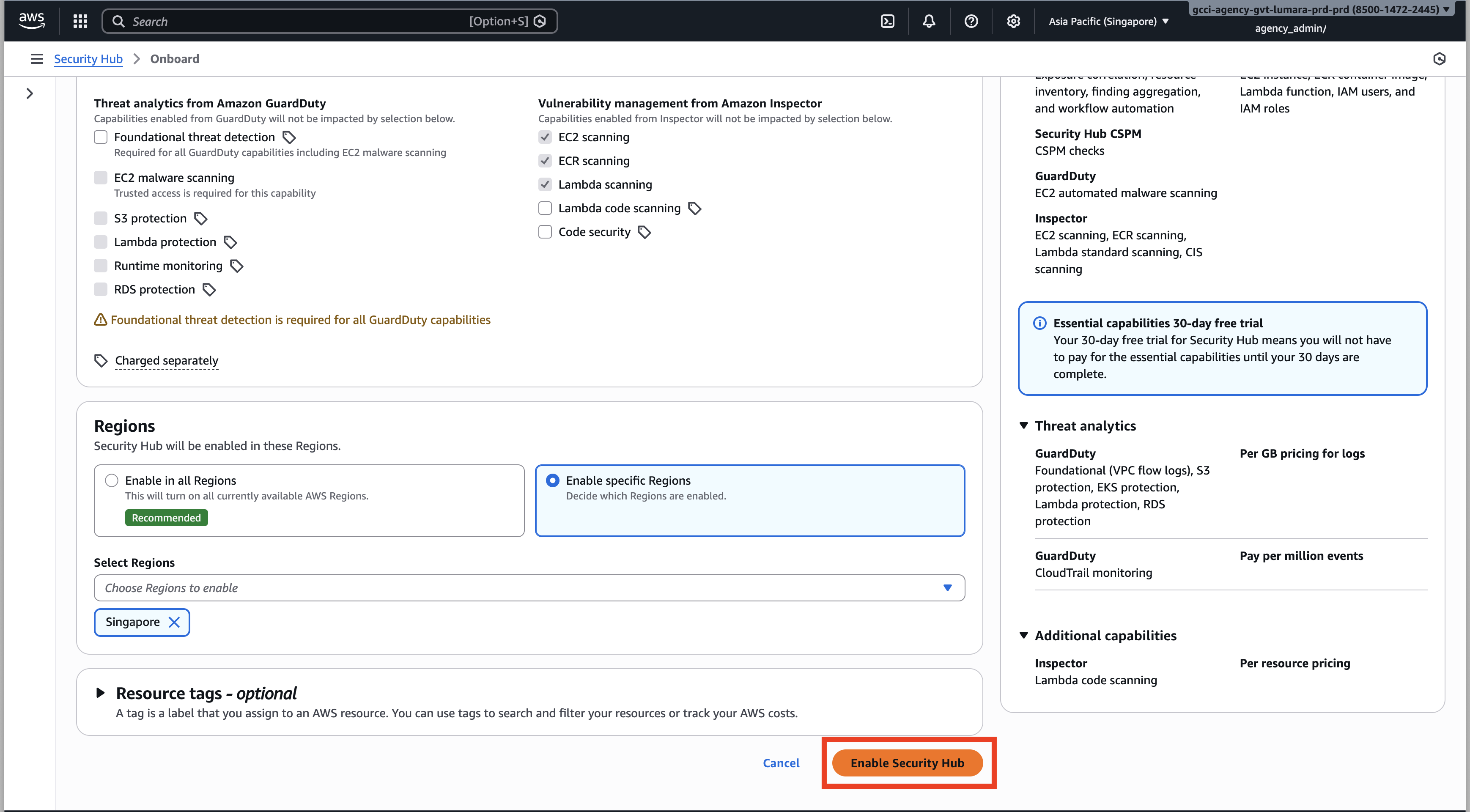
Step 5: Confirm Security Hub Is Enable
After enabling:
- The Security Hub status should show as Enabled
- You should see the Security Hub dashboard load successfully Initial findings may take a short time to appear.