Start a product trial
Some products in Console offer a trial period. This allows agencies to explore and evaluate the product before deciding whether to subscribe.
This page explains how to start a trial, view trial status, and what happens when a trial ends.
Start a product trial
- Log in to Console.
- From the top navigation bar, select Products.
- Browse or search for a product that shows Trial available.
- Select Onboard trial to continue.
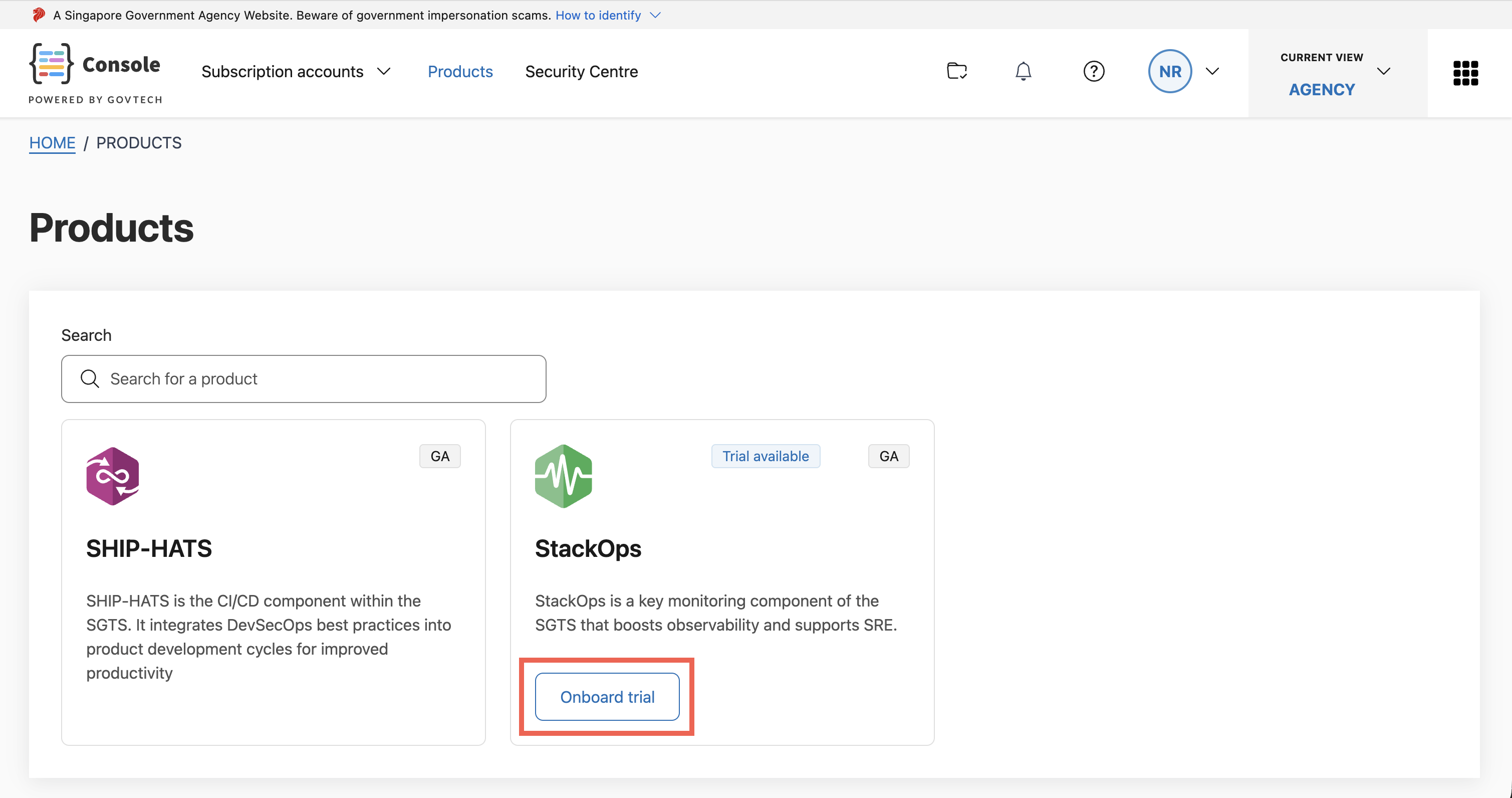
The product will guide you through the required configuration steps. These steps may differ depending on the product.
View trial status
Once the trial is successfully configured:
- The product card will display the trial end date.
- The trial status is visible from the Products page.
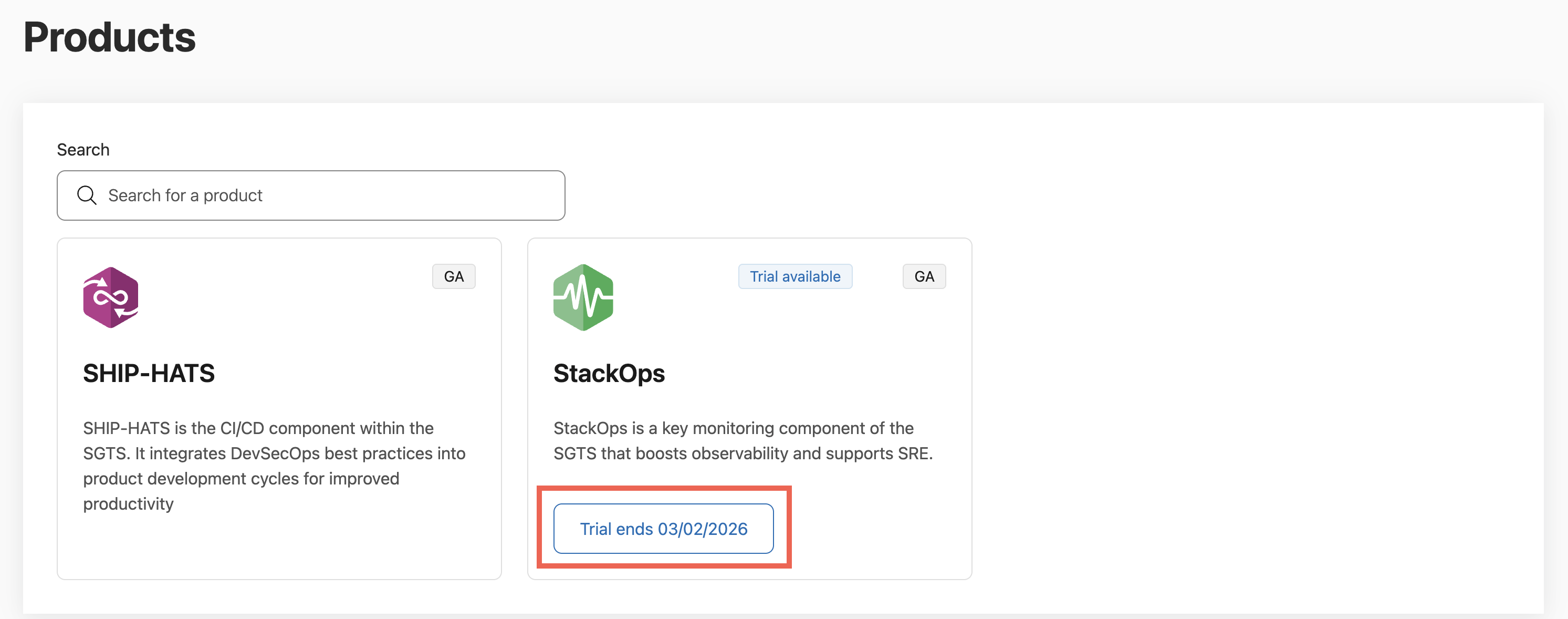
This allows you to track how long the trial remains active.
Convert a trial to a subscription
You must convert the trial before the trial end date.
Before the trial ends, select the trial status button shown on the product card.
You will be redirected to TechBiz to:
- Complete the subscription setup
- Review billing details
- Convert the trial into an active subscription
Billing will only begin after the trial has been successfully converted.
When the trial ends
When the trial period ends:
- The trial is automatically terminated.
- The product can no longer be used.
- The trial cannot be converted to a subscription.
- Actions for the product are disabled in Console.
To continue using the product, you must start a new subscription through TechBiz.
