API keys
API keys allow your applications to securely interact with Console services. You can view, create, duplicate, and delete API keys for your subscription accounts.
View API keys
- Go to the API keys page.
- You can also access it by selecting API keys from the account dropdown in the navigation bar.
- If you are a subscription admin for any TechBiz subscription account, select the subscription account from the dropdown to view all existing keys.

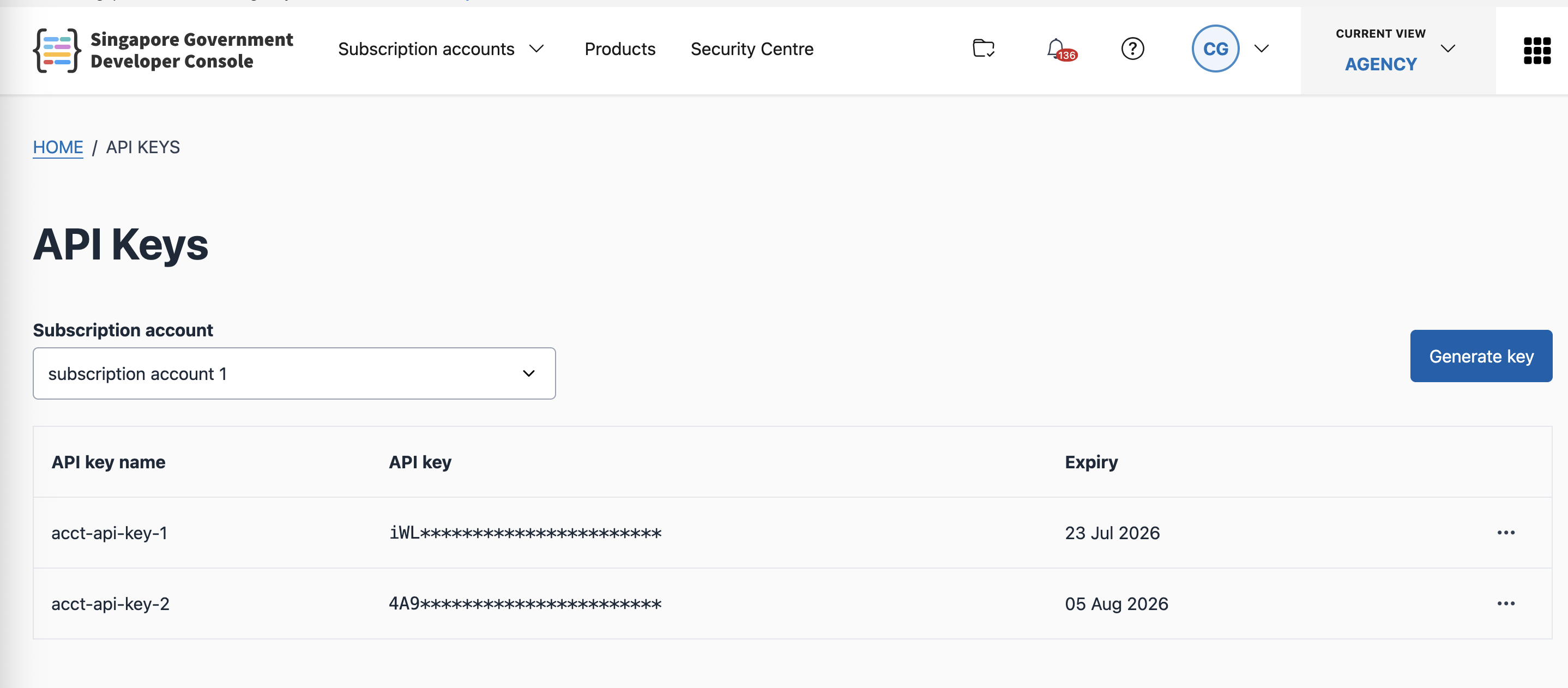
For details on using API keys, see Using API keys.
Create a new API key
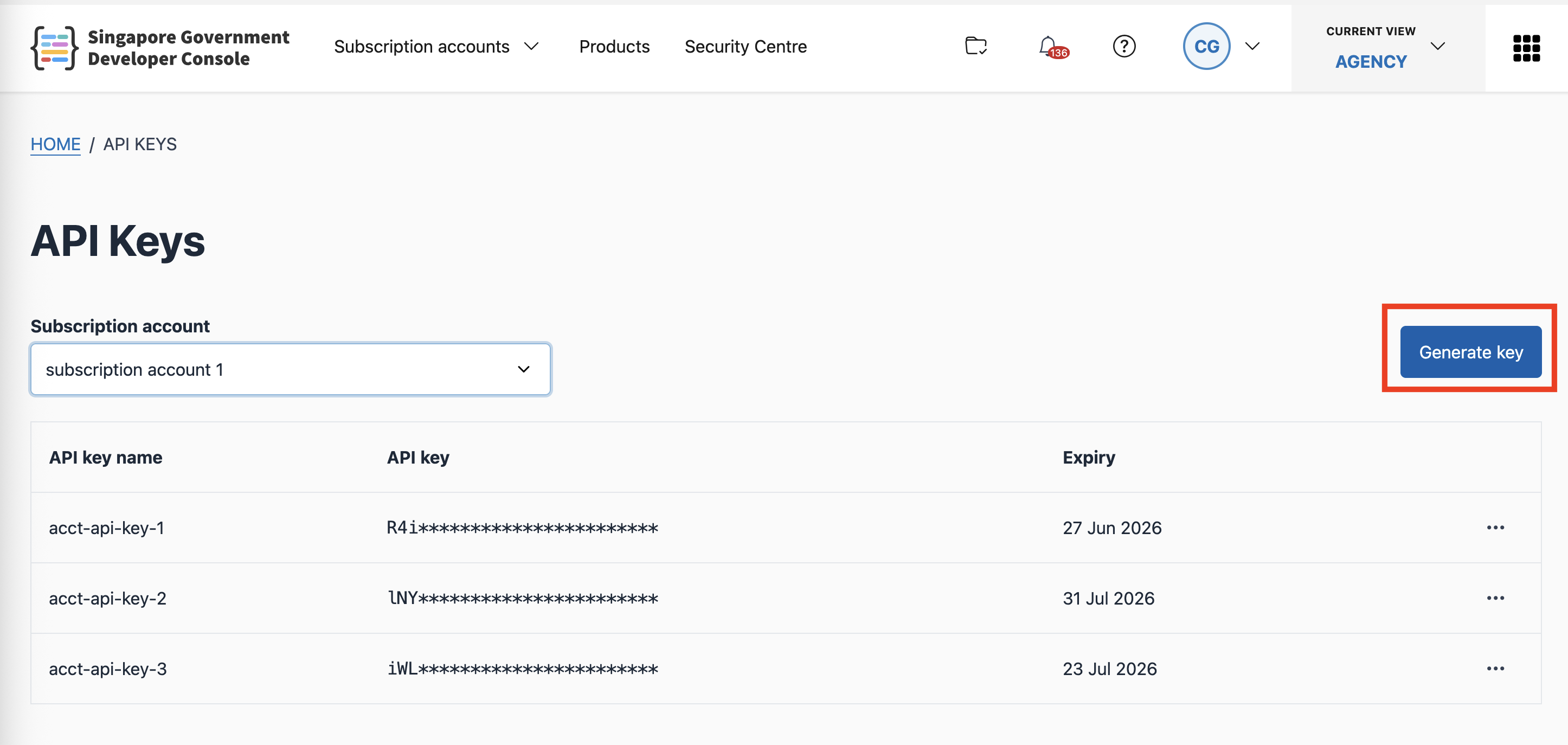
- Select Generate key.
- Enter a name for the key.
- Select the scopes to associate with the key.
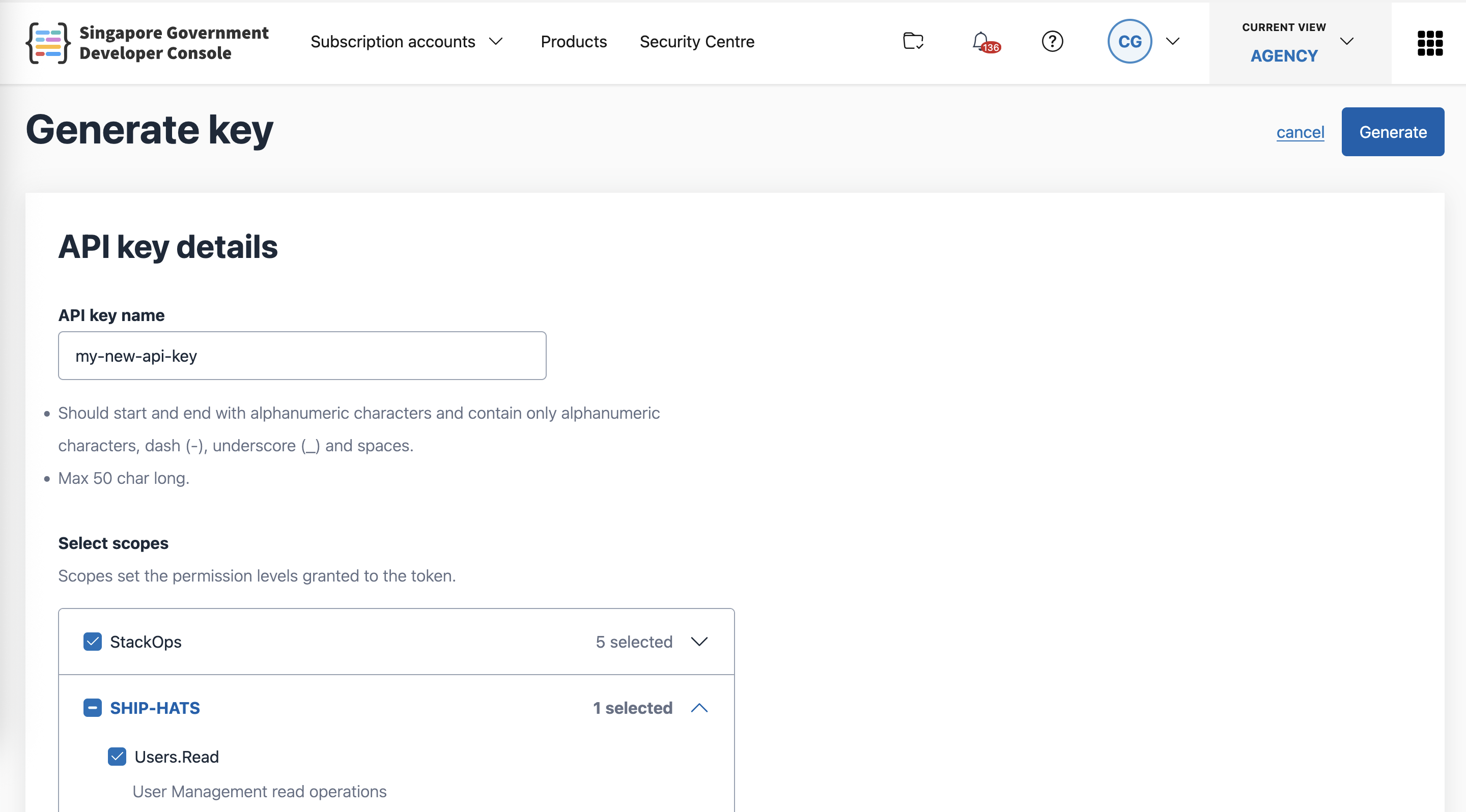
- Submit the form. When the modal appears, copy the API key value — this is the only time it will be shown.

⚠️ The main use case for these API keys is to automate your agency workflows for the supported products. However, please be reminded that API keys are included under “Secrets” per IM and therefore need to be stored securely and cannot be hardcoded in any code bases. Please use the API keys responsibly.
Duplicate an API key
If a key is about to expire, you can duplicate it to generate a new key with a fresh expiry.
- Select Duplicate from the key’s menu.
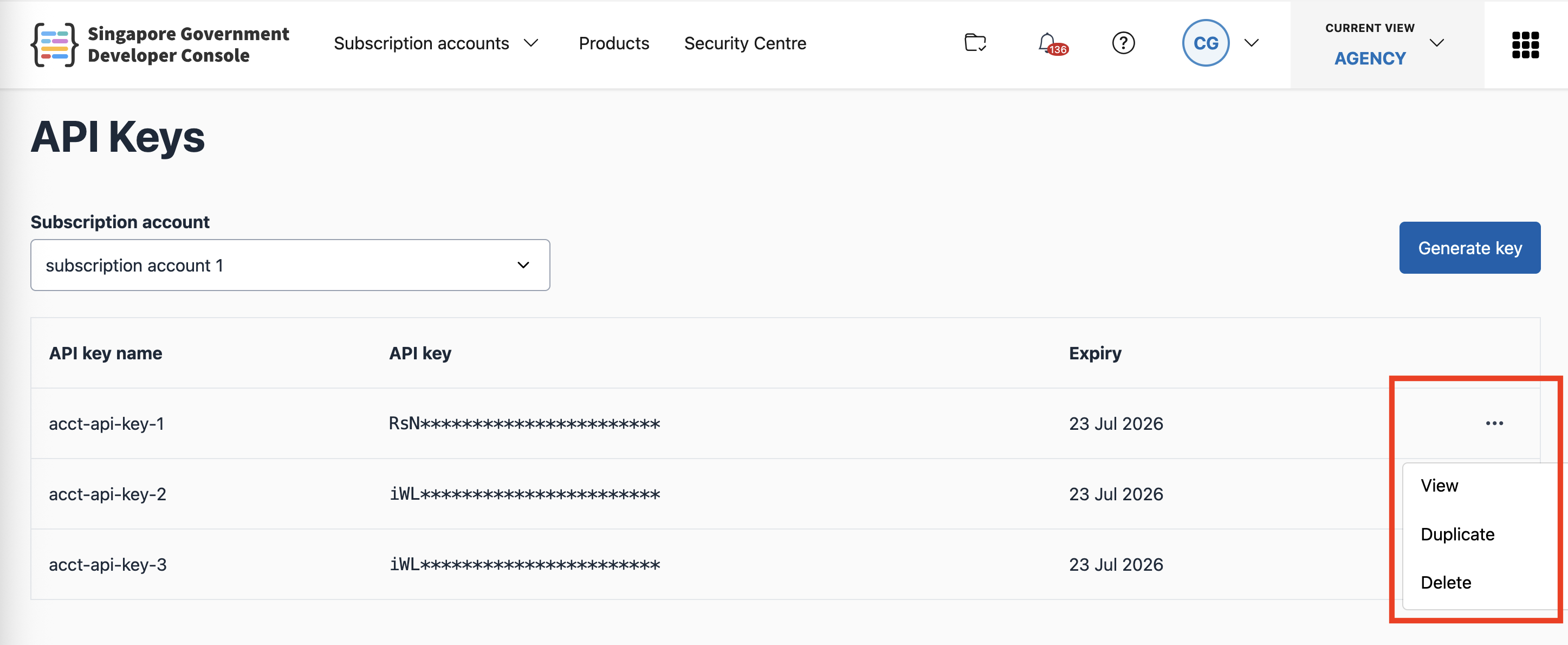
- The Create key form will open with pre-filled details. Make any changes and submit to generate the new key.
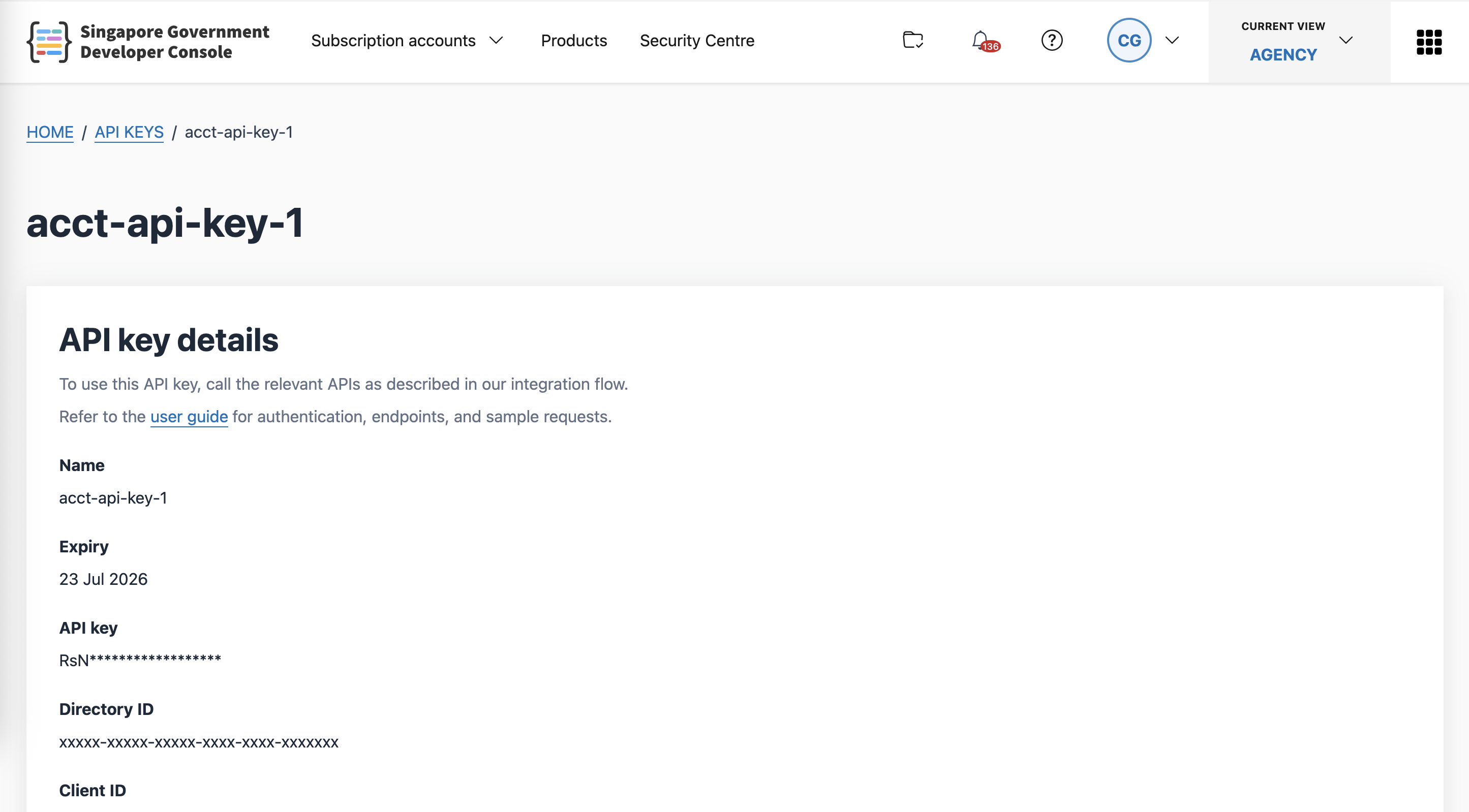
View API key details
- Select View from the key’s menu.
- The details page will show the additional information needed to make API requests.
Delete an API key
- Select Delete from the key’s menu.
