Create Nexus IQ applications
Subscription Admins (SAs) and Project Admins (PAs) can create Nexus IQ applications to evaluate open-source components used in their projects.
Each application represents a system or service whose dependencies will be analysed by Nexus IQ during CI/CD builds.
Important: Always create Nexus IQ applications via Console. Do not create applications directly in the Nexus IQ portal.
Prerequisites
Ensure the following:
- You are a Subscription Admin (SA) for the subscription, or a Project Admin (PA) for a SHIP-HATS project within the subscription.
- Your subscription includes Nexus IQ. To verify this, see View tools included in a SHIP-HATS subscription.
- At least one SHIP-HATS project exists in the subscription. For steps to confirm this, see View SHIP-HATS projects.
- Nexus IQ licences have been provisioned to users. See Provision Sonatype (Nexus IQ) licences.
Steps
In Console, go to Products > SHIP-HATS, and select the required subscription to open the Workspace.
For detailed steps, see Access Workspace.
Click Tools > Nexus IQ.
Select the SHIP-HATS project for which you want to create the Nexus IQ application.
Existing Nexus IQ applications for the project are displayed.
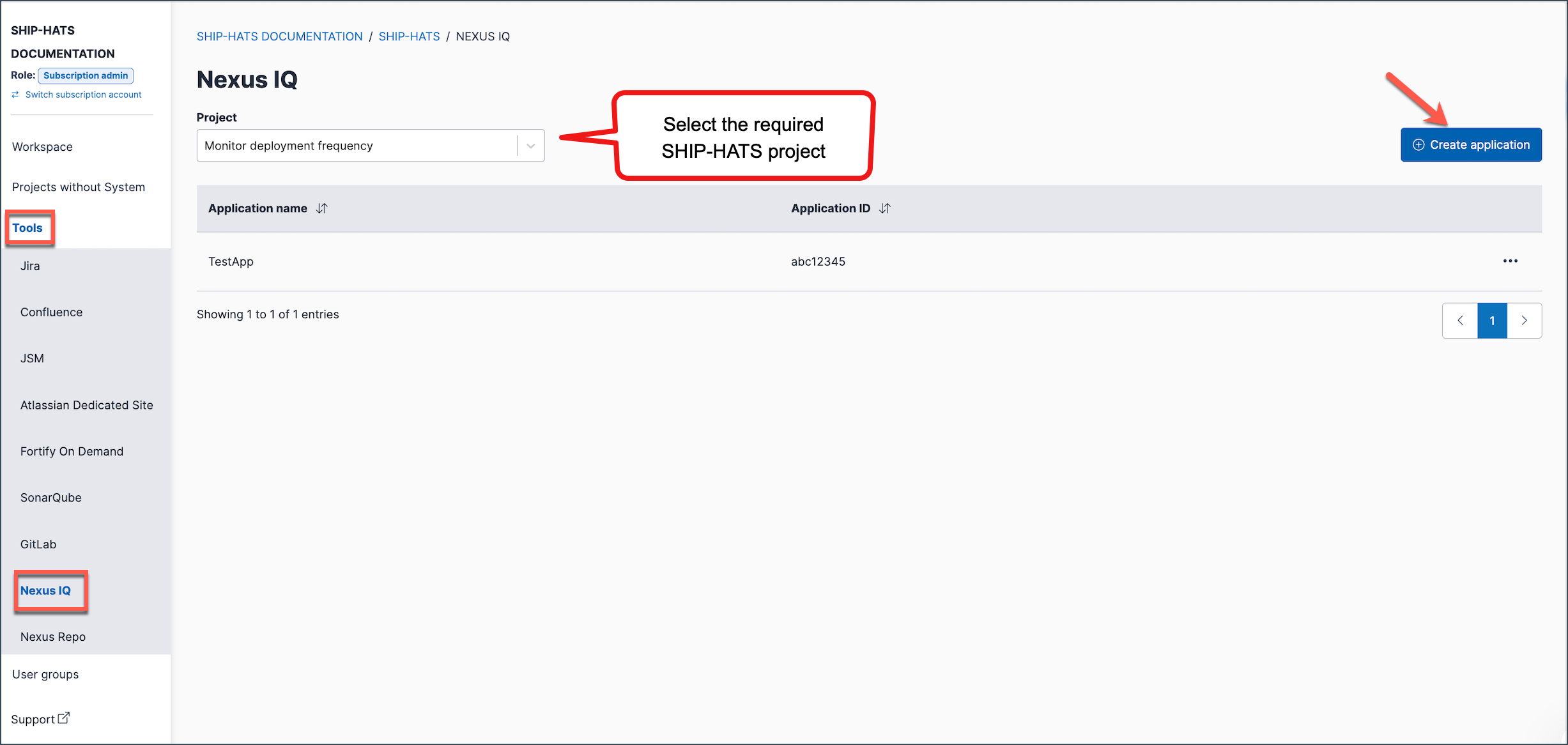
Click Create Application.
Enter the required details.
Field Description Application name Enter a name for the application.
Validation requirements:
- Only the following characters are allowed:a–z,A–Z,0–9,-,.,_.
Examples
✅ Valid:payment-service,CitizenPortal_API,mobile.gateway
❌ Invalid:payment service,portal@prod,app#01Application ID Enter a unique identifier for the application. This ID is used when configuring Nexus IQ scans in CI/CD pipelines.
Validation requirements:
- Only the following characters are allowed:a–z,A–Z,0–9,-,.,_.
- The ID must be unique within the Nexus IQ instance.
Examples
✅ Valid:payment-service,citizen_portal_api,mobile.gateway
❌ Invalid:payment service,portal@prod,app#01Important:
The Application ID is required when configuring Nexus IQ scans in CI/CD pipelines or build tools.Click Submit.
The Nexus IQ application is created successfully and listed under the selected SHIP-HATS project.
