Troubleshoot Nexus IQ scans
If a Nexus IQ scan fails or produces unexpected warnings, review the pipeline logs and Nexus IQ evaluation report to identify the cause.
Check pipeline logs
When a scan runs in a CI/CD pipeline, warnings and policy violations appear in the pipeline logs.

Common messages may indicate:
- Policy violations
- Vulnerable dependencies
- Licence compliance issues
Review build warnings
During the build stage, the Nexus IQ scan step may display warnings about vulnerable components.
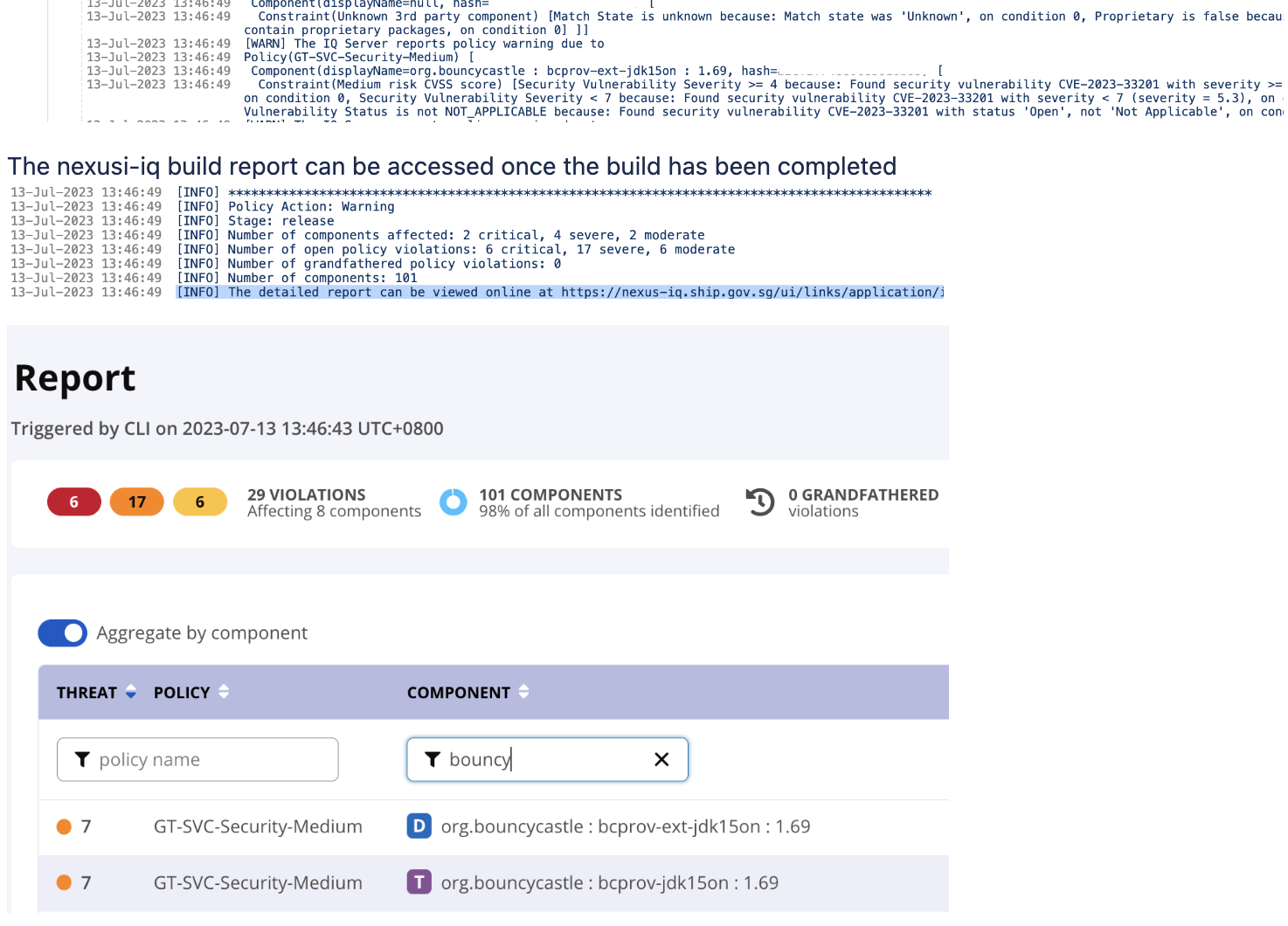
These warnings typically indicate that a dependency:
- Contains known security vulnerabilities
- Violates configured policies
- Has licence restrictions
View detailed findings
To investigate further:
- Open the evaluation report in Nexus IQ.
- Select the affected component.
- Review the detailed vulnerability or licence information.
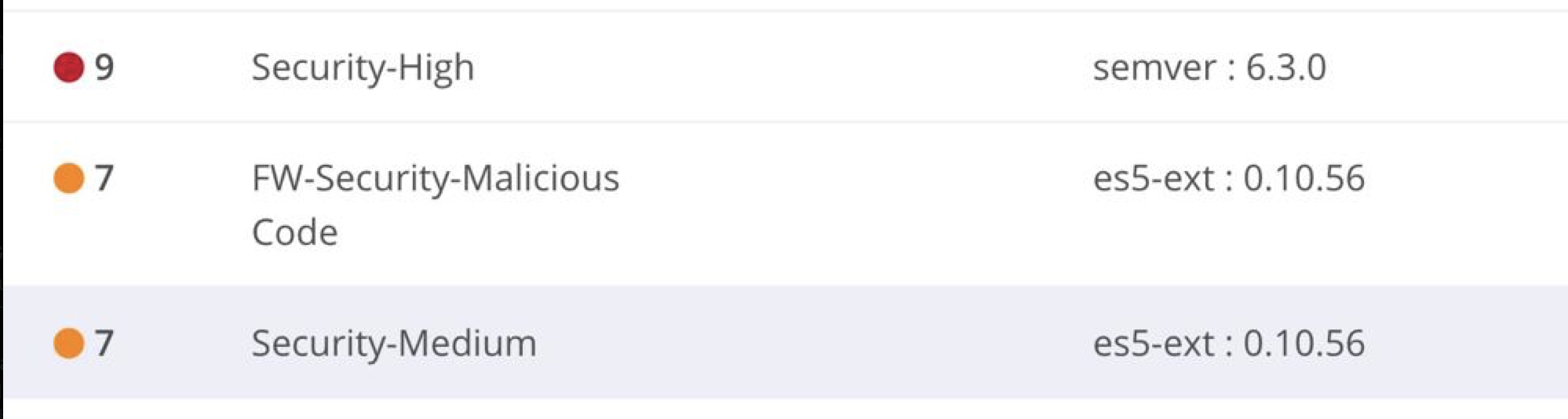
The report shows:
- Vulnerability details
- Affected versions
- Recommended upgrade versions
Things to know
- Nexus IQ warnings are triggered based on configured policies.
- Builds may fail if the severity of a violation exceeds the configured policy threshold.
- Upgrading dependencies to newer versions usually resolves most violations.
