Manage users for Nexus IQ applications
Subscription Admins (SAs) and Project Admins (PAs) can manage user access and roles for Nexus IQ applications created under a SHIP-HATS project.
When adding or updating a user, you can assign or modify roles at either the project or application level.
Alternatively, you can manage access through user groups.
See Manage Nexus IQ user groups.
Prerequisites
Ensure the following:
- You are a Subscription Admin (SA) for the subscription, or a Project Admin (PA) for a SHIP-HATS project within the subscription.
- The users you want to add have a Sonatype – Nexus IQ licence.
See Provision Sonatype – Nexus IQ licences.
Tip:
To understand how roles apply across projects and applications, see
Role scope and permission inheritance in Nexus IQ.
Steps
In Console, go to Products > SHIP-HATS, and select the required subscription to open the Workspace.
For detailed steps, see Access Workspace.
Click Tools > Nexus IQ.
Select the required SHIP-HATS project.
Existing Nexus IQ applications for the project are displayed.
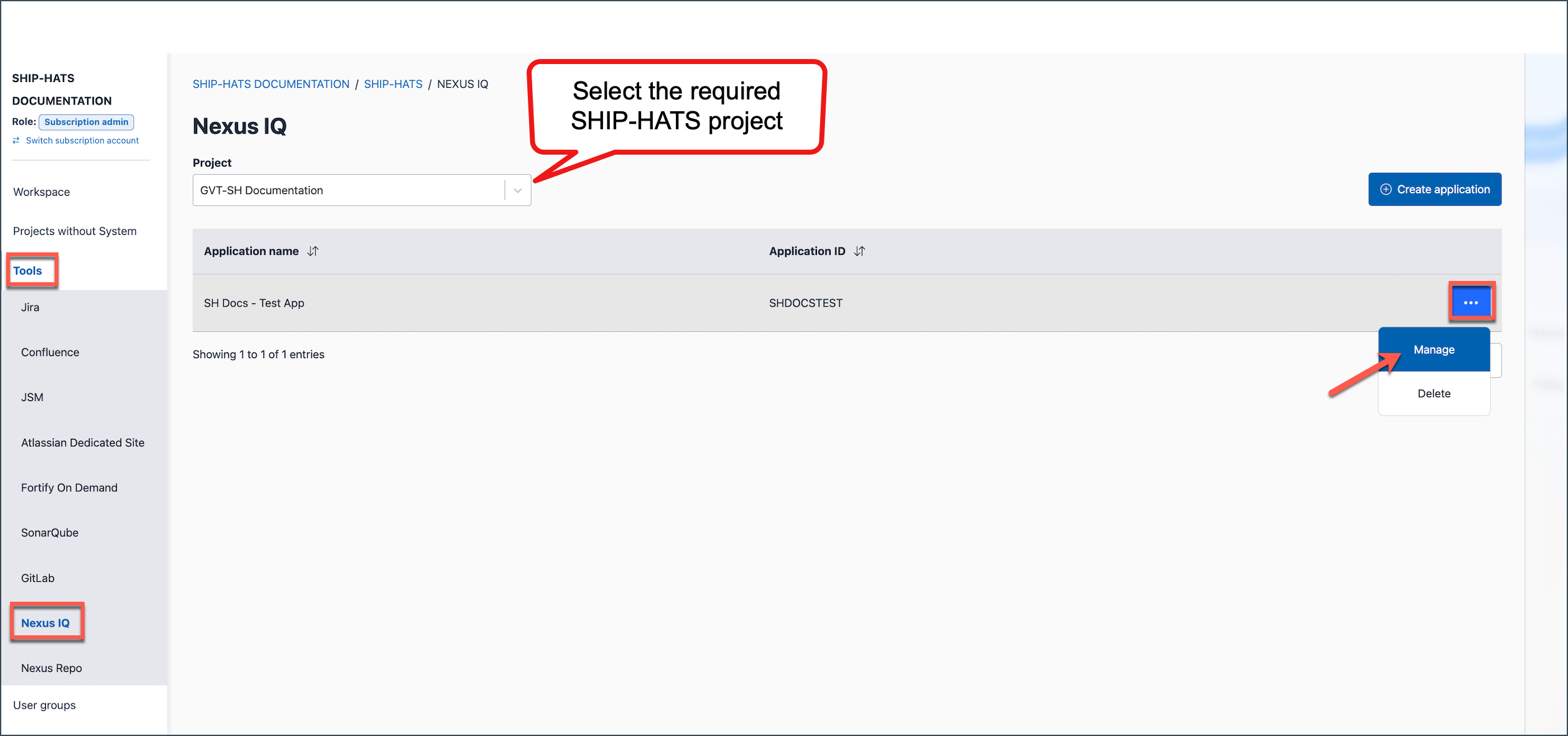
Locate the required Application name, click the ellipsis (…), then select Manage.
Go to the Manage users tab.
Perform the required action.
Add users
Select the required Assignment level:
- Project level — The assigned roles apply to all Nexus IQ applications within this SHIP-HATS project.
- Application level — The assigned roles apply only to the selected Nexus IQ application.
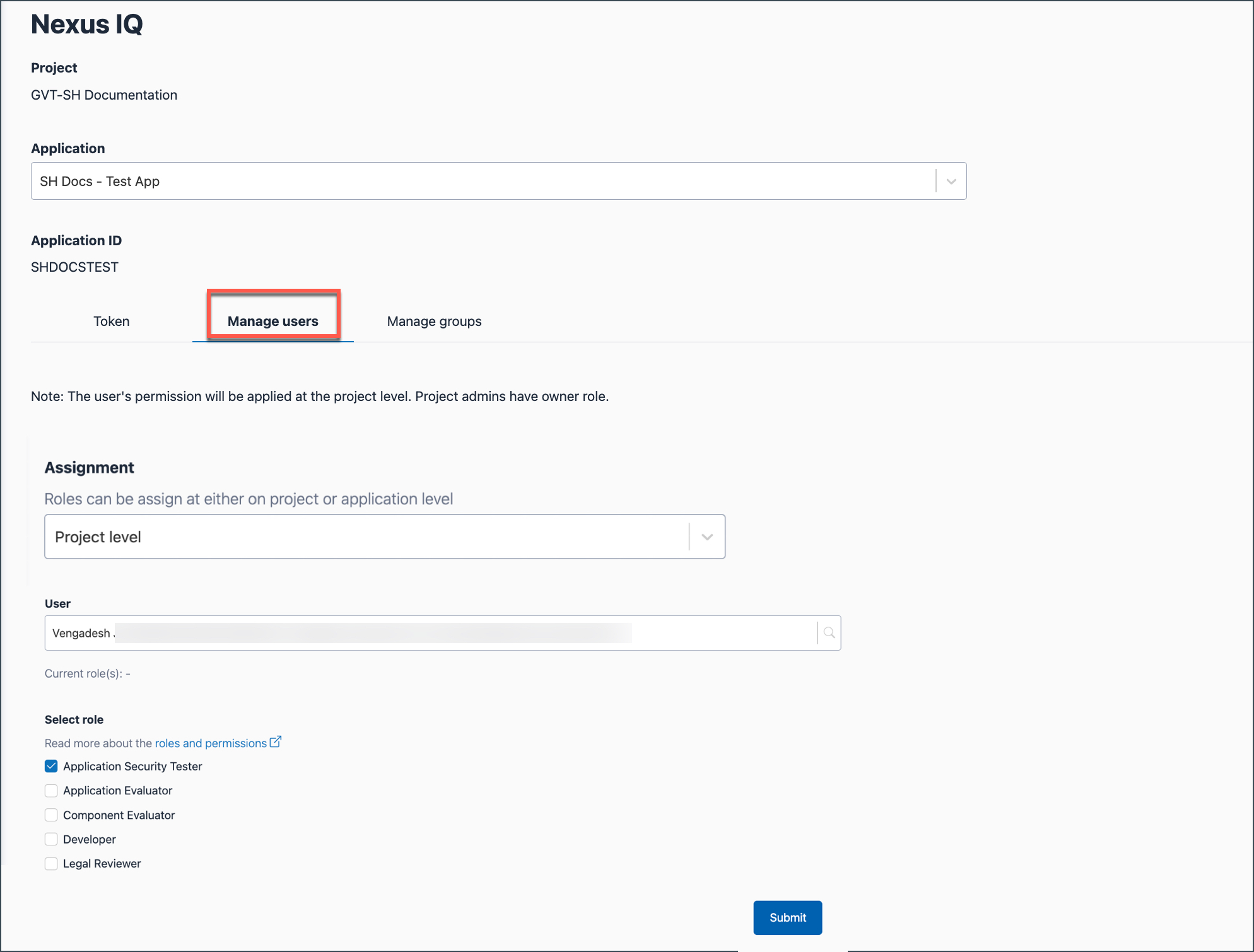
Search for and select the required User.
In Select role, assign the required role.
Click Submit.
Update roles and permissions
Select the existing Assignment level.
Select the User whose roles you want to modify.
The current roles assigned to the user are displayed.
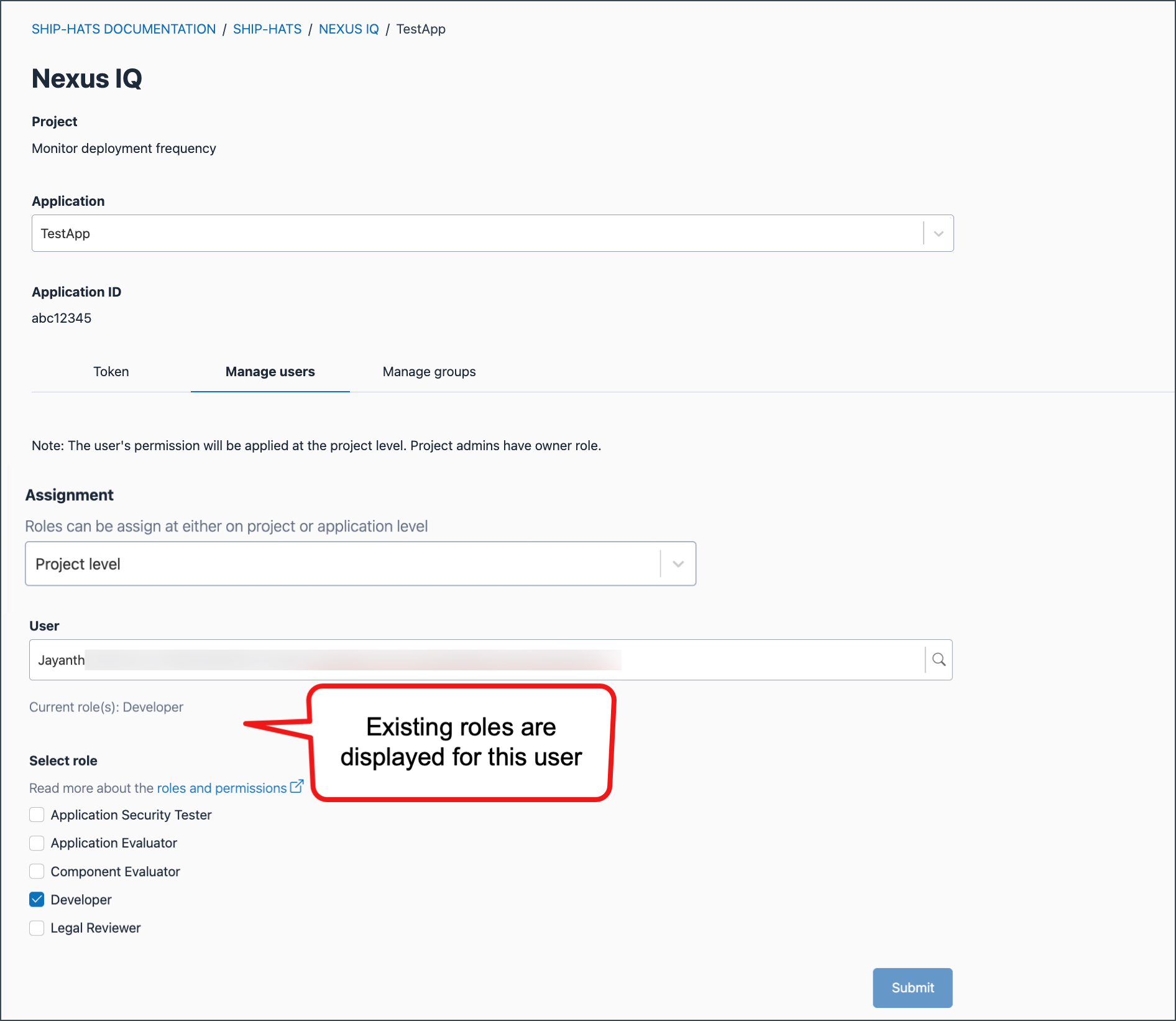
Modify the Assignment level or roles, if required.
Click Submit.
Remove users
Select the existing Assignment level.
Select the User whom you want to remove.
Existing roles assigned to the user are displayed.
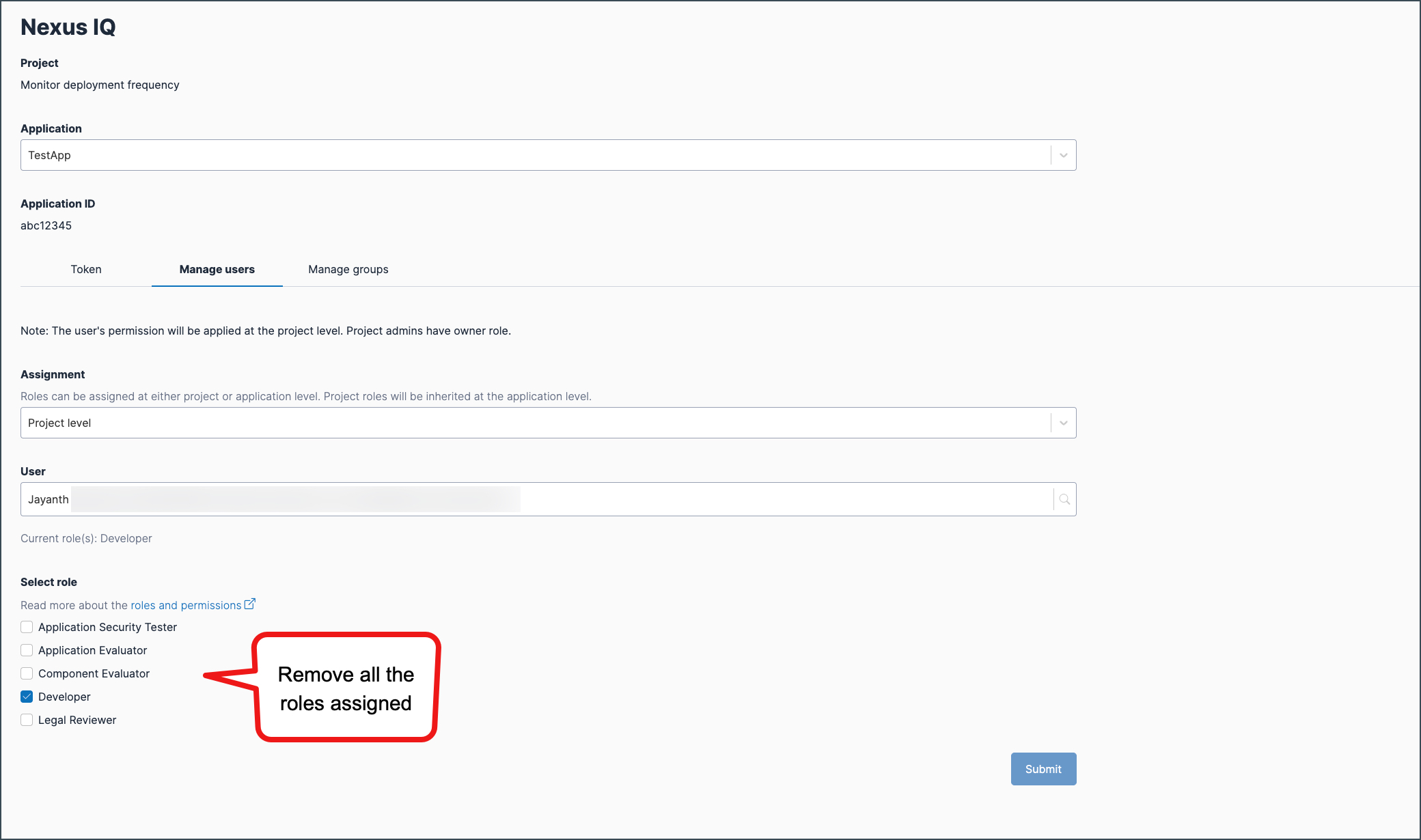
Remove all the roles assigned.
Click Submit.
Things to note
Users inherit roles and permissions based on the assignment level (project or application).
For details, see Role scope and permission inheritance in Nexus IQ.Assigning a user grants access to the Nexus IQ application, but does not provision a Sonatype – Nexus IQ licence.
