Create Fortify on Demand (FOD) applications
Subscription Admins (SAs) and Project Admins (PAs) can create and manage Fortify on Demand (FOD) applications.
Prerequisites
Ensure the following:
- You are a Subscription Admin (SA) for the subscription, or a Project Admin (PA) for a SHIP-HATS project within the subscription.
- Your subscription includes Fortify on Demand (FOD). To verify this, follow the steps in View tools included in a SHIP-HATS subscription.
- At least one SHIP-HATS project exists in the subscription. For steps to confirm this, see View SHIP-HATS projects.
- Your subscription has available quota to create FOD applications. If the quota limit has been reached, contact your Subscription Admin. The maximum number of applications is based on the quantity subscribed under the SHIP-HATS subscription.
Steps
In Console, go to Products > SHIP-HATS, and select the required subscription to open the Workspace.
For detailed steps, see Access Workspace.
Click Tools > FOD.
Select the SHIP-HATS project for which you want to create the FOD application.
Existing FOD applications for the project are displayed.
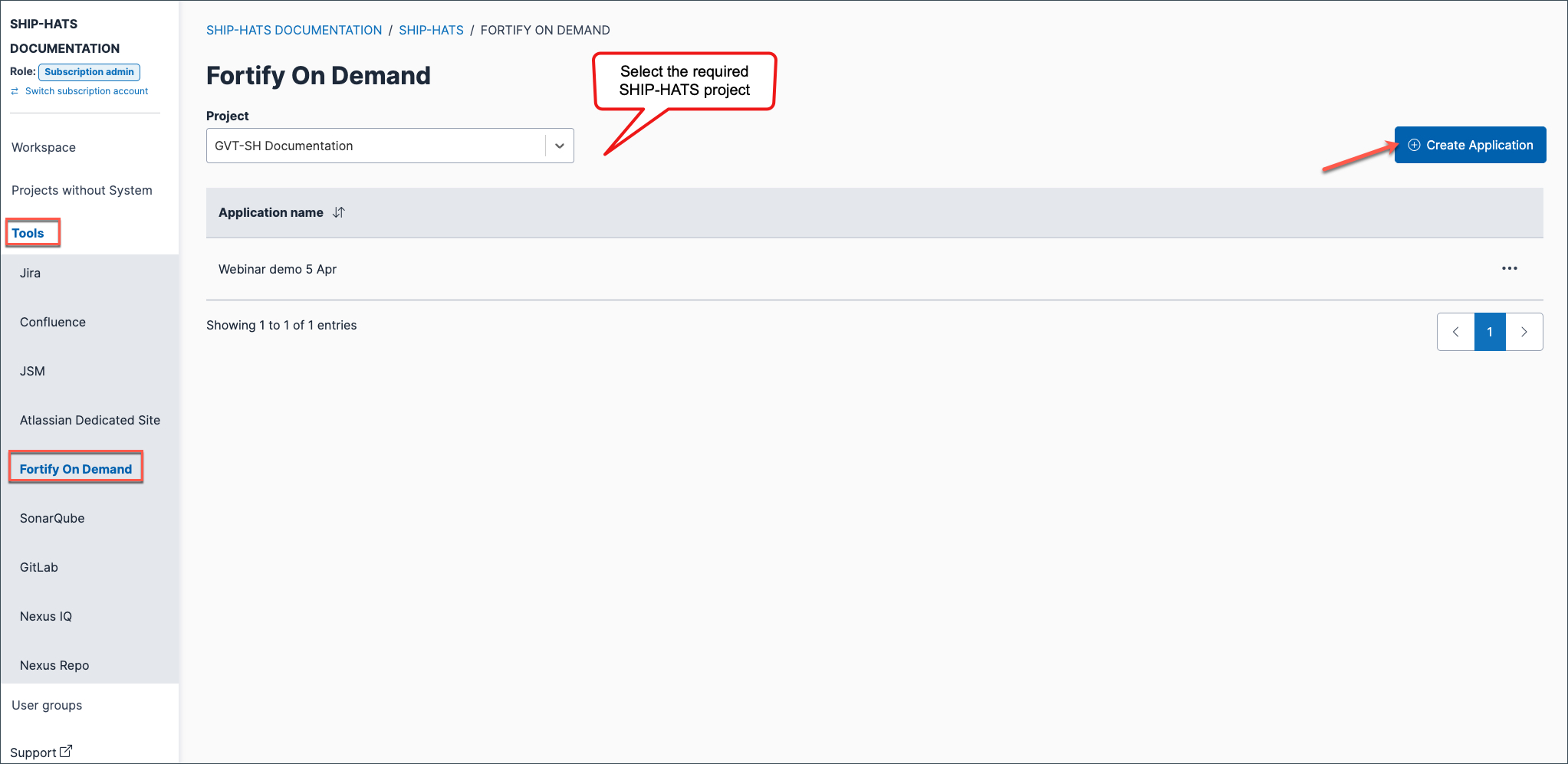
Click Create Application.
Create Application is disabled if your subscription does not include FOD, or if no application quota remains.
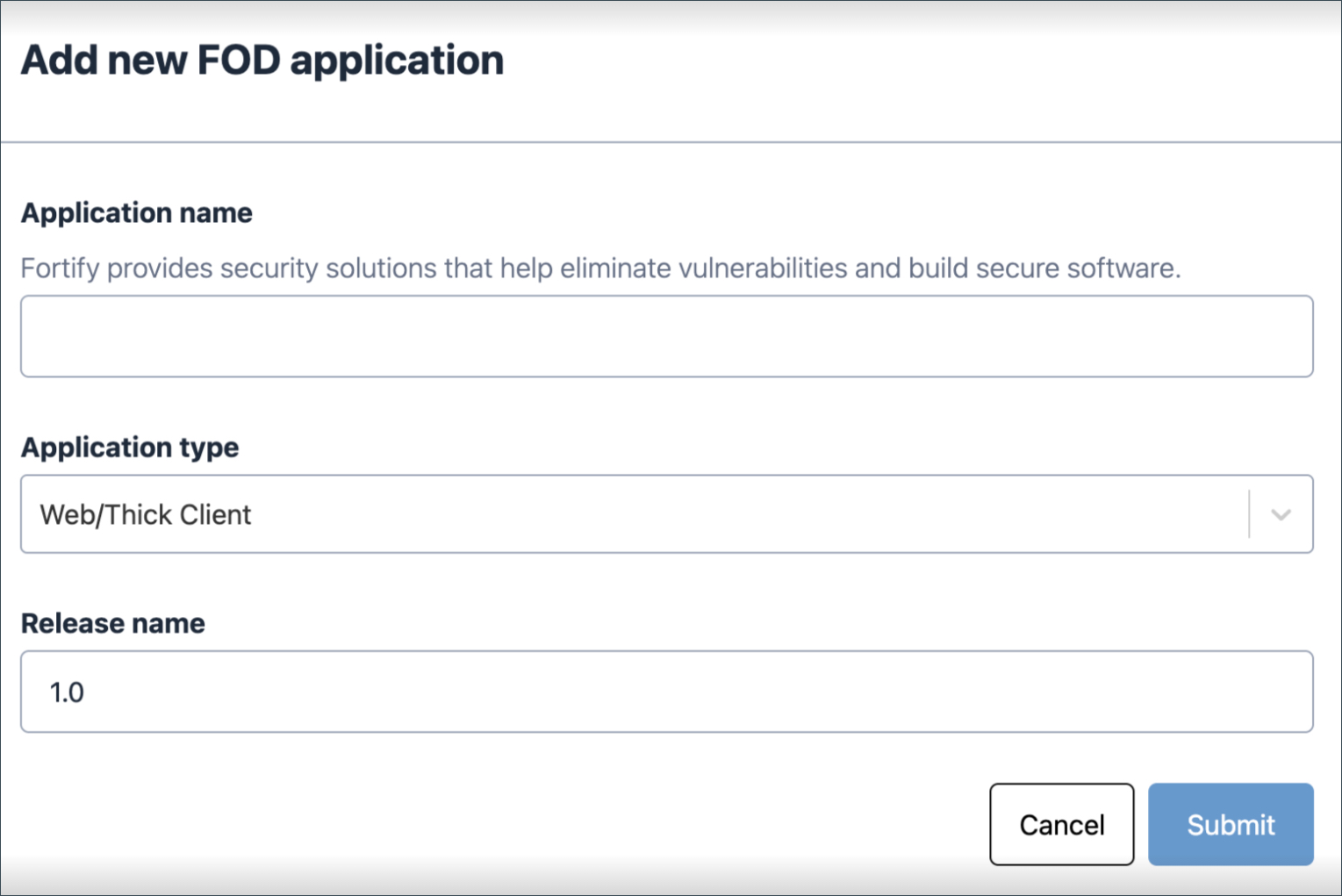
Enter the required details.
Field Description Application name Enter the name of the application. Application type Select the application type: Web / Thick client or Mobile. The default value is Web / Thick client. Release name Enter the release name for the application. Click Submit.
The application is created successfully and listed under this SHIP-HATS project.
