Overview
Welcome to the SEED documentation!
Before you begin the process of onboarding your Internet Device to SEED, you need meet the necessary prerequisites. These prerequisites are vital for a successful onboarding experience.
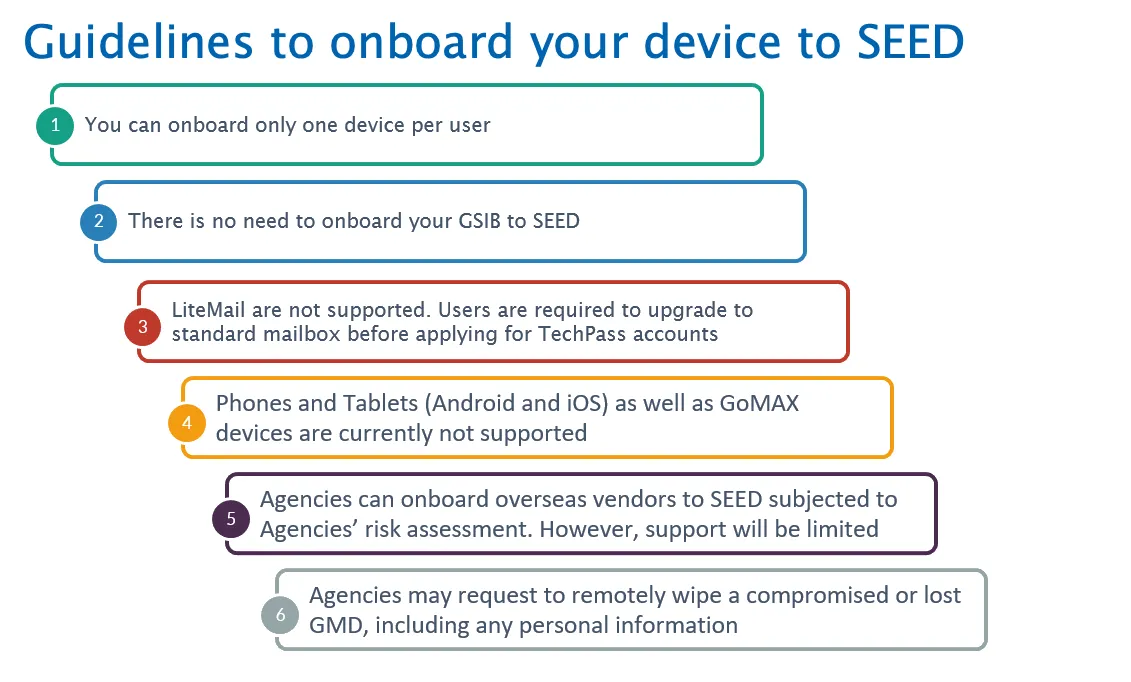
Note: Each user can onboard only one device to SEED.
Supported browsers and operating systems
Supported browsers:
- Google Chrome
- Microsoft Edge
- Mozilla Firefox. If you are using Mozilla Firefox, you need to configure Firefox to trust the root certificate store of your system.
- Safari
Supported operating system:
Note: macOS 27 is currently not supported by SEED. Please remain on or update to a supported macOS version.
| Operating system | Version supported (Same or higher)* |
|---|---|
| macOS 26 | 26.7 |
| macOS 15 | 15.8 Note: If you encounter issues accessing SGTS or GCC services after the update, please ensure that FDA is enabled and reboot your device. Do not install unsupported versions of macOS unless explicitly communicated via email by the SEED team. |
| Windows 11 Pro/Enterprise | 24H2 (build 26100, minimally revision 9445) 25H2 (build 26200, minimally revision 9445) |
Note: Admin privilege is required to onboard to SEED.
Popular topics
| What’s new Latest features and updates in SEED. |
Onboard to SEED Guide for setting up SEED on your devices. |
| Monitor using SEED Dashboard Learn how to monitor devices using SEED Dashboard. |
View SEED service status Check current status of SEED services for operational insights. |
| Raise a service request Instructions for requesting support and managing subscriptions. |
