Common issues
The following are troubleshooting tips to help you resolve some of the common issues with CStack.
Errors in manifest configuration
| Error message | Possible reasons |
|---|---|
| no Route matched with those values | - response from ingress, no such host - ingress with matching host value does not exist |
| failure to get a peer from the ring-balancer | - no response from the deployment via ingress - possible due to mismatch in port numbers or names (service name, port name) |
| upstream connect error or disconnect/reset before headers. reset reason: connection failure, transport failure reason: delayed connect error: 111 | - no response from deployment via ingress - possible due to mismatch in port numbers or names (service name, port name) |
- Errors in manifest configuration occurs mostly due to a missing or incorrect configuration.
- Complete the following steps to resolve manifest configuration error(s).
Resolution for manifest configuration errors
Step 1: Check port and selector configurations
- The values or names mentioned in the following are only for illustration purpose.
- Specify your host name, service name and app.kubernetes.io/name.
Open the Service and Deployment configurations.
Make sure the correct Application port is mentioned as targetPort.
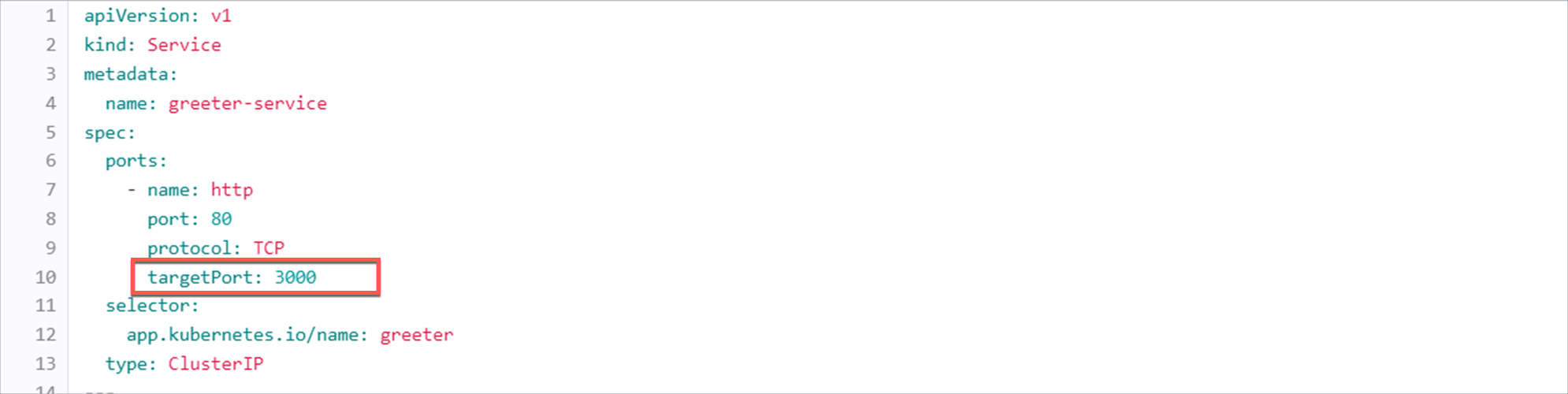
Ensure that the value of targetPort matches with the application port that is exposed in the container. You may find the port number within the dockerfile that is used to build the container image. For example:
# syntax=docker/dockerfile:1 FROM node:18-alpine WORKDIR /app COPY . . RUN yarn install --production CMD ["node", "src/index.js"] EXPOSE 3000Dockerfile can be found within your application code repository. For example: https://sgts.gitlab-dedicated.com/wog/gvt/cstack/groups/tenants/internet/gvt-cstack-alex/apps/go-demo
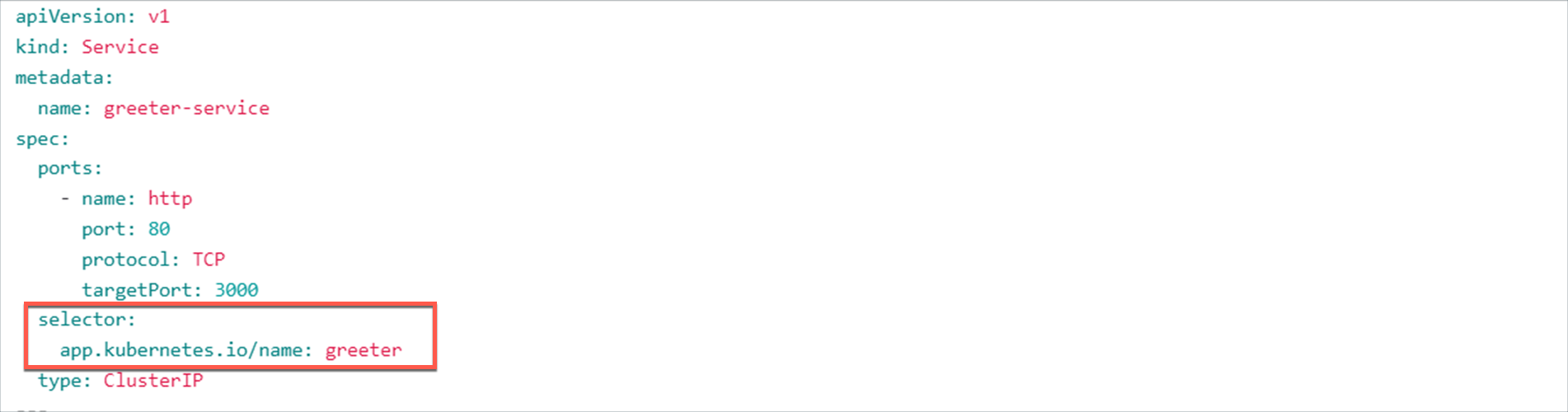
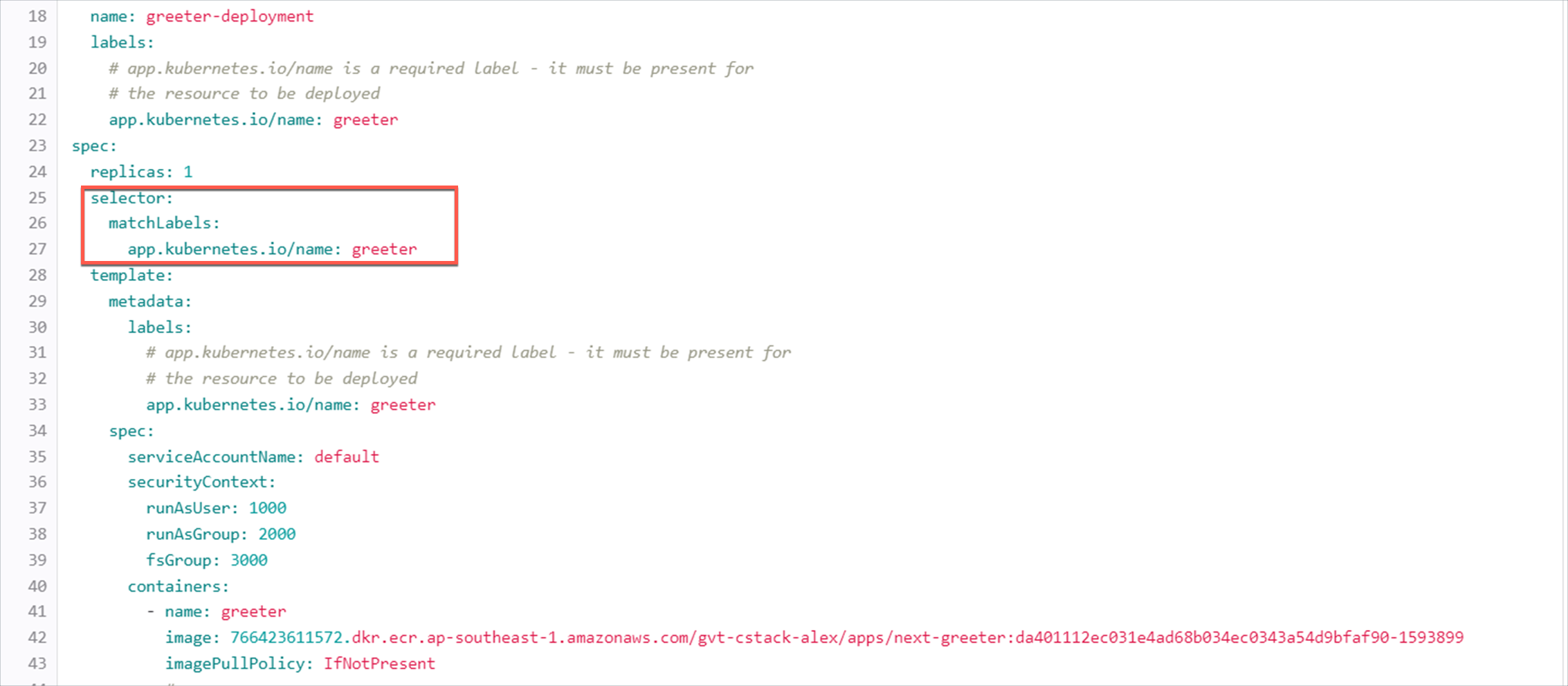
Make sure the same value is specified for app.kubernetes.io/name in both the configurations.
Example of app.kubernetes.io/name in Service configuration.
Example of app.kubernetes.io/name in Deployment configuration.
Step 2: Check port and service names
Open the Service and Ingress configurations.
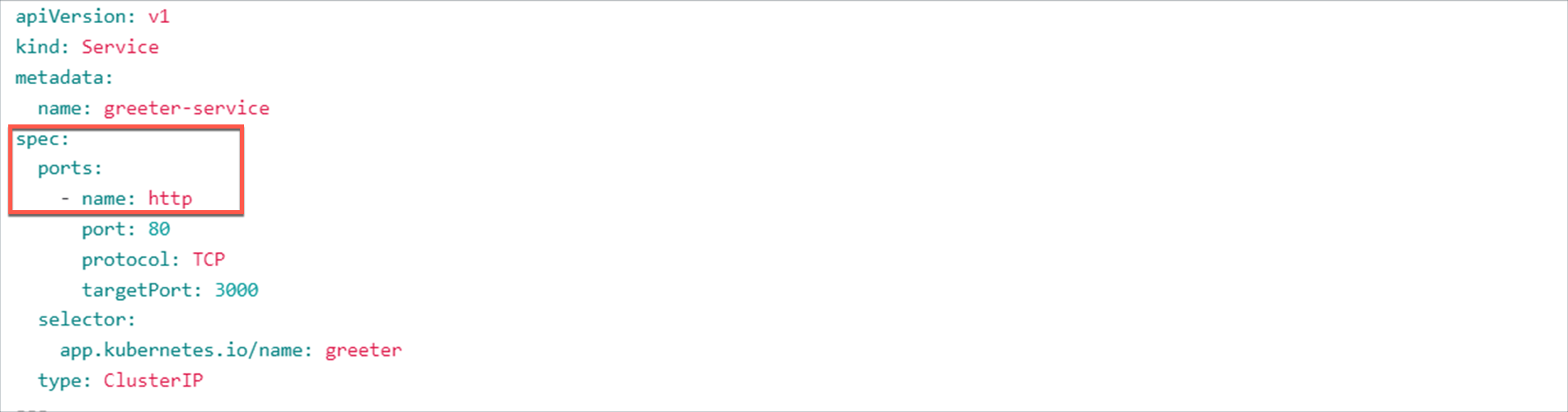
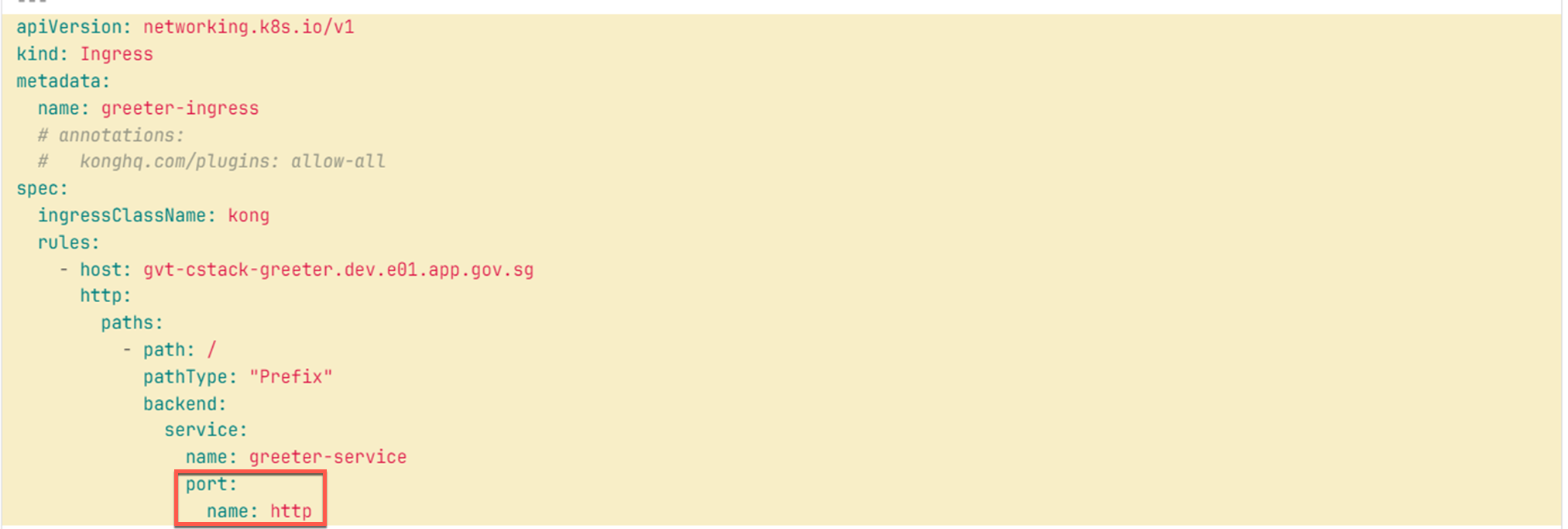
Make sure the same port name is mentioned in both the configurations.
Example of port name in Service configuration.
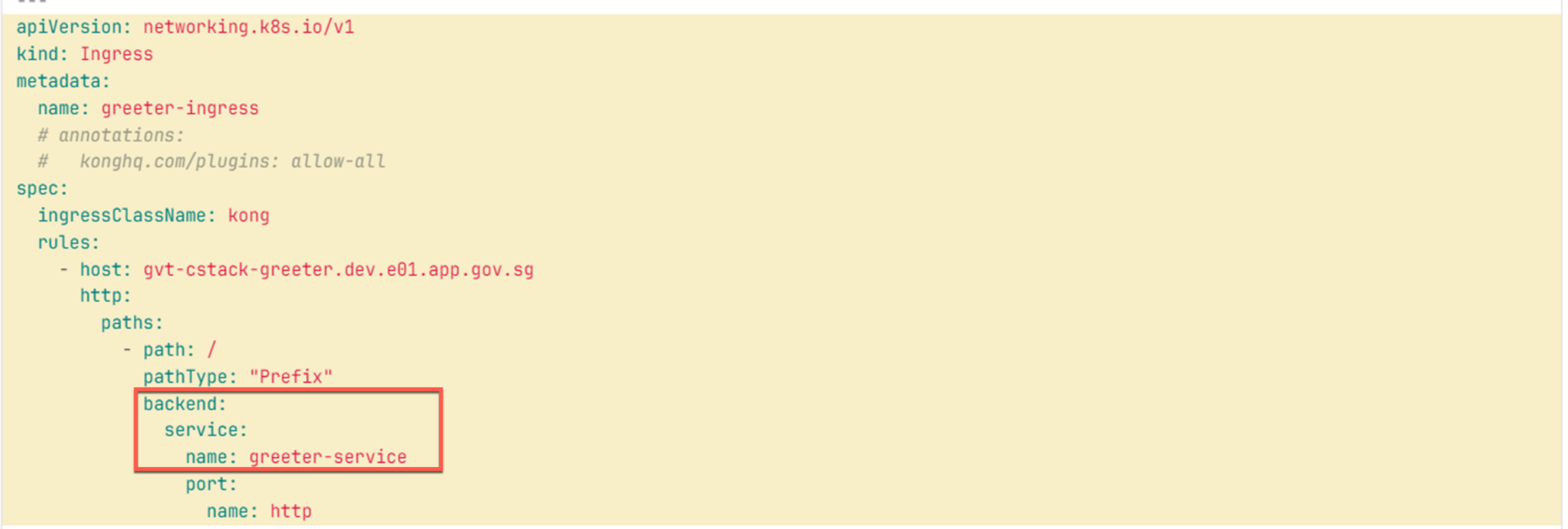
Example of port name in Ingress configuration.
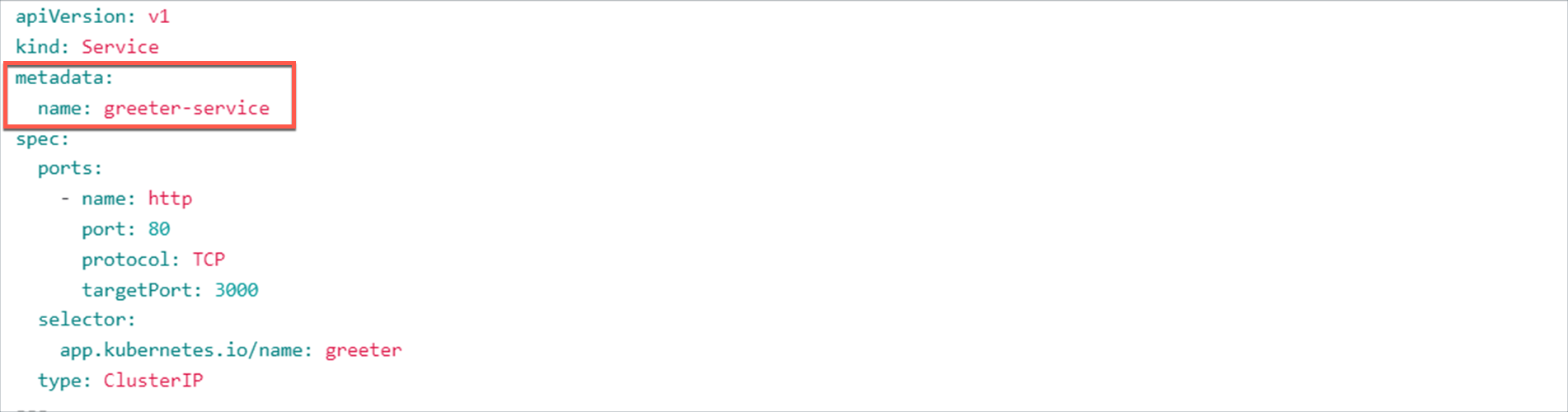
Make sure the same service name is mentioned in both the configurations.
Example of service name in Service configuration.
Example of service name in Ingress configuration.