Project Access
To adhere to the principle of least privilege, only Maintainers are granted group-level read/write
access to all projects in your subgroup. Developers should not be given group-level permissions
for all projects in your subgroup.
As a Maintainer, you will need to grant your Developers access to your projects.
There are 2 methods to achieve this:
Add Access to Project
Use this method if you wish to grant Developers access to your projects individually. This is
applicable to both code repositories and the cstack-manifests repository.
- Navigate to your repository.
- Click the Members sidebar tab.
- Search for the GitLab member’s username and select it. Set the role as
Developer.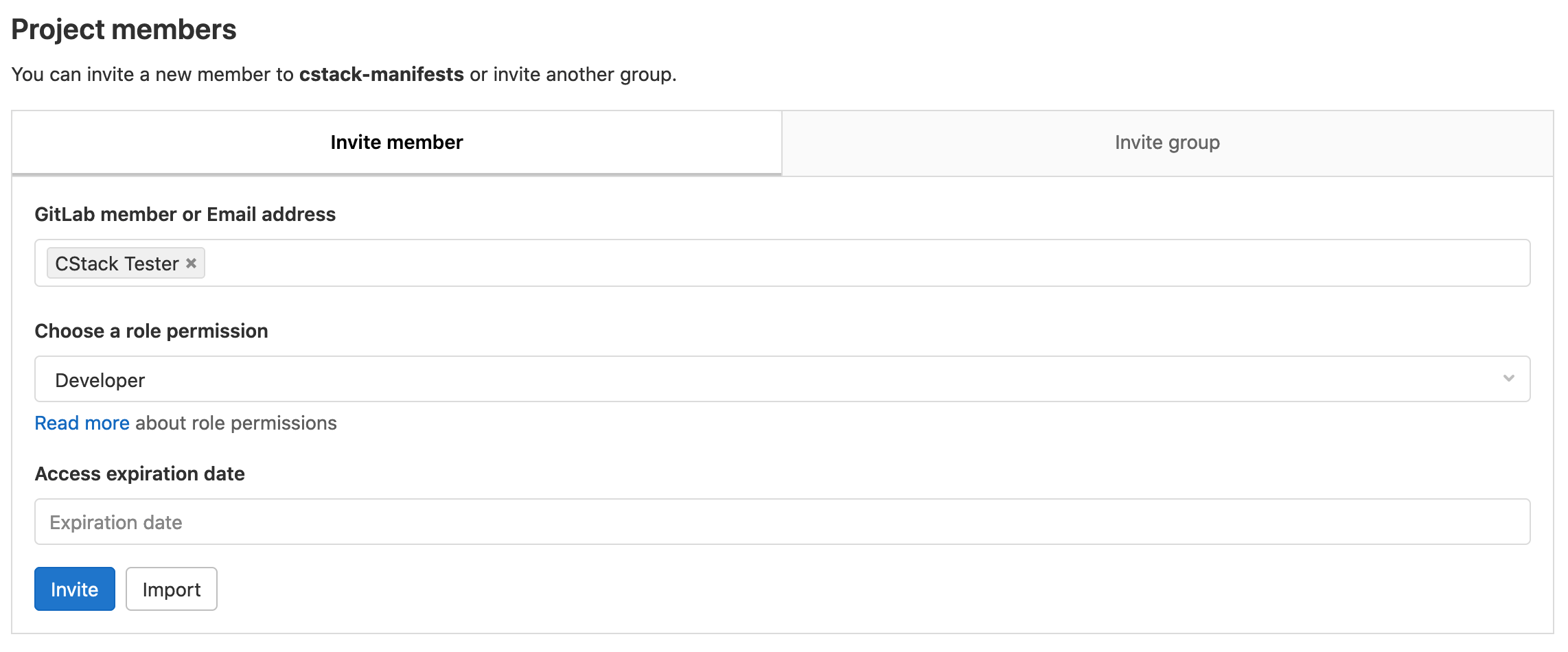
- Click Invite.
- The user now has
Developerpermissions for the repository.
Create Nested Subgroup
Learn more about GitLab Subgroups.
Use this method if you wish to grant Developers access to multiple code projects, without needing
to individually grant access to all the repositories. This is only applicable to code repositories
as cstack-manifests must exist at the root of your subgroup.
When you create a subgroup, you will be granted Owner permissions on the subgroup. This grants
the ability to remove projects within that subgroup without requiring Container Stack’s help.
Please refer to Gitlab Role Permissions
for more details.
You may also use nested subgroups as a means of fine-grained access control. For example, you may wish to create a “frontend” and “backend” nested subgroup and assign frontend and backend engineers respectively.
This method will require you to have your code repositories in a nested subgroup rather than having them at the root of your current subgroup. Please contact us if you wish to move your repositories to a nested subgroup.
Navigate to your subgroup and click New subgroup.
Enter your group name and all your Developers’ emails.
You may also add users as
Developersto the subgroup after creation. The steps are similar to those listed in Add Access to Project.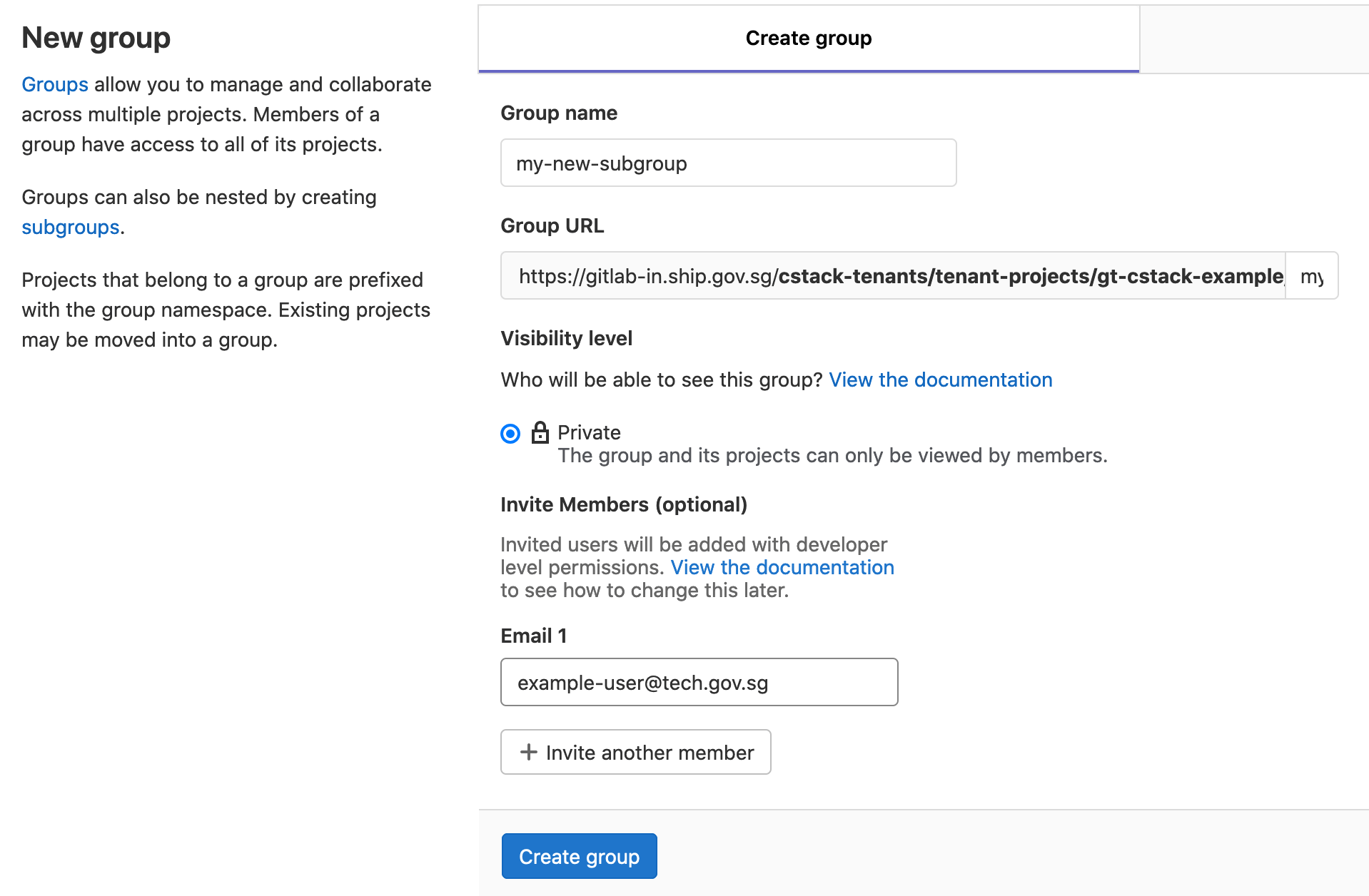
Developersnow have access to all repositories created in the new nested subgroup. TheMaintainerthat created the nested subgroup will also be theOwnerof the nested subgroup.You may optionally create more nested subgroups depending on your access control requirements.