View Dashboard
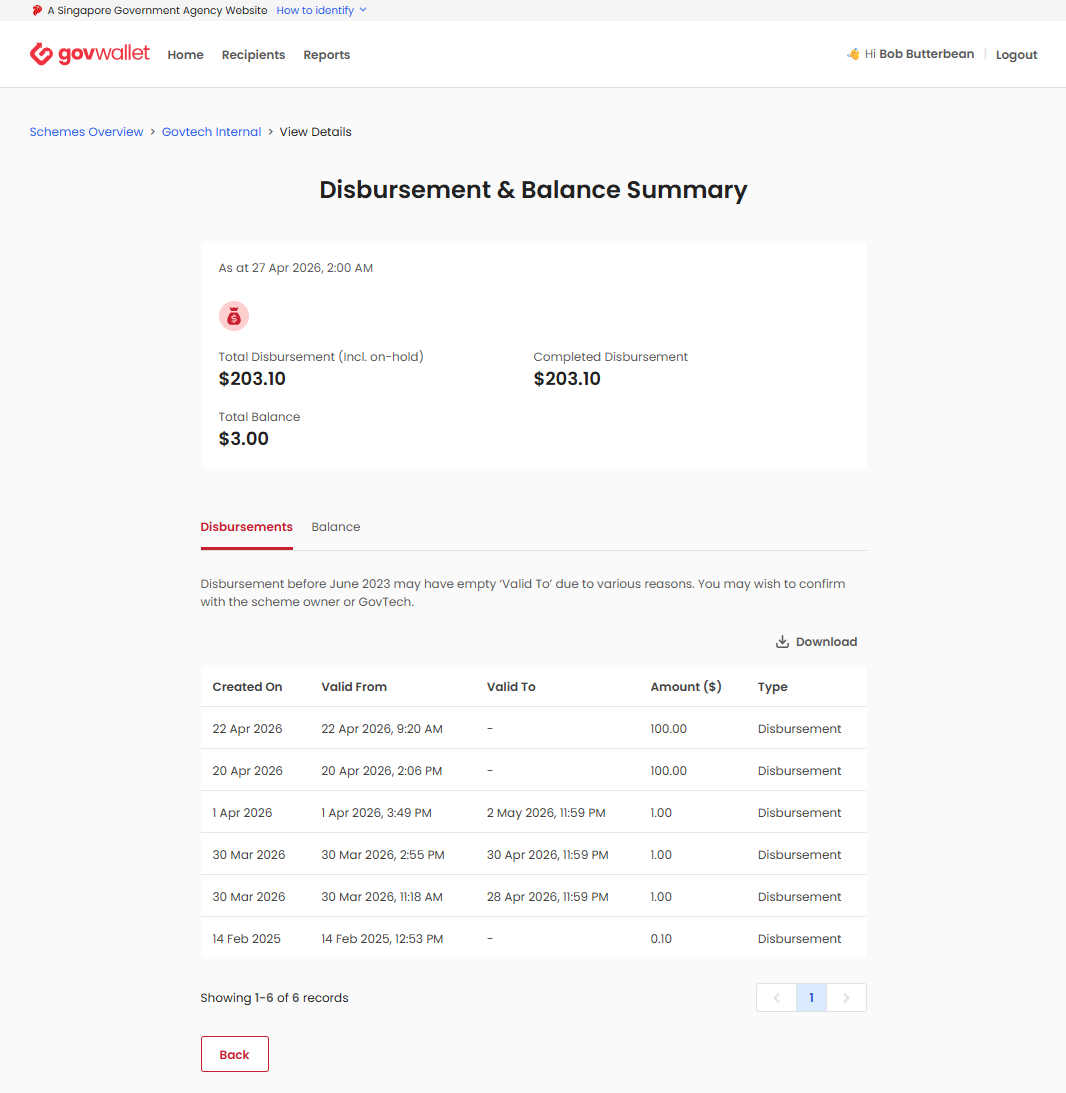
The View Dashboard feature provides partners with a high-level overview of their scheme’s financial performance. It allows users to monitor disbursement data and current account balances, ensuring transparency and ease of tracking.
Access and Permissions
- Available to all users.
- The dashboard updates periodically to reflect the latest financial data.
Key Metrics Explained
The dashboard displays the following financial data points:
| Metric | Description |
|---|---|
| Total Disbursement (Incl. on-hold) | The aggregate sum of all disbursements, including those currently on-hold or pending. |
| Completed Disbursement | The total amount of funds that have been successfully disbursed to recipients. |
| Total Balance | The current remaining balance available for the scheme. |
Detailed Transaction History
The dashboard provides a granular breakdown of your scheme’s activity through the Disbursements and Balance tabs.
- Disbursements Tab: View a table listing all transactions, including:
- Created On: The date the transaction record was generated.
- Valid From / To: The validity period of the disbursement.
- Amount ($): The dollar value of the transaction.
- Type: The nature of the transaction (e.g., Disbursement).
- Balance Tab: View a focused breakdown of balances, including:
- Valid To: The expiration date for the balance.
- Amount ($): The dollar value associated with that expiration date.
- Download: Click the Download button to export your transaction records for external reporting and record-keeping.
Note: Disbursements made before June 2023 may have an empty ‘Valid To’ field. Please verify these records with the scheme owner or the GovWallet team if necessary.
Dashboard Navigation
- Log in to the Admin Portal.
- Navigate to Schemes Overview.
- Select the specific scheme (e.g., Govtech Internal).
- View the summary metrics at the top.
- Use the Disbursements and Balance tabs to toggle between detailed views.
Best Practices
- Monitor regularly: Check the dashboard periodically to ensure that your disbursement totals align with your internal financial records.
- Verify status: Pay attention to the “Total Disbursement” vs. “Completed Disbursement” figures to identify any discrepancies or funds that may be on-hold.
- Export data: Use the Download feature regularly to maintain an offline audit trail of all transactions.
