Debugging API requests
Missing customized headers
Issue: Customized headers are missing after calling APEX Cloud.
Solution: API calls to APEX Cloud must conform to the regular expression [-A-Za-z0-9]+ for any HTTP Header names. HTTP Headers with names that do not conform to the expression [-A-Za-z0-9]+ will be considered as invalid HTTP headers and will be dropped, in accordance to IM8 Cloud Security Section Para 1.7 S6.

You may refer to the MOF Cloud Security content for more information (This is an intranet link).
Errors due to “Expect: 100-continue” header
Issue: Errors are being encountered on the server due to the Expect: 100-continue header sent from the APEX Cloud API Gateway.
Context: The Expect: 100-continue header is enabled to send the request header and the request body separately. Possible uses cases for enabling the header include outbound authentication or providing bandwidth for a large request body.
Initially, the client calls the backend with only the request headers and the Expect: 100-continue header. The server replies with HTTP status 100 if it is ready to receive the request, and then the request body is sent. For more information on the the use of the Expect: 100-continue header, refer to MDN documentation.
Disabling the Expect: 100-continue header will cause the API Gateway to send the complete request, including both the request headers and body, without the need for additional requests.
Solution:
There are two ways to resolve the errors:
Allow or whitelist the
Expect: 100-continueheader in your Web Application Firewall (WAF) or Content Delivery Network (CDN).If the first option is not possible, send a support ticket to the APEX Cloud team to disable the header for you.
Error due to Invalid SSL Trusted Certificate
Issue: An HTTP 526 error is encountered when the IP Address field is used in the Subject Alternative Name (SAN) of the SSL Certificate.
Context: APEX does not support the use of the IP Address field in the SAN of the SSL Trusted Certificate, which verifies the backend endpoint.
Solution: Publishers are encouraged to use a Fully Qualified Domain Name (FQDN) instead of a Static IP address as the backend endpoint, as the FQDN offers the flexibility to change the IP address associated with the FQDN without changing the backend service URL.
If the backend endpoint must be an IP Address, a possible workaround would be to include the IP Address in the DNS field of the SAN, instead of the IP Address field of the SAN.
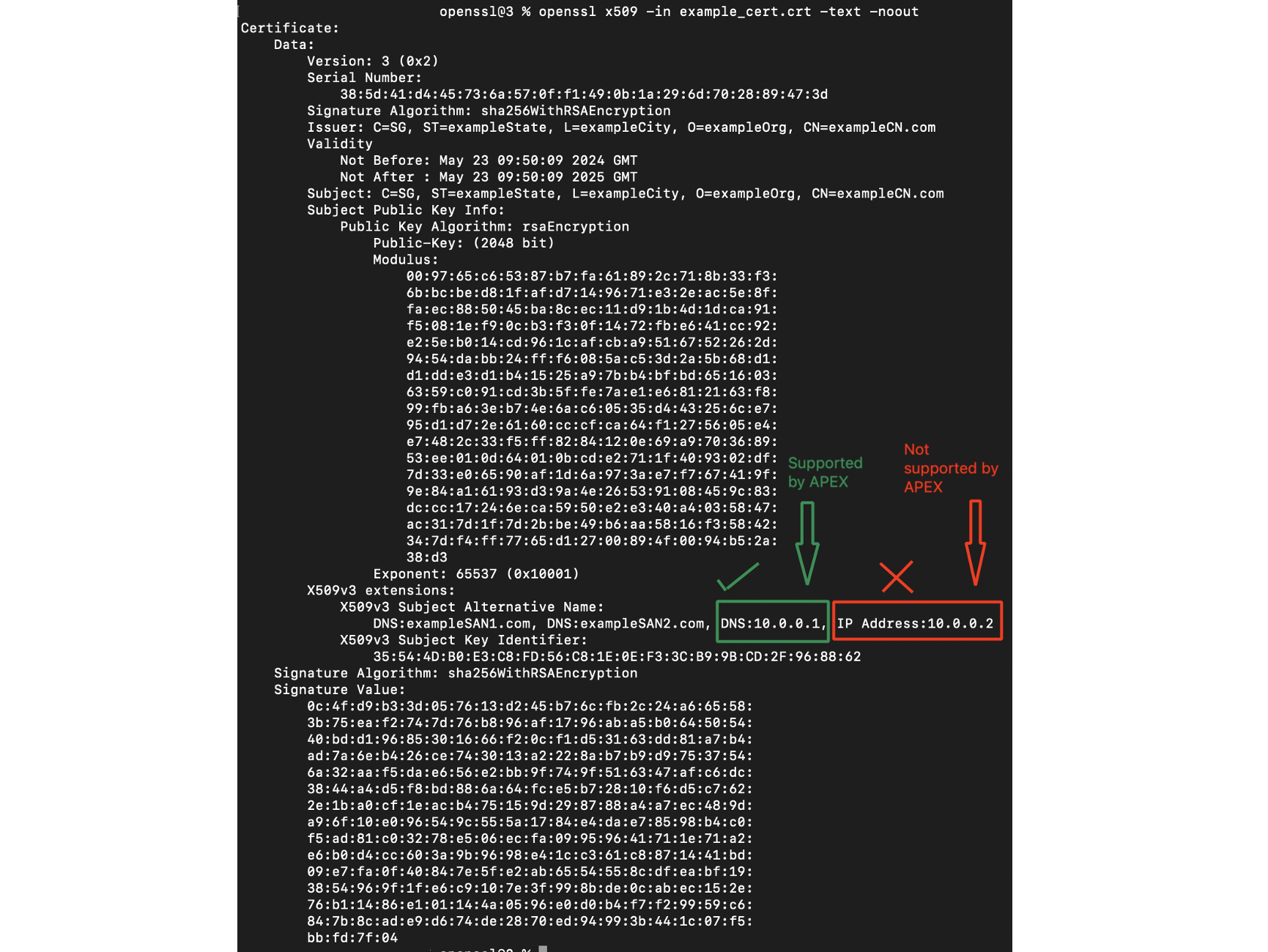
Example of an SSL certificate with an IP address in the DNS field and an IP address in the IP Address field of the SAN
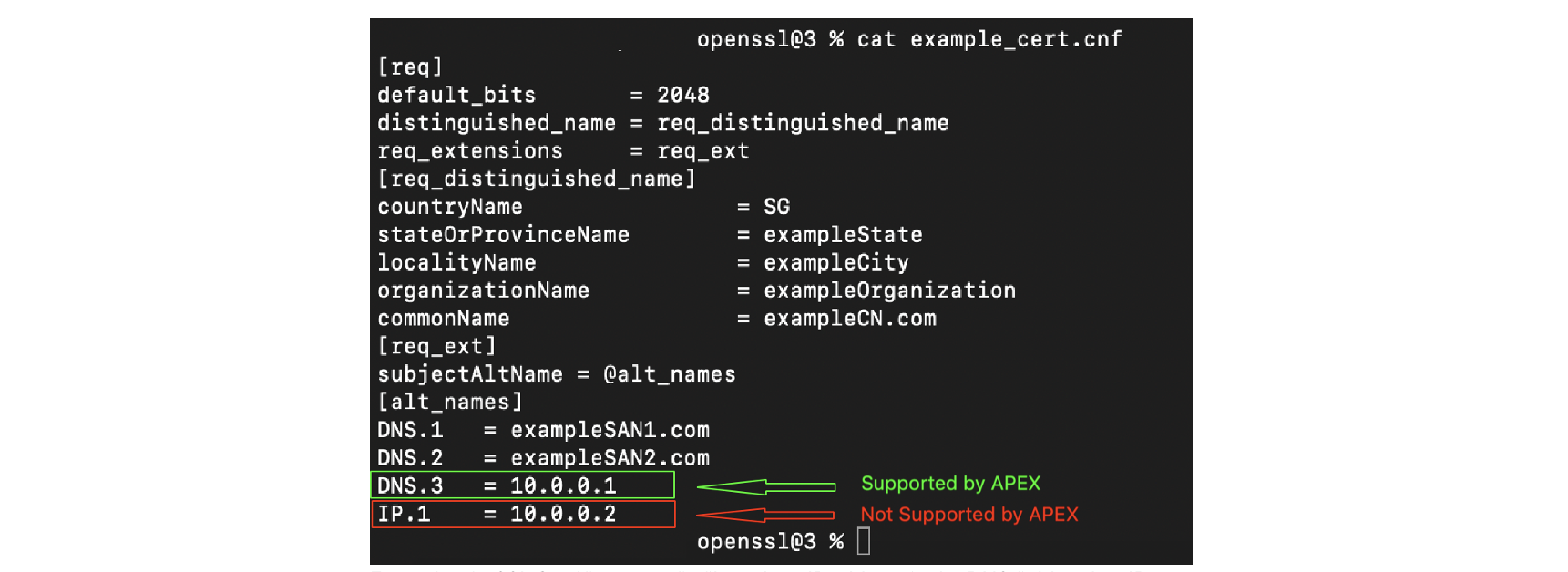
Example of a SSL Certificate config file with an IP address in the DNS field and an IP address in the IP address field of the SAN
