Set up Dynatrace space
Who can do this?
- Subscription Admins of an approved StackOps subscription.
Use Console to create a Dynatrace space. Each space will be configured with capabilities that you have selected at creation. You can add on more capabilities later, but cannot delete existing capabilities.
Once the resource has been provisioned, the primary Subscription Admin will receive an onboarding email within 3 working days on the next steps required to complete your Dynatrace setup.
Grouping Dynatrace spaces
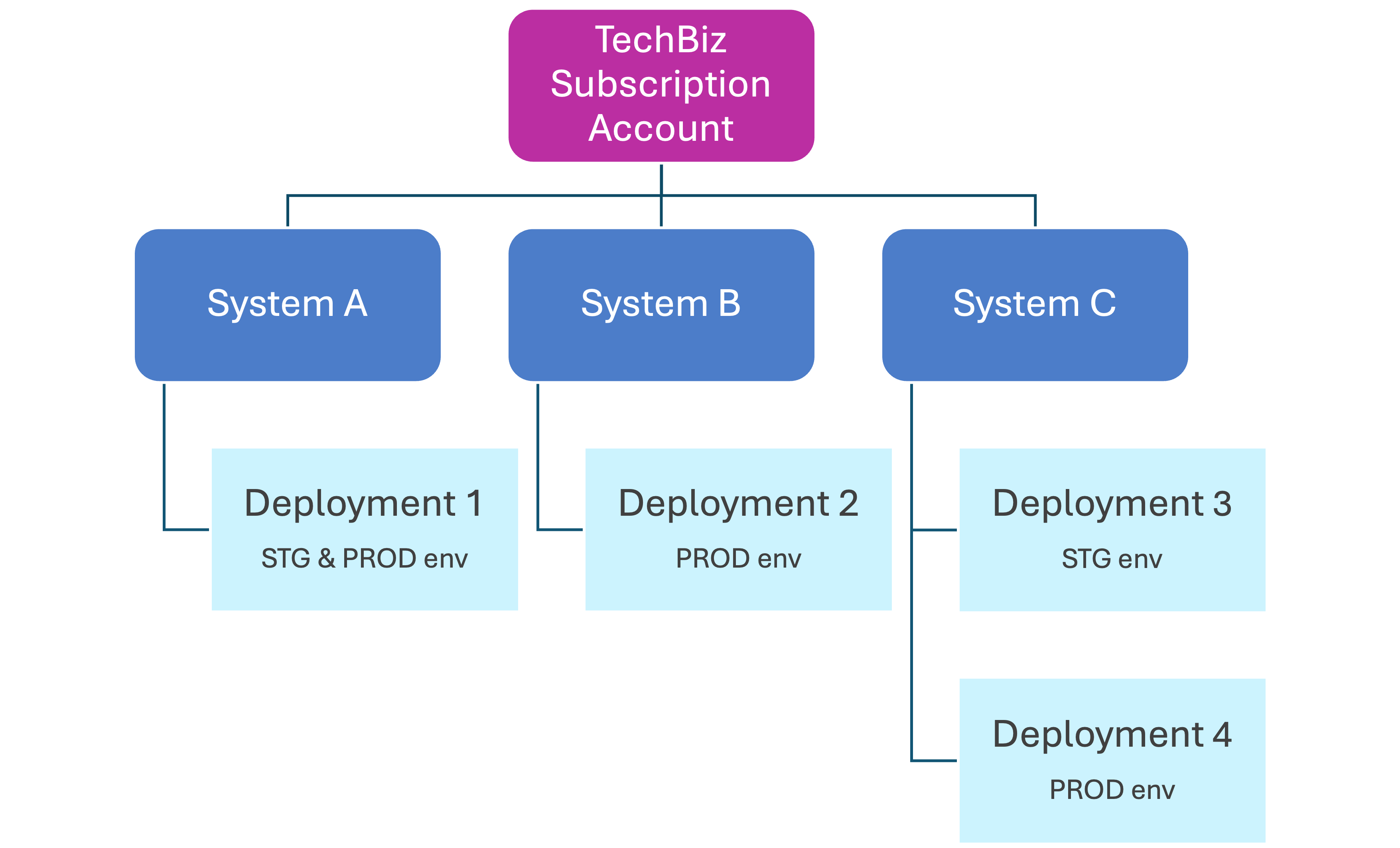
When creating a Dynatrace space, you must tag it to a TechBiz system. Systems are a way of organising and grouping together various related resources (e.g. a Dynatrace space, a StackOps Elastic deployment).
One system can have multiple Dynatrace spaces. For example, in the diagram below, System C has two spaces (3 and 4) to keep separate staging and production envs.
Before you begin
Make sure you have the following:
- An existing system in Console. Refer to Console documentation for more details on how to create a system.
Provision a Dynatrace space
Who can do this?
- Subscription Admins
Create a StackOps Dynatrace space in Console and associate it with a system.
To create a space:
Log in to Console with your TechPass account.
Select Subscription accounts > View subscription accounts > your subscription account.
From your subscription account, select Resources > Create Resource.
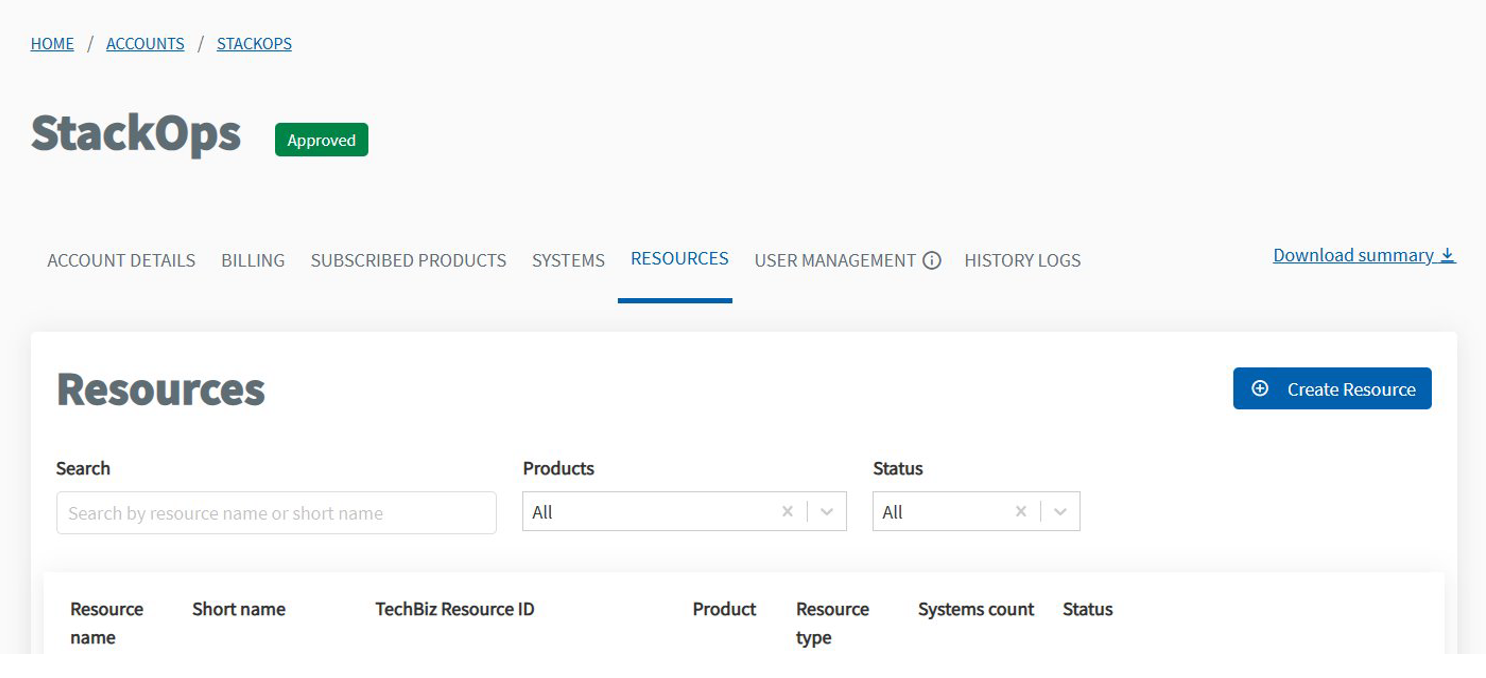
Enter the following Resource details:
- Product—Select
StackOps. - Resource type—Select the appropriate Dynatrace plan:
GovTech ManagedAgency Managed
- Enter the Application name and Application short name for your Dynatrace space.
- Enter an Application description for your Dynatrace space.
- Select a System to tag your Dynatrace space to.
- Product—Select
Enter the following Resource configuration details:
- Environment—Select either
QAorProduction. - Capabilities—Select the Dynatrace capabilities you need:
- Full Stack Monitoring—Includes distributed tracing, code-level visibility, CPU profiling, memory profiling, and deep process monitoring for hosts and containers.
- Infrastructure Monitoring—Includes distributed tracing, code-level visibility, CPU profiling, memory profiling, and deep process monitoring for hosts and containers.
- **Database Monitoring (Metrics - Ingest & Process)**—Provides data delivery, topology enrichment, data transformation, and data-retention controls.
- **Network Device Monitoring (Metrics - Ingest & Process)**—Provides data delivery, topology enrichment, data transformation, and data-retention controls.
- Cloud Integration (Metrics - Ingest & Process)
- HTTP (ICMP/TCP/DNS Check) Monitor—Checks the availability of websites or API endpoints, including internal resources that are inaccessible from outside your network.
- **Real User Monitoring (Basic)**—Collects detailed data about each user’s interactions with your application.
- **Synthetic Monitor (Browser Monitor / Clickpath)**—Simulates a user visiting your application using a modern, updated browser to monitor business-critical workflows.
- Kubernetes Platform Monitoring—Provides insights into your Kubernetes clusters.
- **Container (Code Monitoring)**—Enables you to analyse and debug code running in your production environments.
- **Log Management & Analytics - Ingest & Process (syslog)**—Provides data delivery, topology enrichment, data transformation, data-retention controls, and conversion to time-series.
- Log Management & Analytics - Retain—Provides data delivery, topology enrichment, data transformation, data-retention controls, and conversion to time-series.
- Runtime Vulnerability Analytics
- Runtime Application Protection
- Security Posture Management
- Environment—Select either
Click Submit.
You can view the status of your resource under the Resources tab. Once the Dynatrace space is successfully provisioned:
- The Subscription Admins and Billing Admin will be notified via email.
- The primary Subscription Admin will also receive an onboarding email within 3 working days. The email contains detailed instructions for the remaining setup steps.
Next steps
Configure the connectivity and firewall rules for your Dynatrace space, and install OneAgent for data ingestion. Follow the detailed steps in the onboarding email sent to the primary Subscription Admin.
