Manage Fortify on Demand (FOD) releases
Subscription Admins (SAs) and Project Admins (PAs) can create, rename, view, and delete releases for Fortify on Demand (FOD) applications.
Releases help organise and track scan activity based on your organisation’s reporting needs and development processes.
Prerequisites
Ensure the following:
- You are a Subscription Admin (SA) for the subscription, or a Project Admin (PA) for a SHIP-HATS project within the subscription.
Steps
In Console, go to Products > SHIP-HATS, and select the required subscription to open the Workspace.
For detailed steps, see Access Workspace.
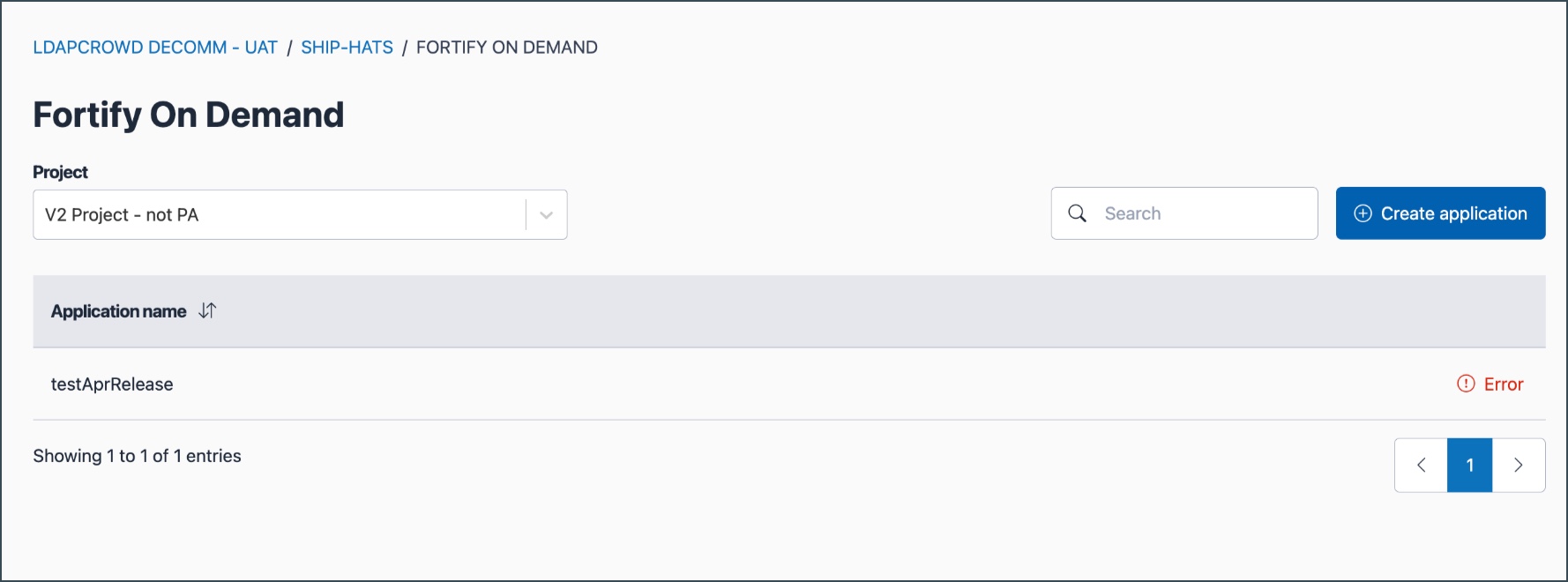
Click Tools > FOD.
Select the required SHIP-HATS project.
Click the ellipsis (…) next to the Application name, then select Manage.
Go to the Releases tab.
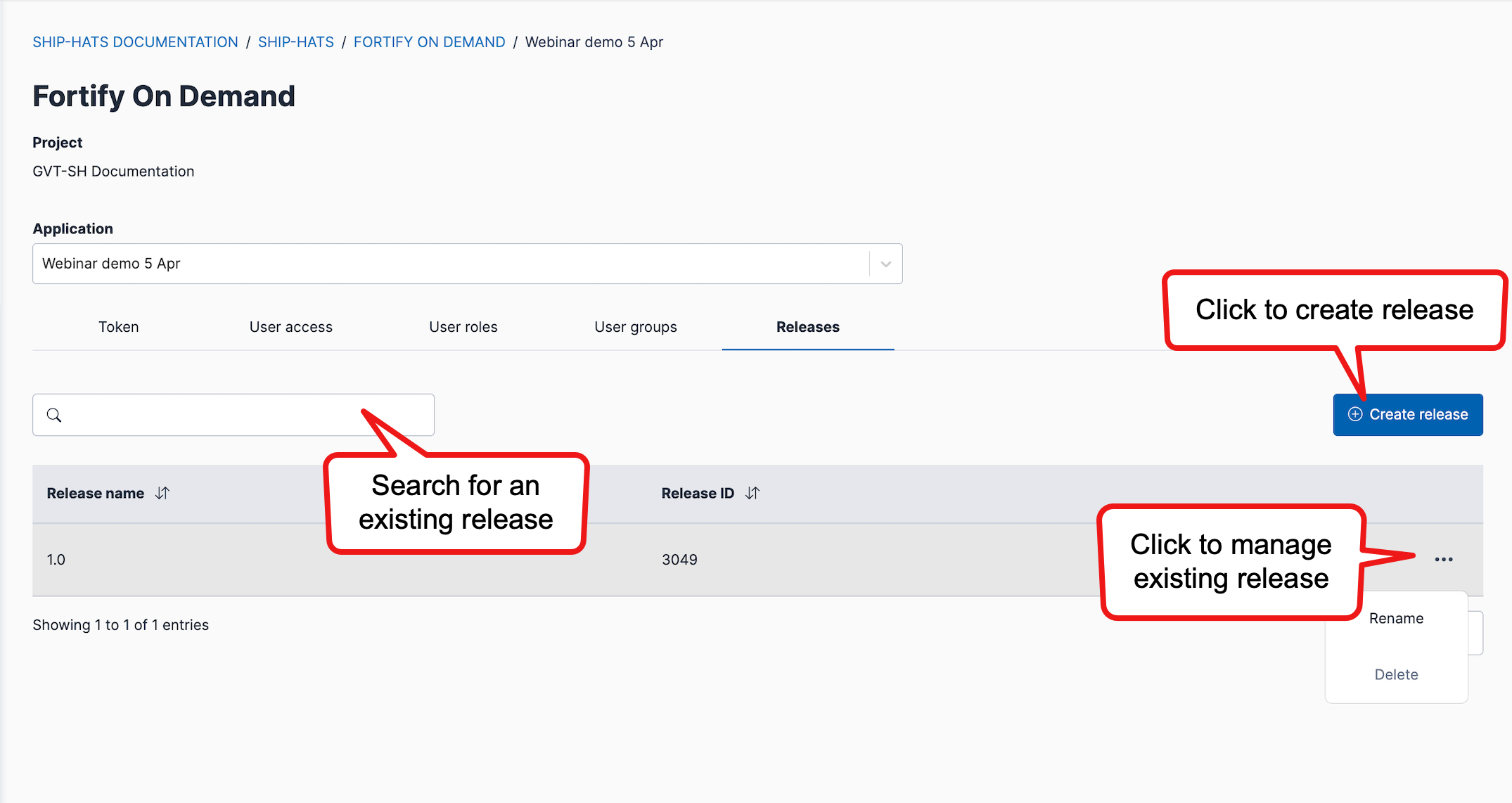
Perform one of the following:
- Create a release — Click Create release, then specify the required details.
- View a release — Enter the release name in the search box. Matching records appear in the search results. The Release ID displayed is required when configuring FOD scans.
- Rename a release — Click the ellipsis (…) next to the release, update the details, then save the changes.
- Delete a release — Click the ellipsis (…) next to the release, then select Delete.
Important
- The Delete option is available only when the application has more than one release.
- Deleting a release permanently removes it from the selected FOD application.
- This action cannot be undone. Confirm the release is no longer required before deletion.
