📍 Distribution Points
Access and Permissions
- Available to Tenant Managers, Campaign Managers and Campaign Contributors
- Read-only access to Campaign Readers
Use Cases
Login QRs
- For volunteers helping to distribute on the ground using the GovSupply distribution app
- Each login QR will be uniquely tied to the volunteer’s mobile number where they will receive the one-time password (OTP) for login to the distribution app
- Single-user usage, can be used multiple times by the same mobile number
API Keys
- For vending machines or point-of-sales machines
- API key can be customised and generated according to the needs of the corresponding system that is calling the GovSupply API
Step-by-step Process
Step 1: Distribution Type
- Select either one of the distribution types
- Read use cases to understand which distribution type suits your campaign
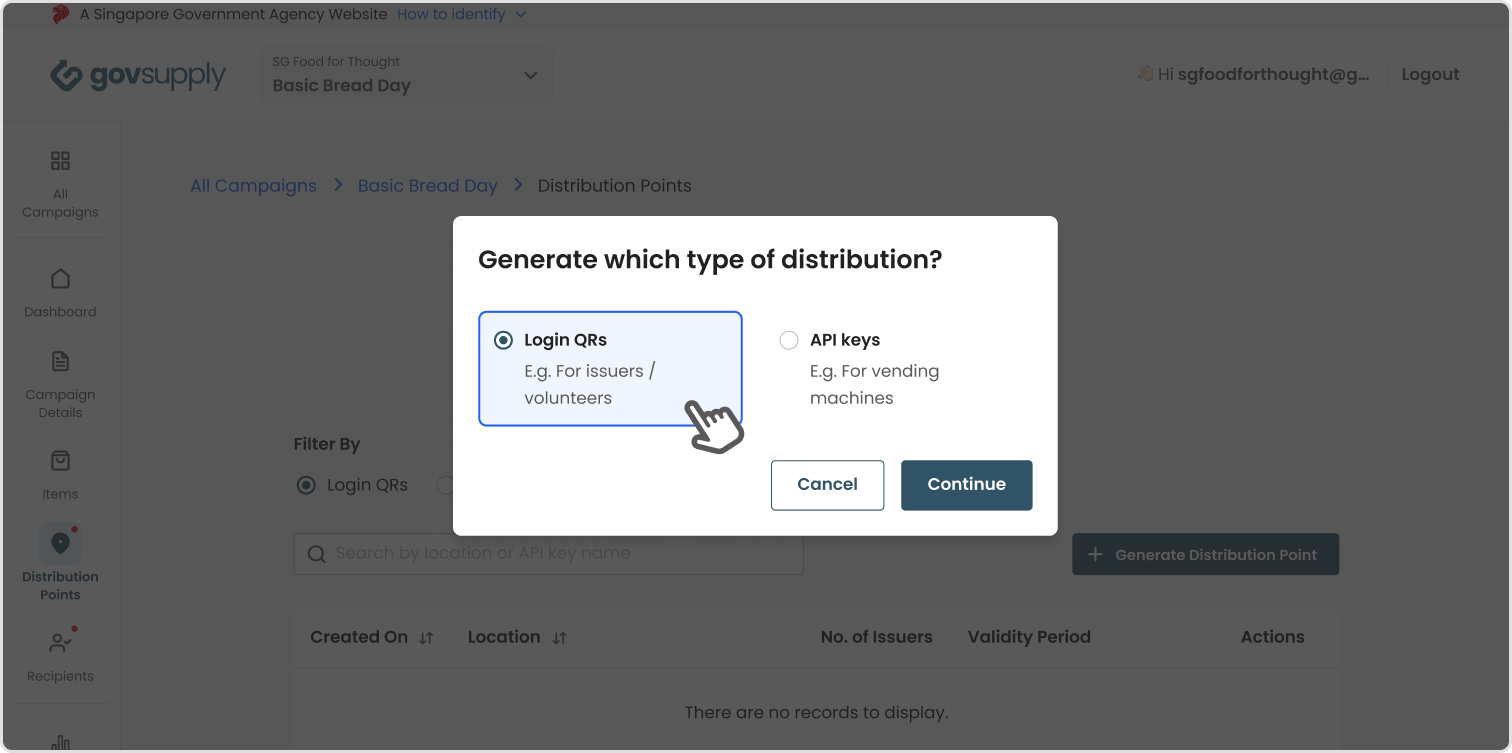
Step 2: Distribution Point Details
Information required for each selected distribution type differs. You can generate multiple locations’ login QRs OR same location but different no. of issuers/validity period in one setting.
Generating Login QRs
- Location - should be unique
- No. of issuers - based on how many volunteers that will be operationally involved in distribution, each person will be issued a login QR
- Validity period - determines how long the login QR will be valid for
Generating API Keys
- API key name - should be unique
- Description - optional
- Permissions - determine what kind of API calls are needed
- Validity period - determines how long the API key will be valid for

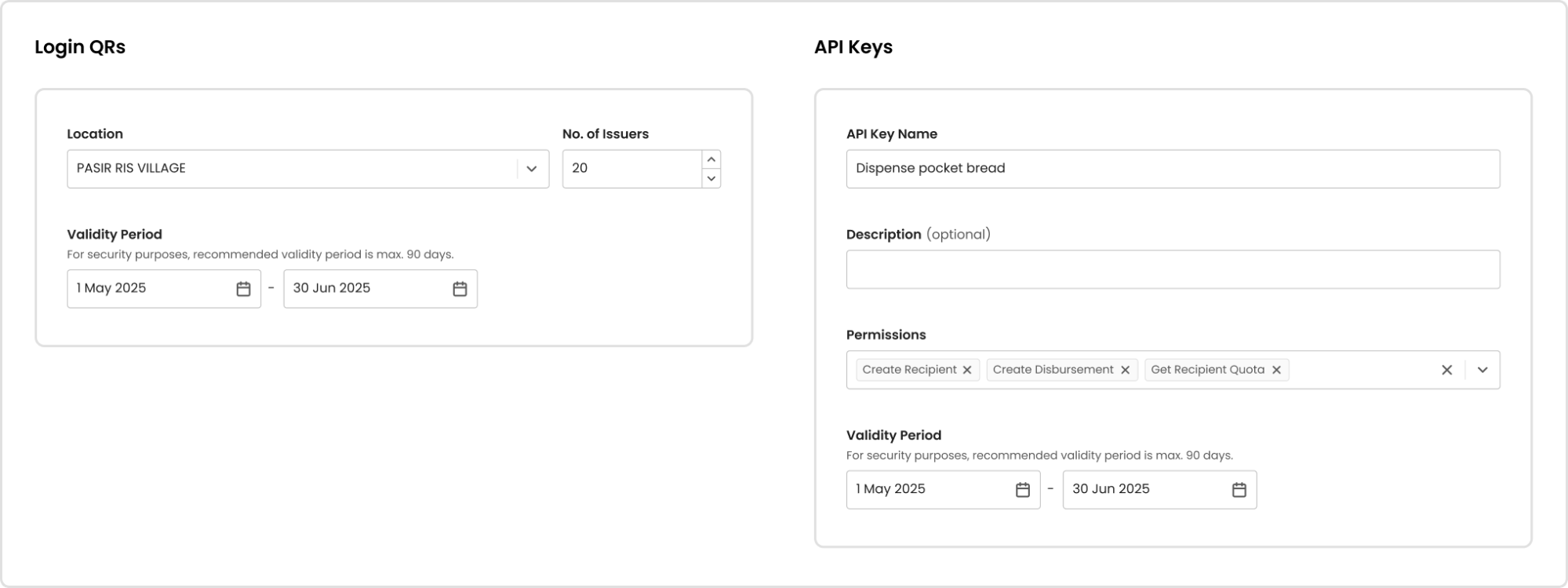
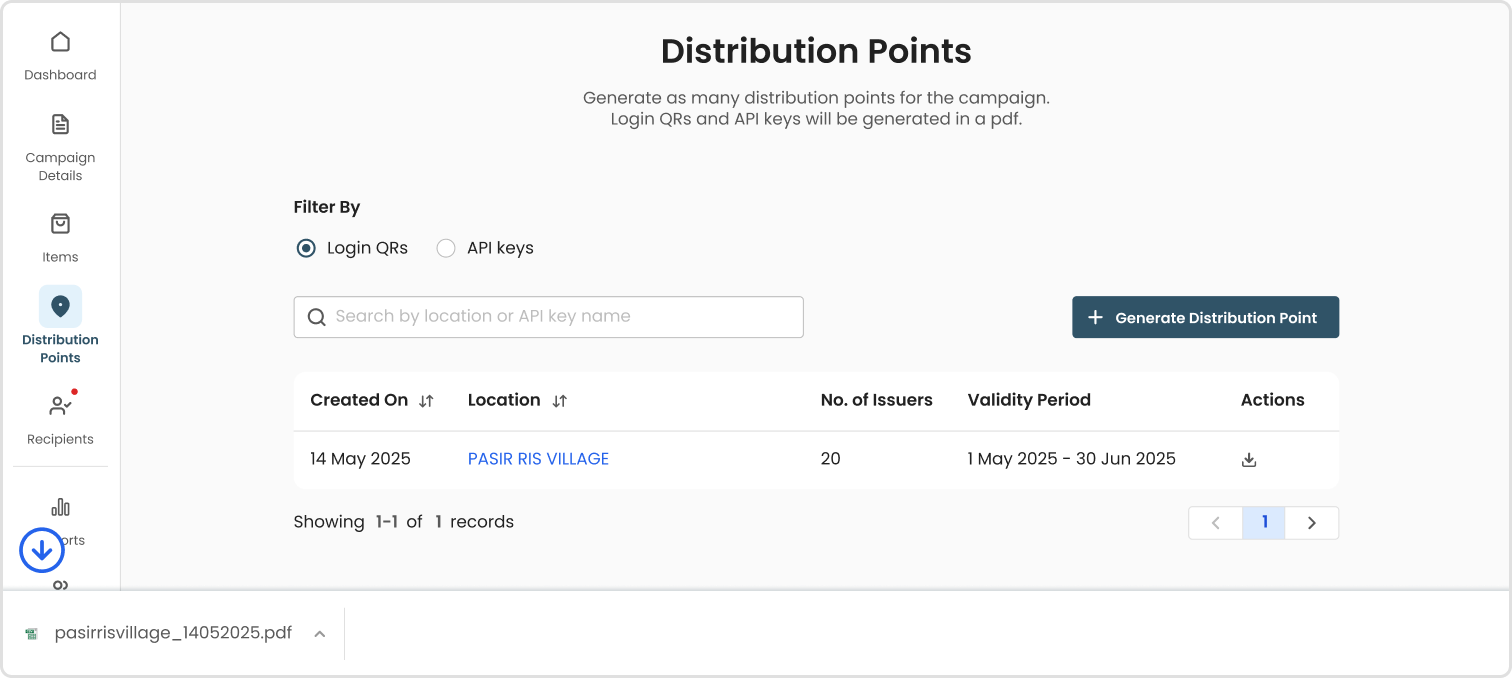
Step 3: Download
- Login QRs will be generated in a pdf file, downloaded to your device
- 🔗Download example of a generated login QR
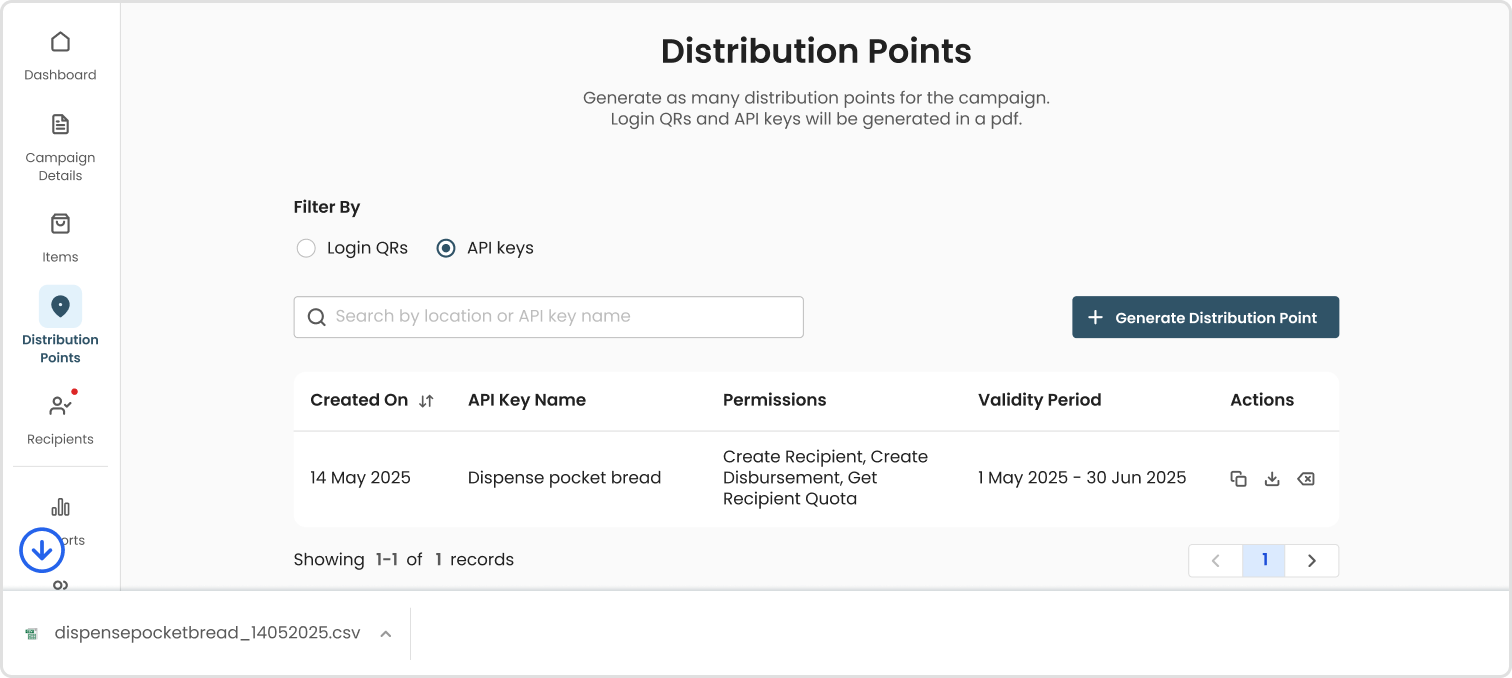
- API keys will be generated in a csv file, downloaded to your device
CSV File Requirements
Required Fields and Examples
Bulk generate login QR
🔗Download sample csv file
| Field | Description | Example |
|---|---|---|
| Location Name* | Location where distribution will take place | Happy Hawkers Community Centre |
| No. of Issuers | Total number of volunteers that will require a login QR to help in distribution | 20 |
| Valid From | Start date for QR validity | 01/05/2025 |
| Valid Till | End date for QR validity | 30/06/2025 |
\If location name already exists in system, we recommend using the same location name for a clean database*
Common Errors and Solutions
File Format
- Issue: Excel, pdf or other file types not accepted
- Solution: Convert file into Csv
- Prevention: Verify file type before upload
Empty file
- Issue: No data found in file
- Solution: Downloaded template file and populate data accordingly
- Prevention: Check file content before upload
File size too big
- Issue: File size uploaded is more than accepted 50MB
- Solution: Split large file into 2 or more files, and upload separately
- Prevention: Check file size before upload to avoid long upload processing time
Duplicate or incorrect file headers
- Issue: Table headers in uploaded file found to be different from original template
- Solution: Re-download template file and populate data in the newly downloaded file
- Prevention: Avoid renaming, removing or adding columns to the template file’s table headers
Date Format Issues
- Issue: Invalid date format
- Solution: Use correct date format (DD/MM/YYYY)
- Prevention: Follow date format example
Invalid Input
- Issue: Invalid Input
- Solution: Use a valid data format
- Prevention: Check what is the correct data type to input e.g. email, text only, numbers only
