Manage Open Data Access
Open Data Access enables GovTechies to access supported resources in GitLab, Jira, and Confluence under GovTech-owned SHIP-HATS subscriptions.
As a Subscription Admin (SA), you are responsible for ensuring that the content in your SHIP-HATS subscription is appropriate for Open Data Access and requesting an exemption when required.
This topic explains how to:
- Review and clean data for Open Data Access
- Verify if a GitLab repository is accessible through Open Data Access
- Request an exemption from Open Data Access for GitLab repositories
- Verify GitLab group visibility after receiving an exemption
Review and clean data for Open Data Access
Ensure that content available through Open Data Access meets the following requirements:
Confluence: Ensure pages contain only data classified as Confidential Cloud Eligible (CCE) and below. Move crucial business logic or embargoed information that exceeds this classification to restricted Confluence pages.
Jira: Ensure projects contain only data classified as Confidential Cloud Eligible (CCE) and below.
GitLab: Review repositories and restrict access to repositories that should not be accessible to all GovTechies.
Setting a repository to Private in GitLab does not prevent GovTechies who have access through Open Data Access from accessing the repository.
Verify if a GitLab repository is accessible through Open Data Access
To check whether a repository is accessible to GovTechies through Open Data Access:
Go to SHIP-HATS GitLab.
Go to your SHIP-HATS subscription and expand it to view the groups and projects under it.
Select the repository that you want to verify.
Ensure that the repository path follows this structure:
https://sgts.gitlab-dedicated.com/wog/gvt/<subscription-name>/<repository-name>The repository should be at level 4 in this hierarchy, excluding the domain URL.
From the left sidebar, go to Manage > Members.
Select the Groups tab and filter by
WOG / GRP / GovTechies.
If WOG / GRP / GovTechies appears as an Account, the repository is accessible to GovTechies through Open Data Access.
Request an exemption from Open Data Access for GitLab repositories
If a repository should not be accessible to all GovTechies, contact us to request an Open Data Access exemption.
Important: An exemption removes the access granted to GovTechies through Open Data Access, but it does not change your GitLab group’s visibility setting. If the group visibility was previously changed from Private to Internal, authenticated GitLab users may still be able to access the group and its repositories through GitLab after the exemption is granted.
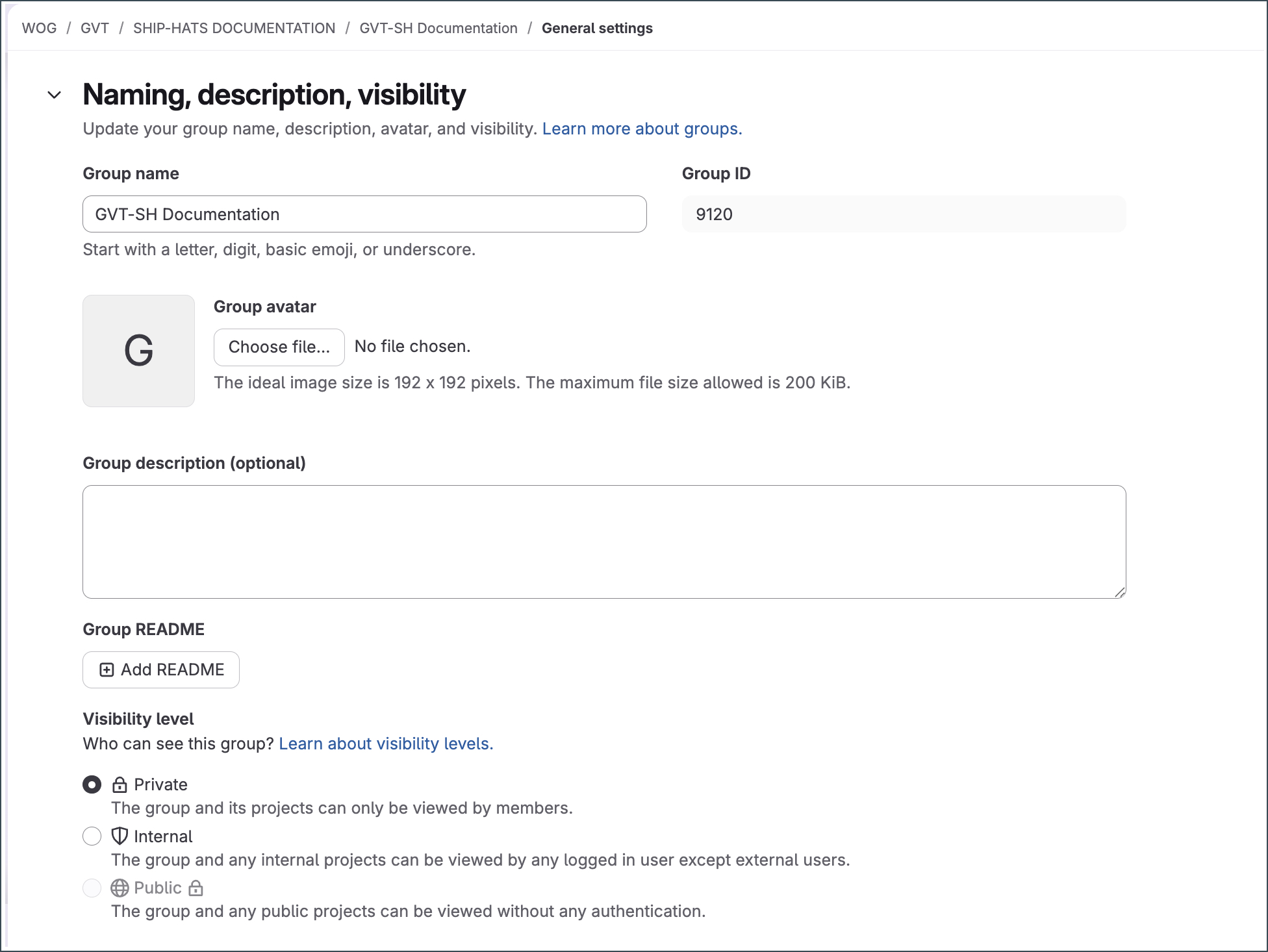
After receiving an exemption, verify that the GitLab group’s Visibility level is set to Private so that access is restricted to explicitly added members.
Verify GitLab group visibility after receiving an exemption
Note: You must have the Owner role for the GitLab group to change its visibility.
In GitLab, search for the group name and select it.
From the left sidebar, go to Settings > General.
Expand Naming, description, visibility.
Under Visibility level, verify that Private is selected.
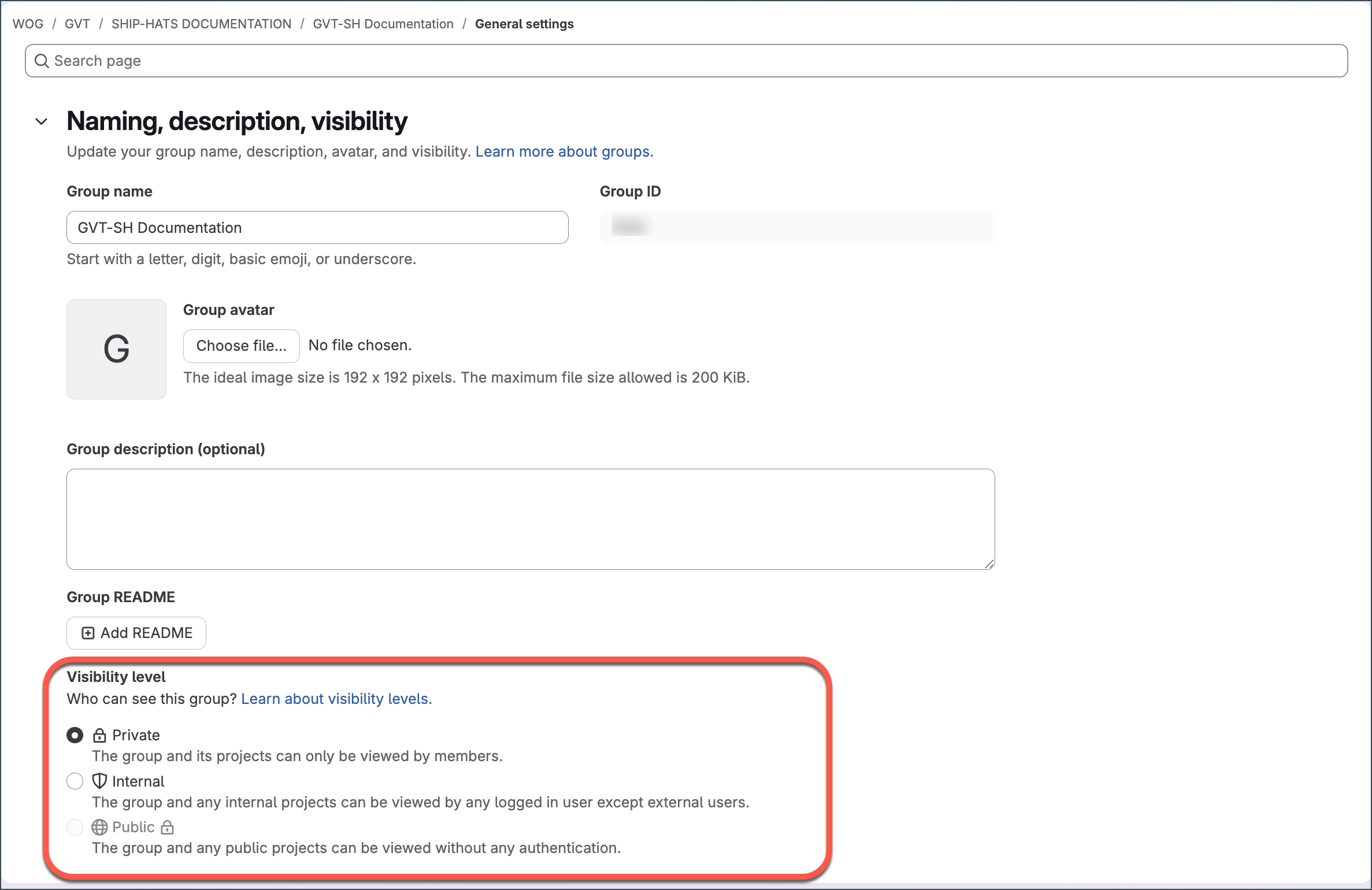
If the visibility is not Private, select Private.
Select Save changes if you made a change.
Note: If you are unsure of the GitLab group associated with your SHIP-HATS project, you can find the group name in Console under your SHIP-HATS subscription.