Bearer Token & API Key Generation
Bearer authentication (also called token authentication) is an HTTP authentication scheme that uses security tokens called bearer tokens. Signify uses bearer authentication.
Generate an API key
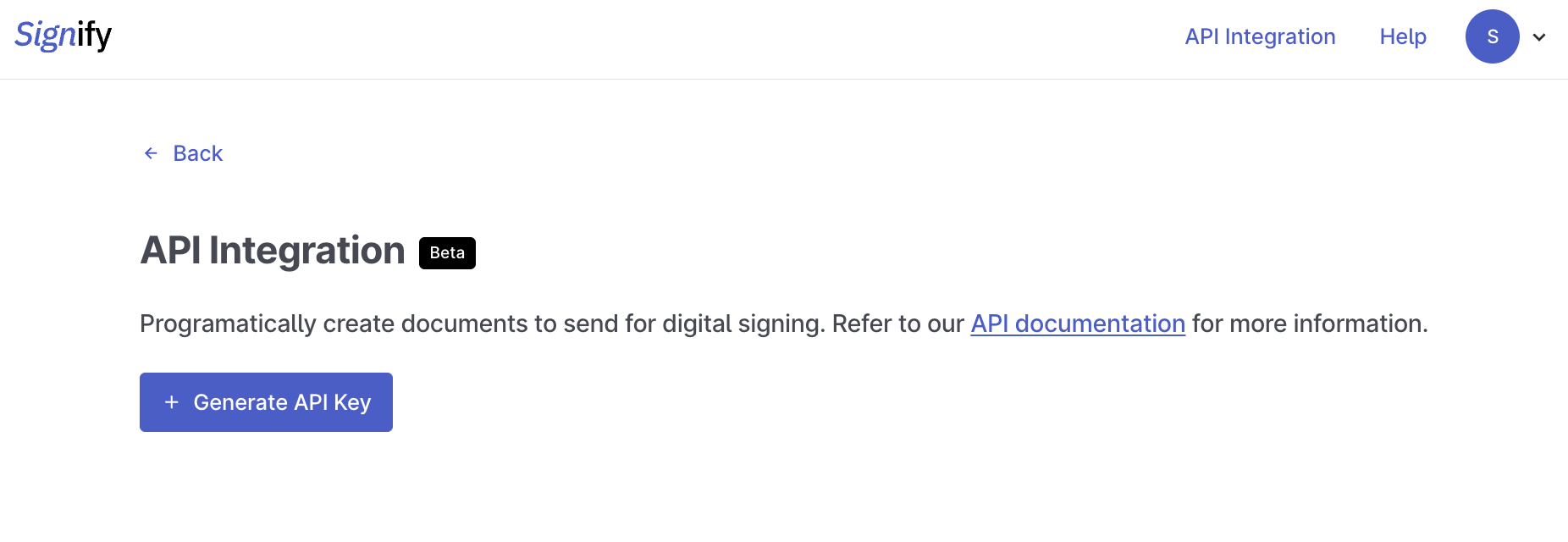
To generate the token:
- Click on API Integration in the navigation bar.
- Click Generate API key.
- Copy the token.
- Use this key to start using Signify’s API.
Each API key is valid for one year from its creation date. You can have up to two active API keys at a time.
Keep the bearer token safe: You should not share the bearer token with anyone. Use services like 1Password to store it.
Manage API keys
Go to API Integration to view and manage your API keys. The page displays each key’s status, creation date, expiry date, and when it was last used.
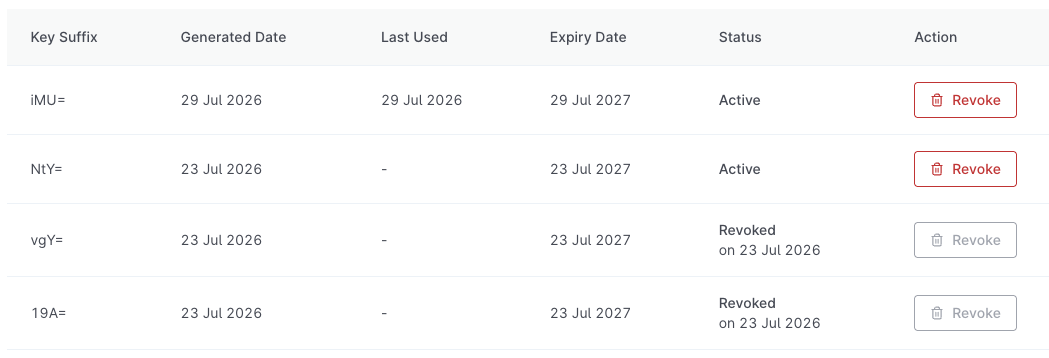
You can generate a new key when needed and revoke keys that are no longer in use. Having up to two active keys allows you to replace an existing key without interrupting your integration.
Revoked keys stop working immediately and cannot be restored. Expired keys can no longer be used to access the API.
If an API key is lost or exposed, generate a replacement and revoke the affected key as soon as possible.
